
 Screen Mirror ShaderShaders · 1.16 – 1.21
A shader that allows you to rotate the image in the game vertically, horizontally and more
Gratis14,276 descargas
Only use a shader to display an image on your screen~
Descarga directa desde Modrinth · 6,574 descargas
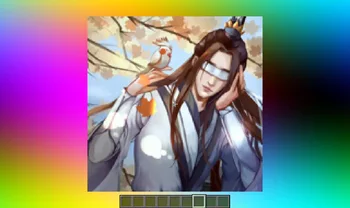
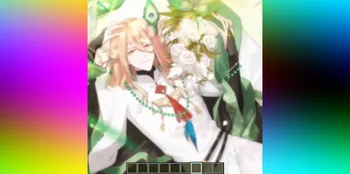

Image Shader (pack de shaders) es obra de lanzhan5656. Only use a shader to display an image on your screen~.
Es compatible con Minecraft 1.16 – 1.21. Se ha descargado 6,574 veces en Modrinth. La última actualización salió el 12/09/2025.
La más reciente es 1.0.0, publicada el 12/09/2025. Está hecha para Minecraft 1.16 – 1.21.8. Funciona en Iris. La descarga ocupa 4.8 MB.
| Versión | Publicado | Minecraft | Tipo |
|---|---|---|---|
1.0.0 | 12/09/2025 | 1.16 – 1.21.8 | Estable |
Image Shader es de código abierto. Su última versión en GitHub es 1.0.0~, publicada el 12/09/2025.
No content.
Only use a shader to display an image on your screen~
Note: compiling the shader may take some time!
First, use ffmpeg (or any tool) to resize your image to 160×160 pixels.
Using ffmpeg:
ffmpeg -i Input.png -vf scale=160:160 image.png
Then place the resized image in the same directory as the Python script below.
Run the script to produce an image_chunks folder, then copy the 16 .glsl files inside into shaders/data/image_chunks (you need to unpack the shader pack first).
Enter the game, enable the custom image option in the shader settings, and wait for the shader to finish compiling — Then it's ok~
A Python Script
from PIL import Image
import os
def generate_glsl_chunks(image_path, output_dir="image_chunks"):
try:
img = Image.open(image_path).convert('RGBA')
except FileNotFoundError:
print(f"Error: Image file not found at {image_path}")
return
width, height = img.size
if width != 160 or height != 160:
print(f"Error: Image must be 160x160 pixels, but it is {width}x{height}.")
print(f"You can use:")
print(f"ffmpeg -i image.png -vf scale=160:160 output.png")
print(f"to adjust the image resolution.")
return
os.makedirs(output_dir, exist_ok=True)
chunk_size = 40
num_chunks_x = width // chunk_size
num_chunks_y = height // chunk_size
for chunk_y in range(num_chunks_y):
for chunk_x in range(num_chunks_x):
left = chunk_x * chunk_size
upper = chunk_y * chunk_size
right = left + chunk_size
lower = upper + chunk_size
sub_img = img.crop((left, upper, right, lower))
pixel_data = list(sub_img.getdata())
array_name = f"image_data_{chunk_y}_{chunk_x}"
output_file_path = os.path.join(output_dir, f"{array_name}.glsl")
glsl_array = f"vec4 {array_name}[{chunk_size * chunk_size}] = vec4[{chunk_size * chunk_size}](\n"
for i, pixel in enumerate(pixel_data):
r, g, b, a = pixel
glsl_array += f" vec4({r/255.0}, {g/255.0}, {b/255.0}, {a/255.0})"
if i < len(pixel_data) - 1:
glsl_array += ","
if (i + 1) % 4 == 0:
glsl_array += "\n"
glsl_array += ");\n"
with open(output_file_path, 'w') as f:
f.write(glsl_array)
print(f"Generated file: {output_file_path}")
image_file = "image.png"
output_directory = "image_chunks"
generate_glsl_chunks(image_file, output_directory)
Escrita por lanzhan5656. Léela con imágenes en Modrinth.
Instala Iris (con Sodium) u OptiFine para tu versión de Minecraft: los shaders necesitan uno de ellos.
Descarga el archivo .zip desde Modrinth. No lo descomprimas.
En Minecraft, abre Opciones, luego Gráficos, luego Shader Packs y pulsa Abrir carpeta de shaders.
Suelta el archivo .zip en esa carpeta, elige Image Shader en la lista y pulsa Listo.
Los shaders exigen mucho a la tarjeta gráfica. Si el juego va lento, elige un perfil más bajo en sus ajustes.
| Recurso | Descargas | Versiones | Última actualización | Precio |
|---|---|---|---|---|
| Image Shaderel que estabas viendo | 6,574 | 1.16 – 1.21 | 12 sept 2025 | Gratis |
| Screen Mirror Shaderplaysi_ | 14K | 1.16 – 1.21 | 29 jun 2025 | Gratis |
 Daybreak Shaderagentclone8 | 180K | 1.20 – 1.21 | 27 jun 2024 | Gratis |
 VTXS Screen Space Demolipesto | 79K | 1.18 – 26.x | 2 may 2026 | Gratis |
Todavía no. La versión más reciente que admite es Minecraft 1.21.
Sí. Image Shader se puede descargar gratis desde Modrinth.
Sí. La última actualización salió en el último día.
Los más parecidos son Screen Mirror Shader, Daybreak Shader y VTXS Screen Space Demo. Comparar todas las alternativas
Screen Mirror ShaderShaders · 1.16 – 1.21A shader that allows you to rotate the image in the game vertically, horizontally and more
Daybreak ShaderShaders · 1.20 – 1.21A simple vanilla plus shader with screen space reflections! In Alpha!
VTXS Screen Space DemoShaders · 1.18 – 26.xFast and very sharp shader with Screen Space Path Tracing
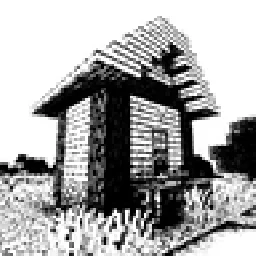 Bitmap Vanilla ShaderShaders · 1.21 – 26.x
Renders the game with only the colors black and white (bitmap).
 MINIMALShaders · 1.18 – 1.21
A Minecraft shader that only adds shadows
 ASCII ShaderShaders · 1.8 – 1.21
A shader intended to make Minecraft render only with ASCII characters!
Inicia sesión para dejar una reseña.