
 Screen Mirror ShaderShaders · 1.16 – 1.21
A shader that allows you to rotate the image in the game vertically, horizontally and more
Free14,267 downloads
Only use a shader to display an image on your screen~
Direct download from Modrinth · 6,574 downloads
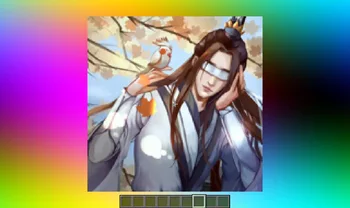
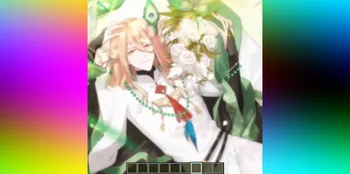

Image Shader is a shader pack made by lanzhan5656. Only use a shader to display an image on your screen~.
It supports Minecraft 1.16 – 1.21. It has been downloaded 6,574 times on Modrinth. The last update came out on Sep 12, 2025.
The newest is 1.0.0, released on Sep 12, 2025. It is made for Minecraft 1.16 – 1.21.8. It runs on Iris. The download is 4.8 MB.
| Version | Released | Minecraft | Type |
|---|---|---|---|
1.0.0 | Sep 12, 2025 | 1.16 – 1.21.8 | Release |
Image Shader is open source. Its newest release on GitHub is 1.0.0~, published on Sep 12, 2025.
No content.
Only use a shader to display an image on your screen~
Note: compiling the shader may take some time!
First, use ffmpeg (or any tool) to resize your image to 160×160 pixels.
Using ffmpeg:
ffmpeg -i Input.png -vf scale=160:160 image.png
Then place the resized image in the same directory as the Python script below.
Run the script to produce an image_chunks folder, then copy the 16 .glsl files inside into shaders/data/image_chunks (you need to unpack the shader pack first).
Enter the game, enable the custom image option in the shader settings, and wait for the shader to finish compiling — Then it's ok~
A Python Script
from PIL import Image
import os
def generate_glsl_chunks(image_path, output_dir="image_chunks"):
try:
img = Image.open(image_path).convert('RGBA')
except FileNotFoundError:
print(f"Error: Image file not found at {image_path}")
return
width, height = img.size
if width != 160 or height != 160:
print(f"Error: Image must be 160x160 pixels, but it is {width}x{height}.")
print(f"You can use:")
print(f"ffmpeg -i image.png -vf scale=160:160 output.png")
print(f"to adjust the image resolution.")
return
os.makedirs(output_dir, exist_ok=True)
chunk_size = 40
num_chunks_x = width // chunk_size
num_chunks_y = height // chunk_size
for chunk_y in range(num_chunks_y):
for chunk_x in range(num_chunks_x):
left = chunk_x * chunk_size
upper = chunk_y * chunk_size
right = left + chunk_size
lower = upper + chunk_size
sub_img = img.crop((left, upper, right, lower))
pixel_data = list(sub_img.getdata())
array_name = f"image_data_{chunk_y}_{chunk_x}"
output_file_path = os.path.join(output_dir, f"{array_name}.glsl")
glsl_array = f"vec4 {array_name}[{chunk_size * chunk_size}] = vec4[{chunk_size * chunk_size}](\n"
for i, pixel in enumerate(pixel_data):
r, g, b, a = pixel
glsl_array += f" vec4({r/255.0}, {g/255.0}, {b/255.0}, {a/255.0})"
if i < len(pixel_data) - 1:
glsl_array += ","
if (i + 1) % 4 == 0:
glsl_array += "\n"
glsl_array += ");\n"
with open(output_file_path, 'w') as f:
f.write(glsl_array)
print(f"Generated file: {output_file_path}")
image_file = "image.png"
output_directory = "image_chunks"
generate_glsl_chunks(image_file, output_directory)
Written by lanzhan5656. Read it with pictures on Modrinth.
Install Iris (with Sodium) or OptiFine for your Minecraft version: shaders need one of them.
Download the .zip file from Modrinth. Do not unzip it.
In Minecraft, open Options, then Video Settings, then Shader Packs, and click Open Shader Pack Folder.
Drop the .zip file into that folder, pick Image Shader in the list and click Done.
Shaders are heavy on the graphics card. If the game gets slow, pick a lower profile in the shader settings.
| Resource | Downloads | Versions | Last update | Price |
|---|---|---|---|---|
| Image Shaderthe one you looked at | 6,574 | 1.16 – 1.21 | Sep 12, 2025 | Free |
| Screen Mirror Shaderplaysi_ | 14K | 1.16 – 1.21 | Jun 29, 2025 | Free |
 Daybreak Shaderagentclone8 | 180K | 1.20 – 1.21 | Jun 27, 2024 | Free |
 VTXS Screen Space Demolipesto | 79K | 1.18 – 26.x | May 2, 2026 | Free |
Not yet. The newest version it supports is Minecraft 1.21.
Yes. Image Shader is free to download from Modrinth.
Yes. The last update came out in the past day.
The closest ones are Screen Mirror Shader, Daybreak Shader and VTXS Screen Space Demo. Compare all alternatives
Screen Mirror ShaderShaders · 1.16 – 1.21A shader that allows you to rotate the image in the game vertically, horizontally and more
Daybreak ShaderShaders · 1.20 – 1.21A simple vanilla plus shader with screen space reflections! In Alpha!
VTXS Screen Space DemoShaders · 1.18 – 26.xFast and very sharp shader with Screen Space Path Tracing
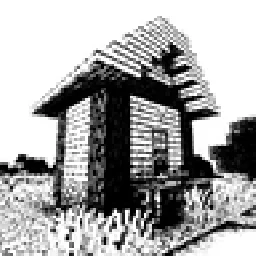 Bitmap Vanilla ShaderShaders · 1.21 – 26.x
Renders the game with only the colors black and white (bitmap).
 MINIMALShaders · 1.18 – 1.21
A Minecraft shader that only adds shadows
 ASCII ShaderShaders · 1.8 – 1.21
A shader intended to make Minecraft render only with ASCII characters!
Log in to leave a review.