
 Screen Mirror ShaderShaderlar · 1.16 – 1.21
A shader that allows you to rotate the image in the game vertically, horizontally and more
Ücretsiz14,276 indirme
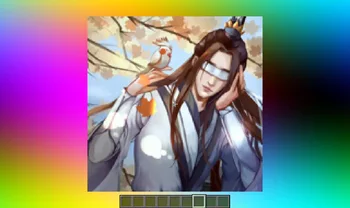
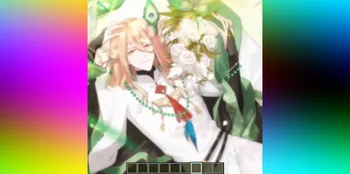

Image Shader, lanzhan5656 tarafından yapılmış bir shader paketi. Only use a shader to display an image on your screen~.
Desteklediği sürümler: Minecraft 1.16 – 1.21. Modrinth üzerinde 6,574 kez indirildi. Son güncelleme 12.09.2025 tarihinde çıktı.
En yenisi 12.09.2025 tarihinde çıkan 1.0.0. Minecraft 1.16 – 1.21.8 için yapıldı. Iris üzerinde çalışır. İndirme boyutu 4.8 MB.
| Sürüm | Yayın tarihi | Minecraft | Tür |
|---|---|---|---|
1.0.0 | 12.09.2025 | 1.16 – 1.21.8 | Kararlı |
Image Shader açık kaynaklıdır. GitHub'daki en yeni sürümü 12.09.2025 tarihinde yayınlanan 1.0.0~.
No content.
Only use a shader to display an image on your screen~
Note: compiling the shader may take some time!
First, use ffmpeg (or any tool) to resize your image to 160×160 pixels.
Using ffmpeg:
ffmpeg -i Input.png -vf scale=160:160 image.png
Then place the resized image in the same directory as the Python script below.
Run the script to produce an image_chunks folder, then copy the 16 .glsl files inside into shaders/data/image_chunks (you need to unpack the shader pack first).
Enter the game, enable the custom image option in the shader settings, and wait for the shader to finish compiling — Then it's ok~
A Python Script
from PIL import Image
import os
def generate_glsl_chunks(image_path, output_dir="image_chunks"):
try:
img = Image.open(image_path).convert('RGBA')
except FileNotFoundError:
print(f"Error: Image file not found at {image_path}")
return
width, height = img.size
if width != 160 or height != 160:
print(f"Error: Image must be 160x160 pixels, but it is {width}x{height}.")
print(f"You can use:")
print(f"ffmpeg -i image.png -vf scale=160:160 output.png")
print(f"to adjust the image resolution.")
return
os.makedirs(output_dir, exist_ok=True)
chunk_size = 40
num_chunks_x = width // chunk_size
num_chunks_y = height // chunk_size
for chunk_y in range(num_chunks_y):
for chunk_x in range(num_chunks_x):
left = chunk_x * chunk_size
upper = chunk_y * chunk_size
right = left + chunk_size
lower = upper + chunk_size
sub_img = img.crop((left, upper, right, lower))
pixel_data = list(sub_img.getdata())
array_name = f"image_data_{chunk_y}_{chunk_x}"
output_file_path = os.path.join(output_dir, f"{array_name}.glsl")
glsl_array = f"vec4 {array_name}[{chunk_size * chunk_size}] = vec4[{chunk_size * chunk_size}](\n"
for i, pixel in enumerate(pixel_data):
r, g, b, a = pixel
glsl_array += f" vec4({r/255.0}, {g/255.0}, {b/255.0}, {a/255.0})"
if i < len(pixel_data) - 1:
glsl_array += ","
if (i + 1) % 4 == 0:
glsl_array += "\n"
glsl_array += ");\n"
with open(output_file_path, 'w') as f:
f.write(glsl_array)
print(f"Generated file: {output_file_path}")
image_file = "image.png"
output_directory = "image_chunks"
generate_glsl_chunks(image_file, output_directory)
Yazan: lanzhan5656. Resimli halini Modrinth sayfasında oku.
Minecraft sürümün için Iris (Sodium ile) ya da OptiFine kur: shaderlar bunlardan birine ihtiyaç duyar.
.zip dosyasını Modrinth üzerinden indir. Zipten çıkarma.
Minecraft'ta Seçenekler, Görüntü Ayarları, Shader Paketleri'ni aç ve Shader Paketi Klasörünü Aç'a tıkla.
.zip dosyasını o klasöre bırak, listeden Image Shader seç ve Bitti'ye tıkla.
Shaderlar ekran kartını zorlar. Oyun yavaşlarsa shader ayarlarından daha düşük bir profil seç.
| Kaynak | İndirmeler | Sürümler | Son güncelleme | Fiyat |
|---|---|---|---|---|
 Image Shaderbaktığın | 6,574 | 1.16 – 1.21 | 12 Eyl 2025 | Ücretsiz |
| Screen Mirror Shaderplaysi_ | 14K | 1.16 – 1.21 | 29 Haz 2025 | Ücretsiz |
 Daybreak Shaderagentclone8 | 180K | 1.20 – 1.21 | 27 Haz 2024 | Ücretsiz |
 VTXS Screen Space Demolipesto | 79K | 1.18 – 26.x | 2 May 2026 | Ücretsiz |
Henüz değil. Desteklediği en yeni sürüm Minecraft 1.21.
Evet. Image Shader, Modrinth üzerinden ücretsiz indirilebilir.
Evet. Son güncelleme son 24 saat içinde çıktı.
En yakın olanlar Screen Mirror Shader, Daybreak Shader ve VTXS Screen Space Demo. Tüm alternatifleri karşılaştır
Screen Mirror ShaderShaderlar · 1.16 – 1.21A shader that allows you to rotate the image in the game vertically, horizontally and more
Daybreak ShaderShaderlar · 1.20 – 1.21A simple vanilla plus shader with screen space reflections! In Alpha!
VTXS Screen Space DemoShaderlar · 1.18 – 26.xFast and very sharp shader with Screen Space Path Tracing
 Bitmap Vanilla ShaderShaderlar · 1.21 – 26.x
Renders the game with only the colors black and white (bitmap).
 MINIMALShaderlar · 1.18 – 1.21
A Minecraft shader that only adds shadows
 ASCII ShaderShaderlar · 1.8 – 1.21
A shader intended to make Minecraft render only with ASCII characters!
Yorum yazmak için giriş yap.