
 Smooth ScrollingMods · 1.20 – 26.x
Customize the scrolling smoothness or speed in various places like chat, hotbar, creative screen...
Gratis13,360,613 descargas
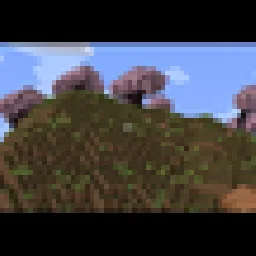
Adds a smooth cinematic zoom to Minecraft, with black bars at the top and bottom of the screen. Perfect for making gameplay look more like a movie.
Descarga directa desde Modrinth · 19 descargas
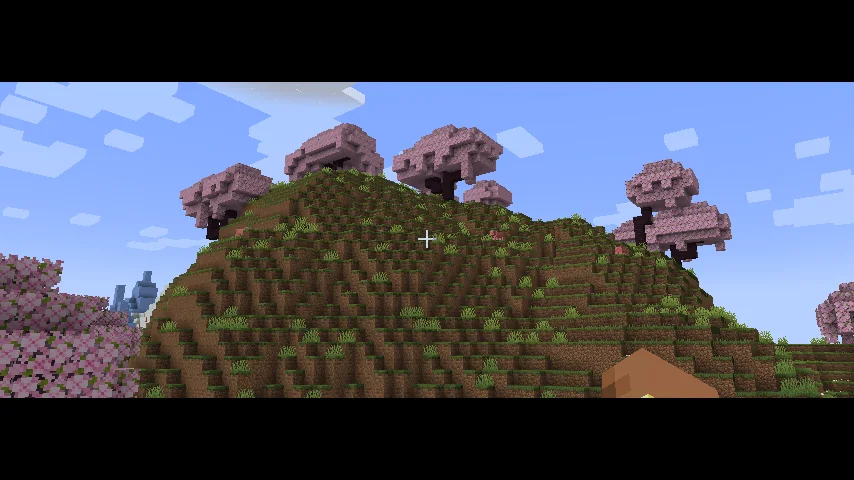
Cinematic Zoom In (mod) es obra de elgen86611. Adds a smooth cinematic zoom to Minecraft, with black bars at the top and bottom of the screen. Perfect for making gameplay look more like a movie.
Es compatible con Minecraft 1.21. Se ha descargado 19 veces en Modrinth. La última actualización salió el 12/10/2026.
La más reciente es 1.0.0, publicada el 12/10/2026. Está hecha para Minecraft 1.21.1. Funciona en NeoForge. La descarga ocupa 9 KB.
| Versión | Publicado | Minecraft | Tipo |
|---|---|---|---|
1.0.0 | 12/10/2026 | 1.21.1 | Estable |
Cinematic Zoom In adds a smooth zoom feature to Minecraft, along with cinematic black bars at the top and bottom of the screen.
Press C to zoom in and get a closer look at things in your world. The zoom moves smoothly instead of instantly snapping in and out. The black bars give your gameplay a more cinematic look.
You can change the mod's settings by opening Mod Config and finding Cinematic Zoom In. There you can adjust settings like zoom strength and other options to make it work the way you want.
Whether you're recording videos, taking screenshots, or just exploring, this mod gives you an easy way to make your gameplay look more cinematic.
Escrita por elgen86611. Léela con imágenes en Modrinth.
Este mod funciona solo en tu propio juego. Los servidores no lo necesitan, así que puedes usarlo en cualquier servidor.
Instala NeoForge para Minecraft 1.21.
Descarga el archivo .jar desde Modrinth y ponlo en la carpeta mods de tu directorio .minecraft.
Inicia Minecraft con el perfil de NeoForge.
Más fácil: en Prism Launcher o la Modrinth App, busca Cinematic Zoom In en los mods de tu instancia y haz clic en Install. Añade el loader y los mods que necesita por ti.
| Recurso | Descargas | Versiones | Última actualización | Precio |
|---|---|---|---|---|
| Cinematic Zoom Inel que estabas viendo | 19 | 1.21 | 12 oct 2026 | Gratis |
| Smooth ScrollingSmajloSlovakian | 13.4M | 1.20 – 26.x | hace 28 días | Gratis |
 Advanced ZoomMr_Lan123 | 205 | 1.21 – 26.x | hace 6 días | Gratis |
 letterblockKaianGuedes | 95 | 1.20 – 26.x | 5 oct 2026 | Gratis |
Todavía no. La versión más reciente que admite es Minecraft 1.21.
Sí. Cinematic Zoom In se puede descargar gratis desde Modrinth.
Del lado del cliente. Cinematic Zoom In va en tu propia carpeta mods y funciona en cualquier servidor, incluso en servidores sin mods.
Sí. La última actualización salió en el último día.
Los más parecidos son Smooth Scrolling, Advanced Zoom y letterblock. Comparar todas las alternativas
Smooth ScrollingMods · 1.20 – 26.xCustomize the scrolling smoothness or speed in various places like chat, hotbar, creative screen...
Advanced ZoomMods · 1.21 – 26.xA smooth, borderless spyglass-like zoom for Minecraft. Hold or press a key to zoom in, use the mouse wheel to fine-tune the zoom level, and configure…
letterblockMods · 1.20 – 26.xCinematic black bars in Minecraft
 CraftwebsMods · 26.x
this adds craftable cobwebs. I made this since like no one was making 26.2 fabric craftable webs
 Tabby ZoomMods · 26.x
This mod adds a simple and smooth zoom to the game.
 Xaero's World MapMods · 1.8 – 26.x
Adds a full screen world map which shows you what you have explored in the world. Works great together with Xaero's Minimap.
Inicia sesión para dejar una reseña.