
 Smooth ScrollingMody · 1.20 – 26.x
Customize the scrolling smoothness or speed in various places like chat, hotbar, creative screen...
Za darmoPobrania: 13,360,613
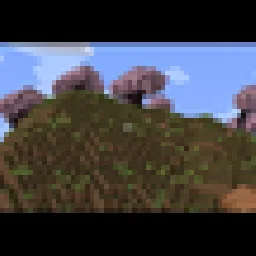
Adds a smooth cinematic zoom to Minecraft, with black bars at the top and bottom of the screen. Perfect for making gameplay look more like a movie.
Bezpośrednie pobieranie z Modrinth · 19 pobrań
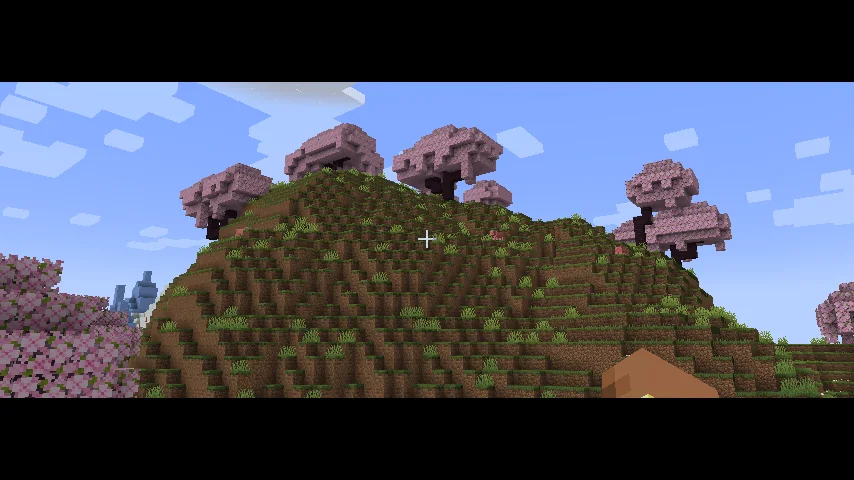
Cinematic Zoom In to mod, autor: elgen86611. Adds a smooth cinematic zoom to Minecraft, with black bars at the top and bottom of the screen. Perfect for making gameplay look more like a movie.
Obsługiwane wersje: Minecraft 1.21. Liczba pobrań w serwisie Modrinth: 19. Ostatnia aktualizacja: 12.10.2026.
Najnowsza to 1.0.0, wydana 12.10.2026. Jest zrobiona dla Minecraft 1.21.1. Działa na NeoForge. Plik ma 9 KB.
| Wersja | Wydano | Minecraft | Typ |
|---|---|---|---|
1.0.0 | 12.10.2026 | 1.21.1 | Wydanie |
Cinematic Zoom In adds a smooth zoom feature to Minecraft, along with cinematic black bars at the top and bottom of the screen.
Press C to zoom in and get a closer look at things in your world. The zoom moves smoothly instead of instantly snapping in and out. The black bars give your gameplay a more cinematic look.
You can change the mod's settings by opening Mod Config and finding Cinematic Zoom In. There you can adjust settings like zoom strength and other options to make it work the way you want.
Whether you're recording videos, taking screenshots, or just exploring, this mod gives you an easy way to make your gameplay look more cinematic.
Autor: elgen86611. Z obrazkami na Modrinth.
Ten mod działa tylko w twojej grze. Serwery go nie potrzebują, więc możesz go używać na każdym serwerze.
Zainstaluj NeoForge dla Minecraft 1.21.
Pobierz plik .jar z Modrinth i wrzuć go do folderu mods w katalogu .minecraft.
Uruchom Minecraft z profilem NeoForge.
Prościej: w Prism Launcher lub Modrinth App wyszukaj Cinematic Zoom In w modach swojej instancji i kliknij Install. Loader i potrzebne mody zostaną dodane za ciebie.
| Zasób | Pobrania | Wersje | Aktualizacja | Cena |
|---|---|---|---|---|
| Cinematic Zoom Inten, który oglądałeś | 19 | 1.21 | 12 paź 2026 | Za darmo |
| Smooth ScrollingSmajloSlovakian | 13.4M | 1.20 – 26.x | 28 d. temu | Za darmo |
 Advanced ZoomMr_Lan123 | 205 | 1.21 – 26.x | 6 d. temu | Za darmo |
 letterblockKaianGuedes | 95 | 1.20 – 26.x | 5 paź 2026 | Za darmo |
Jeszcze nie. Najnowsza obsługiwana wersja to Minecraft 1.21.
Tak. Cinematic Zoom In można pobrać za darmo z serwisu Modrinth.
Po stronie klienta. Cinematic Zoom In trafia do twojego folderu mods i działa na każdym serwerze, także bez modów.
Tak. Ostatnia aktualizacja wyszła w ciągu ostatniej doby.
Najbliższe to Smooth Scrolling, Advanced Zoom i letterblock. Porównaj wszystkie alternatywy
Smooth ScrollingMody · 1.20 – 26.xCustomize the scrolling smoothness or speed in various places like chat, hotbar, creative screen...
Advanced ZoomMody · 1.21 – 26.xA smooth, borderless spyglass-like zoom for Minecraft. Hold or press a key to zoom in, use the mouse wheel to fine-tune the zoom level, and configure…
letterblockMody · 1.20 – 26.xCinematic black bars in Minecraft
 CraftwebsMody · 26.x
this adds craftable cobwebs. I made this since like no one was making 26.2 fabric craftable webs
 Xaero's World MapMody · 1.8 – 26.x
Adds a full screen world map which shows you what you have explored in the world. Works great together with Xaero's Minimap.
 Sodium Shadowy Path BlocksMody · 1.16 – 26.x
Reintroduces vanilla-like smooth lighting to non-full blocks (e.g. dirt paths and how they have dark shading when directly next to a full block) when using…
Zaloguj się, aby wystawić opinię.