
 Smooth ScrollingMods · 1.20 – 26.x
Customize the scrolling smoothness or speed in various places like chat, hotbar, creative screen...
Gratuit13,360,613 téléchargements
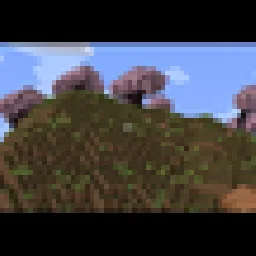
Adds a smooth cinematic zoom to Minecraft, with black bars at the top and bottom of the screen. Perfect for making gameplay look more like a movie.
Téléchargement direct depuis Modrinth · 19 téléchargements
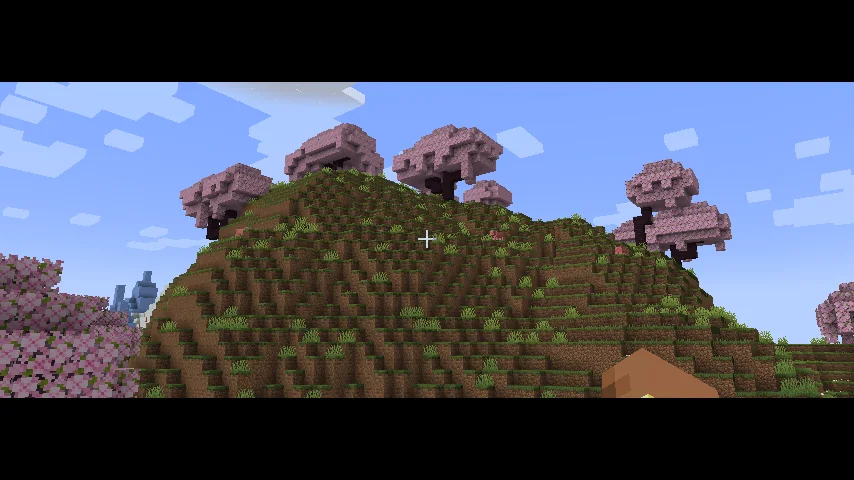
Cinematic Zoom In (mod) est une création de elgen86611. Adds a smooth cinematic zoom to Minecraft, with black bars at the top and bottom of the screen. Perfect for making gameplay look more like a movie.
Versions prises en charge : Minecraft 1.21. On compte 19 téléchargements sur Modrinth. La dernière mise à jour date du 12/10/2026.
La plus récente est 1.0.0, sortie le 12/10/2026. Elle est faite pour Minecraft 1.21.1. Elle fonctionne sur NeoForge. Le téléchargement fait 9 KB.
| Version | Publié | Minecraft | Type |
|---|---|---|---|
1.0.0 | 12/10/2026 | 1.21.1 | Stable |
Cinematic Zoom In adds a smooth zoom feature to Minecraft, along with cinematic black bars at the top and bottom of the screen.
Press C to zoom in and get a closer look at things in your world. The zoom moves smoothly instead of instantly snapping in and out. The black bars give your gameplay a more cinematic look.
You can change the mod's settings by opening Mod Config and finding Cinematic Zoom In. There you can adjust settings like zoom strength and other options to make it work the way you want.
Whether you're recording videos, taking screenshots, or just exploring, this mod gives you an easy way to make your gameplay look more cinematic.
Écrite par elgen86611. À lire avec les images sur Modrinth.
Ce mod fonctionne uniquement dans ton jeu. Les serveurs n'en ont pas besoin, tu peux donc l'utiliser sur n'importe quel serveur.
Installe NeoForge pour Minecraft 1.21.
Télécharge le fichier .jar depuis Modrinth et place-le dans le dossier mods de ton répertoire .minecraft.
Lance Minecraft avec le profil NeoForge.
Plus simple : dans Prism Launcher ou la Modrinth App, cherche Cinematic Zoom In dans les mods de ton instance et clique sur Install. Le loader et les mods requis sont ajoutés pour toi.
| Ressource | Téléchargements | Versions | Mise à jour | Prix |
|---|---|---|---|---|
| Cinematic Zoom Incelle que tu regardais | 19 | 1.21 | 12 oct. 2026 | Gratuit |
| Smooth ScrollingSmajloSlovakian | 13.4M | 1.20 – 26.x | il y a 28 jours | Gratuit |
 Advanced ZoomMr_Lan123 | 205 | 1.21 – 26.x | il y a 6 jours | Gratuit |
 letterblockKaianGuedes | 95 | 1.20 – 26.x | 5 oct. 2026 | Gratuit |
Pas encore. La version la plus récente prise en charge est Minecraft 1.21.
Oui. Cinematic Zoom In se télécharge gratuitement sur Modrinth.
Côté client. Cinematic Zoom In se place dans ton propre dossier mods et fonctionne sur n'importe quel serveur, même sans mods.
Oui. La dernière mise à jour date des dernières 24 heures.
Les plus proches sont Smooth Scrolling, Advanced Zoom et letterblock. Comparer toutes les alternatives
Smooth ScrollingMods · 1.20 – 26.xCustomize the scrolling smoothness or speed in various places like chat, hotbar, creative screen...
Advanced ZoomMods · 1.21 – 26.xA smooth, borderless spyglass-like zoom for Minecraft. Hold or press a key to zoom in, use the mouse wheel to fine-tune the zoom level, and configure…
letterblockMods · 1.20 – 26.xCinematic black bars in Minecraft
 CraftwebsMods · 26.x
this adds craftable cobwebs. I made this since like no one was making 26.2 fabric craftable webs
 Tabby ZoomMods · 26.x
This mod adds a simple and smooth zoom to the game.
 Xaero's World MapMods · 1.8 – 26.x
Adds a full screen world map which shows you what you have explored in the world. Works great together with Xaero's Minimap.
Connecte-toi pour laisser un avis.