
 Smooth ScrollingMods · 1.20 – 26.x
Customize the scrolling smoothness or speed in various places like chat, hotbar, creative screen...
Free13,360,613 downloads
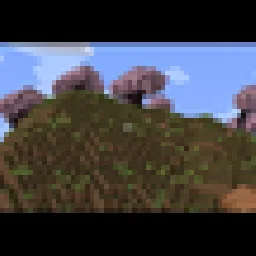
Adds a smooth cinematic zoom to Minecraft, with black bars at the top and bottom of the screen. Perfect for making gameplay look more like a movie.
Direct download from Modrinth · 19 downloads
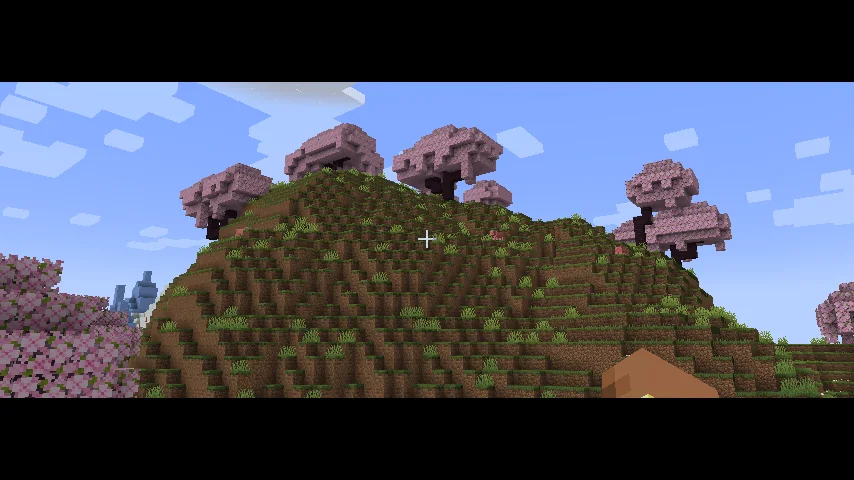
Cinematic Zoom In is a mod made by elgen86611. Adds a smooth cinematic zoom to Minecraft, with black bars at the top and bottom of the screen. Perfect for making gameplay look more like a movie.
It supports Minecraft 1.21. It has been downloaded 19 times on Modrinth. The last update came out on Oct 12, 2026.
The newest is 1.0.0, released on Oct 12, 2026. It is made for Minecraft 1.21.1. It runs on NeoForge. The download is 9 KB.
| Version | Released | Minecraft | Type |
|---|---|---|---|
1.0.0 | Oct 12, 2026 | 1.21.1 | Release |
Cinematic Zoom In adds a smooth zoom feature to Minecraft, along with cinematic black bars at the top and bottom of the screen.
Press C to zoom in and get a closer look at things in your world. The zoom moves smoothly instead of instantly snapping in and out. The black bars give your gameplay a more cinematic look.
You can change the mod's settings by opening Mod Config and finding Cinematic Zoom In. There you can adjust settings like zoom strength and other options to make it work the way you want.
Whether you're recording videos, taking screenshots, or just exploring, this mod gives you an easy way to make your gameplay look more cinematic.
Written by elgen86611. Read it with pictures on Modrinth.
This mod runs only on your own game. Servers do not need it, so you can use it on any server.
Install NeoForge for Minecraft 1.21.
Download the .jar file from Modrinth and put it in the mods folder of your .minecraft directory.
Start Minecraft with the NeoForge profile.
Easier: in Prism Launcher or the Modrinth App, search for Cinematic Zoom In in your instance's mods and click Install. It adds the loader and the mods it needs for you.
Full guide: How to install Minecraft mods
| Resource | Downloads | Versions | Last update | Price |
|---|---|---|---|---|
| Cinematic Zoom Inthe one you looked at | 19 | 1.21 | Oct 12, 2026 | Free |
| Smooth ScrollingSmajloSlovakian | 13.4M | 1.20 – 26.x | 27 days ago | Free |
 Advanced ZoomMr_Lan123 | 205 | 1.21 – 26.x | 5 days ago | Free |
 letterblockKaianGuedes | 95 | 1.20 – 26.x | Oct 5, 2026 | Free |
Not yet. The newest version it supports is Minecraft 1.21.
Yes. Cinematic Zoom In is free to download from Modrinth.
Client-side. Cinematic Zoom In goes in your own mods folder and works on any server, including servers without mods.
Yes. The last update came out in the past day.
The closest ones are Smooth Scrolling, Advanced Zoom and letterblock. Compare all alternatives
Smooth ScrollingMods · 1.20 – 26.xCustomize the scrolling smoothness or speed in various places like chat, hotbar, creative screen...
Advanced ZoomMods · 1.21 – 26.xA smooth, borderless spyglass-like zoom for Minecraft. Hold or press a key to zoom in, use the mouse wheel to fine-tune the zoom level, and configure…
letterblockMods · 1.20 – 26.xCinematic black bars in Minecraft
 CraftwebsMods · 26.x
this adds craftable cobwebs. I made this since like no one was making 26.2 fabric craftable webs
 Xaero's World MapMods · 1.8 – 26.x
Adds a full screen world map which shows you what you have explored in the world. Works great together with Xaero's Minimap.
 Sodium Shadowy Path BlocksMods · 1.16 – 26.x
Reintroduces vanilla-like smooth lighting to non-full blocks (e.g. dirt paths and how they have dark shading when directly next to a full block) when using…
Log in to leave a review.