
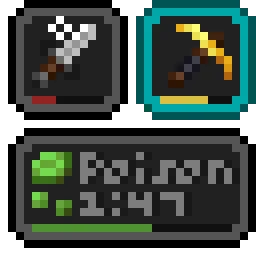
 Status Effect BarsMods · 1.17 – 26.x
Adds customizable bars to the status effects overlay to show the remaining duration of effects.
Free7,963,718 downloads
Cinematic black bars in Minecraft
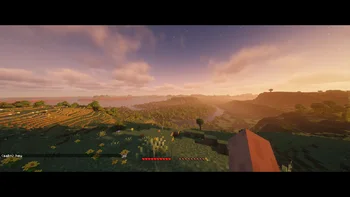
letterblock is a mod made by KaianGuedes. Cinematic black bars in Minecraft.
It supports Minecraft 1.20 – 26.x. It has been downloaded 8 times on Modrinth. The last update came out on Oct 5, 2026.
The newest is 1.0.0, released on Oct 5, 2026. It is made for Minecraft 1.20 – 26.3. It runs on Fabric. The download is 428 KB.
| Version | Released | Minecraft | Type |
|---|---|---|---|
1.0.0 | Oct 5, 2026 | 1.20 – 26.3 | Release |
letterblock is open source. Its newest release on GitHub is Letterblock 1.0.0 for Minecraft 1.20+, published on Oct 5, 2026.
Initial release.
I didn't test every single version and setup, so if something breaks, please open an issue on GitHub... !!
Cinematic black bars for Minecraft. Press F12 and your game turns into widescreen a movie.
It's great for recording, screenshots, cinematics, or just playing normally.
Key · Action
F12 · Toggle the bars
[ / ] · Make the bars smaller / bigger
O · Open the settings menu
All keys can be changed in Options → Controls.
I didn't test every single version and setup, so if something breaks, please open an issue on GitHub... !!
Open to PR and suggestions!
Written by KaianGuedes. Read it with pictures on Modrinth.
This mod runs only on your own game. Servers do not need it, so you can use it on any server.
Install Fabric for Minecraft 1.20 – 26.x.
Add the mods it needs: Fabric API.
Download the .jar file from Modrinth and put it in the mods folder of your .minecraft directory.
Start Minecraft with the Fabric profile.
With the CraftRank Launcher you can skip these steps: open Mods, search for letterblock and click Install.
| Resource | Downloads | Versions | Last update | Price |
|---|---|---|---|---|
| letterblockthe one you looked at | 8 | 1.20 – 26.x | Oct 5, 2026 | Free |
| Status Effect BarsA5b84 | 8M | 1.17 – 26.x | Jun 18, 2026 | Free |
 Entity Texture FeaturesTraben | 110.9M | 1.16 – 26.x | 7 days ago | Free |
 ContinuityPepper_Bell | 79.6M | 1.17 – 26.x | Sep 16, 2026 | Free |
Yes. letterblock supports Minecraft 26.x. All supported versions: 26.x, 1.21, 1.20.
Yes. letterblock is free to download from Modrinth.
Client-side. letterblock goes in your own mods folder and works on any server, including servers without mods.
Yes: Fabric API. Install it before letterblock.
Yes. The last update came out in the past day.
The closest ones are Status Effect Bars, Entity Texture Features and Continuity. Compare all alternatives
Status Effect BarsMods · 1.17 – 26.xAdds customizable bars to the status effects overlay to show the remaining duration of effects.
Entity Texture FeaturesMods · 1.16 – 26.xEmissive, Random & Custom texture support for entities in resourcepacks just like Optifine but for Fabric
ContinuityMods · 1.17 – 26.xA Minecraft mod that allows for efficient connected textures
 LambDynamicLightsMods · 1.16 – 26.x
Adds dynamic lights to Minecraft as the most feature-complete and optimized dynamic lighting mod.
 BetterF3Mods · 1.16 – 26.x
BetterF3 is a mod that replaces Minecraft's original debug HUD with a highly customizable, more human-readable HUD.
 SupplementariesMods · 1.16 – 1.21
Vanilla+ additions: Jars, signposts, faucets, weather vanes spring launchers, sconces, planters, lights, decoration and automation
Log in to leave a review.