The Light Overlay Mod with a twist!

The Light Overlay Mod with a twist!
Lighty to zasób, autor: andi-makes. Obsługiwane wersje: Minecraft 1.18 – 26.x. Liczba pobrań w serwisie Modrinth: 4,048,259. Ostatnia aktualizacja: 16.09.2026.
Lighty ma 130 wydań na Modrinth od 07.08.2022. 15 z nich wyszło w ostatnim roku. Najnowsza to 4.0.1+26.3, wydana 16.09.2026. Jest zrobiona dla Minecraft 26.3. Działa na NeoForge. Plik ma 75 KB.
| Wersja | Wydano | Minecraft | Typ |
|---|---|---|---|
4.0.1+26.3 | 16.09.2026 | 26.3 | Wydanie |
4.0.1+26.3 | 16.09.2026 | 26.3 | Wydanie |
4.0.1+26.2 | 23.07.2026 | 26.2 | Wydanie |
4.0.1+26.2 | 23.07.2026 | 26.2 | Wydanie |
1.1.0-BTA | 22.07.2026 | – | Wydanie |
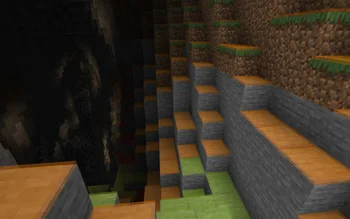
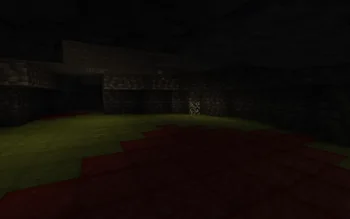
Instead of rendering crosses or numbers on the top face of blocks, Lighty takes a different approach - It renders a transparent carpet-like block on top! Or, new in version 1.1.0 - Renders the actual light level numbers, but Lighty Style!
Make sure to check out the Gallery for some pictures!
If you have some ideas for this mod, feel free to open a new Codeberg Issue!
If you like this mod, consider following the project to get notified about new updates!
This mod was inspired by LightLevel.
Autor: andi-makes. Z obrazkami na Modrinth.
Ten mod działa tylko w twojej grze. Serwery go nie potrzebują, więc możesz go używać na każdym serwerze.
Zainstaluj Fabric, Quilt, Forge i NeoForge dla Minecraft 1.18 – 26.x.
Pobierz plik .jar z Modrinth i wrzuć go do folderu mods w katalogu .minecraft.
Uruchom Minecraft z profilem Fabric.
Z CraftRank Launcherem pominiesz te kroki: otwórz Mody, wyszukaj Lighty i kliknij Zainstaluj.
Tak. Lighty działa w wersji Minecrafta 26.x. Wszystkie obsługiwane wersje: 26.x, 1.21, 1.20, 1.19, 1.18.
Tak. Lighty można pobrać za darmo z serwisu Modrinth.
Po stronie klienta. Lighty trafia do twojego folderu mods i działa na każdym serwerze, także bez modów.
Tak. Ostatnia aktualizacja wyszła w ciągu ostatniej doby.
Zaloguj się, aby wystawić opinię.
