The Light Overlay Mod with a twist!

The Light Overlay Mod with a twist!
Lighty is a resource made by andi-makes. It supports Minecraft 1.18 – 26.x. It has been downloaded 4,048,259 times on Modrinth. The last update came out on Sep 16, 2026.
Lighty has had 130 releases on Modrinth since Aug 7, 2022. 15 of them came out in the past year. The newest is 4.0.1+26.3, released on Sep 16, 2026. It is made for Minecraft 26.3. It runs on NeoForge. The download is 75 KB.
| Version | Released | Minecraft | Type |
|---|---|---|---|
4.0.1+26.3 | Sep 16, 2026 | 26.3 | Release |
4.0.1+26.3 | Sep 16, 2026 | 26.3 | Release |
4.0.1+26.2 | Jul 23, 2026 | 26.2 | Release |
4.0.1+26.2 | Jul 23, 2026 | 26.2 | Release |
1.1.0-BTA | Jul 22, 2026 | – | Release |
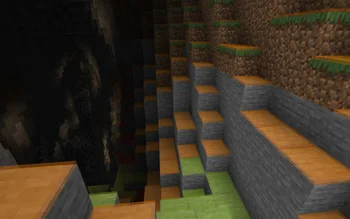
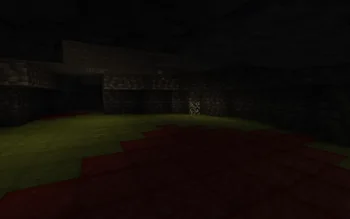
Instead of rendering crosses or numbers on the top face of blocks, Lighty takes a different approach - It renders a transparent carpet-like block on top! Or, new in version 1.1.0 - Renders the actual light level numbers, but Lighty Style!
Make sure to check out the Gallery for some pictures!
If you have some ideas for this mod, feel free to open a new Codeberg Issue!
If you like this mod, consider following the project to get notified about new updates!
This mod was inspired by LightLevel.
Written by andi-makes. Read it with pictures on Modrinth.
This mod runs only on your own game. Servers do not need it, so you can use it on any server.
Install Fabric, Quilt, Forge and NeoForge for Minecraft 1.18 – 26.x.
Download the .jar file from Modrinth and put it in the mods folder of your .minecraft directory.
Start Minecraft with the Fabric profile.
With the CraftRank Launcher you can skip these steps: open Mods, search for Lighty and click Install.
Yes. Lighty supports Minecraft 26.x. All supported versions: 26.x, 1.21, 1.20, 1.19, 1.18.
Yes. Lighty is free to download from Modrinth.
Client-side. Lighty goes in your own mods folder and works on any server, including servers without mods.
Yes. The last update came out in the past day.
Log in to leave a review.
