The Light Overlay Mod with a twist!

The Light Overlay Mod with a twist!
Lighty — ресурс от andi-makes. Поддерживаемые версии: Minecraft 1.18 – 26.x. Скачиваний на Modrinth: 4,048,259. Последнее обновление: 16.09.2026.
С 07.08.2022 у Lighty вышло 130 версий на Modrinth. 15 из них вышли за последний год. Новейшая — 4.0.1+26.3, вышла 16.09.2026. Она сделана для Minecraft 26.3. Работает на NeoForge. Размер файла — 75 KB.
| Версия | Выпущен | Minecraft | Тип |
|---|---|---|---|
4.0.1+26.3 | 16.09.2026 | 26.3 | Релиз |
4.0.1+26.3 | 16.09.2026 | 26.3 | Релиз |
4.0.1+26.2 | 23.07.2026 | 26.2 | Релиз |
4.0.1+26.2 | 23.07.2026 | 26.2 | Релиз |
1.1.0-BTA | 22.07.2026 | – | Релиз |
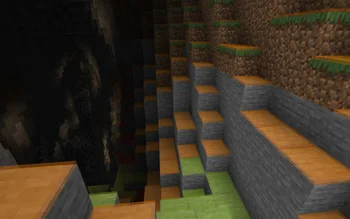
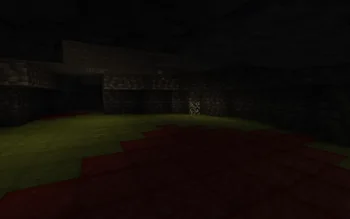
Instead of rendering crosses or numbers on the top face of blocks, Lighty takes a different approach - It renders a transparent carpet-like block on top! Or, new in version 1.1.0 - Renders the actual light level numbers, but Lighty Style!
Make sure to check out the Gallery for some pictures!
If you have some ideas for this mod, feel free to open a new Codeberg Issue!
If you like this mod, consider following the project to get notified about new updates!
This mod was inspired by LightLevel.
Автор: andi-makes. С картинками — на Modrinth.
Этот мод работает только в твоей игре. Серверам он не нужен, так что его можно использовать на любом сервере.
Установи Fabric, Quilt, Forge и NeoForge для Minecraft 1.18 – 26.x.
Скачай .jar-файл с Modrinth и положи его в папку mods в каталоге .minecraft.
Запусти Minecraft с профилем Fabric.
С CraftRank Launcher эти шаги не нужны: открой Моды, найди Lighty и нажми Установить.
Да. Lighty поддерживает Minecraft 26.x. Все поддерживаемые версии: 26.x, 1.21, 1.20, 1.19, 1.18.
Да. Lighty можно бесплатно скачать на Modrinth.
На клиенте. Lighty кладётся в твою папку mods и работает на любом сервере, даже без модов.
Да. Последнее обновление вышло за последние сутки.
Войди, чтобы оставить отзыв.
