The Light Overlay Mod with a twist!

The Light Overlay Mod with a twist!
Lighty, andi-makes tarafından yapılmış bir kaynak. Desteklediği sürümler: Minecraft 1.18 – 26.x. Modrinth üzerinde 4,048,259 kez indirildi. Son güncelleme 16.09.2026 tarihinde çıktı.
Lighty, 07.08.2022 tarihinden beri Modrinth üzerinde 130 sürüm yayınladı. Bunların 15 tanesi son bir yılda çıktı. En yenisi 16.09.2026 tarihinde çıkan 4.0.1+26.3. Minecraft 26.3 için yapıldı. NeoForge üzerinde çalışır. İndirme boyutu 75 KB.
| Sürüm | Yayın tarihi | Minecraft | Tür |
|---|---|---|---|
4.0.1+26.3 | 16.09.2026 | 26.3 | Kararlı |
4.0.1+26.3 | 16.09.2026 | 26.3 | Kararlı |
4.0.1+26.2 | 23.07.2026 | 26.2 | Kararlı |
4.0.1+26.2 | 23.07.2026 | 26.2 | Kararlı |
1.1.0-BTA | 22.07.2026 | – | Kararlı |
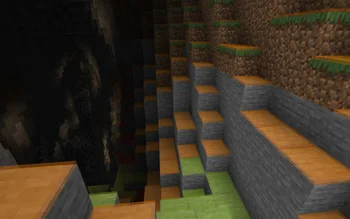
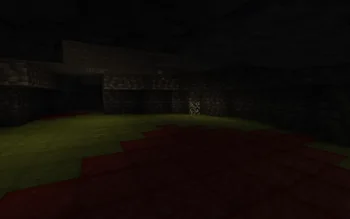
Instead of rendering crosses or numbers on the top face of blocks, Lighty takes a different approach - It renders a transparent carpet-like block on top! Or, new in version 1.1.0 - Renders the actual light level numbers, but Lighty Style!
Make sure to check out the Gallery for some pictures!
If you have some ideas for this mod, feel free to open a new Codeberg Issue!
If you like this mod, consider following the project to get notified about new updates!
This mod was inspired by LightLevel.
Yazan: andi-makes. Resimli halini Modrinth sayfasında oku.
Bu mod yalnızca senin oyununda çalışır. Sunucuların buna ihtiyacı yok, bu yüzden her sunucuda kullanabilirsin.
Minecraft 1.18 – 26.x için Fabric, Quilt, Forge ve NeoForge kur.
.jar dosyasını Modrinth üzerinden indir ve .minecraft klasöründeki mods klasörüne koy.
Minecraft'ı Fabric profiliyle başlat.
CraftRank Launcher ile bu adımları atlayabilirsin: Modlar'ı aç, Lighty ara ve Kur'a tıkla.
Evet. Lighty, Minecraft 26.x sürümünü destekliyor. Desteklenen tüm sürümler: 26.x, 1.21, 1.20, 1.19, 1.18.
Evet. Lighty, Modrinth üzerinden ücretsiz indirilebilir.
İstemci tarafı. Lighty kendi mods klasörüne kurulur ve modsuz sunucular dahil her sunucuda çalışır.
Evet. Son güncelleme son 24 saat içinde çıktı.
Yorum yazmak için giriş yap.
