NovoCraftRank SitesSite e loja grátisFaça a sua ›
AshlarSoftware de servidor grátis baseado no Paper, com proteção contra DDoS e backdoors Ver o Ashlar ›Security RadarA free check of your server's login, anti-bot and proxy settings, only with your OK Veja como funciona ›ComunidadeFaça perguntas, compartilhe construções e encontre gente para jogar Entrar no fórum ›
Recursos / Shaders / Alpha Piscium

Alpha Piscium

High-quality realistic Minecraft shaderpack.

ShadersGrátis1.20 – 26.x
por Luna5ama · listado a partir do Modrinth
Baixar ›

Download direto do Modrinth · 366,154 downloads

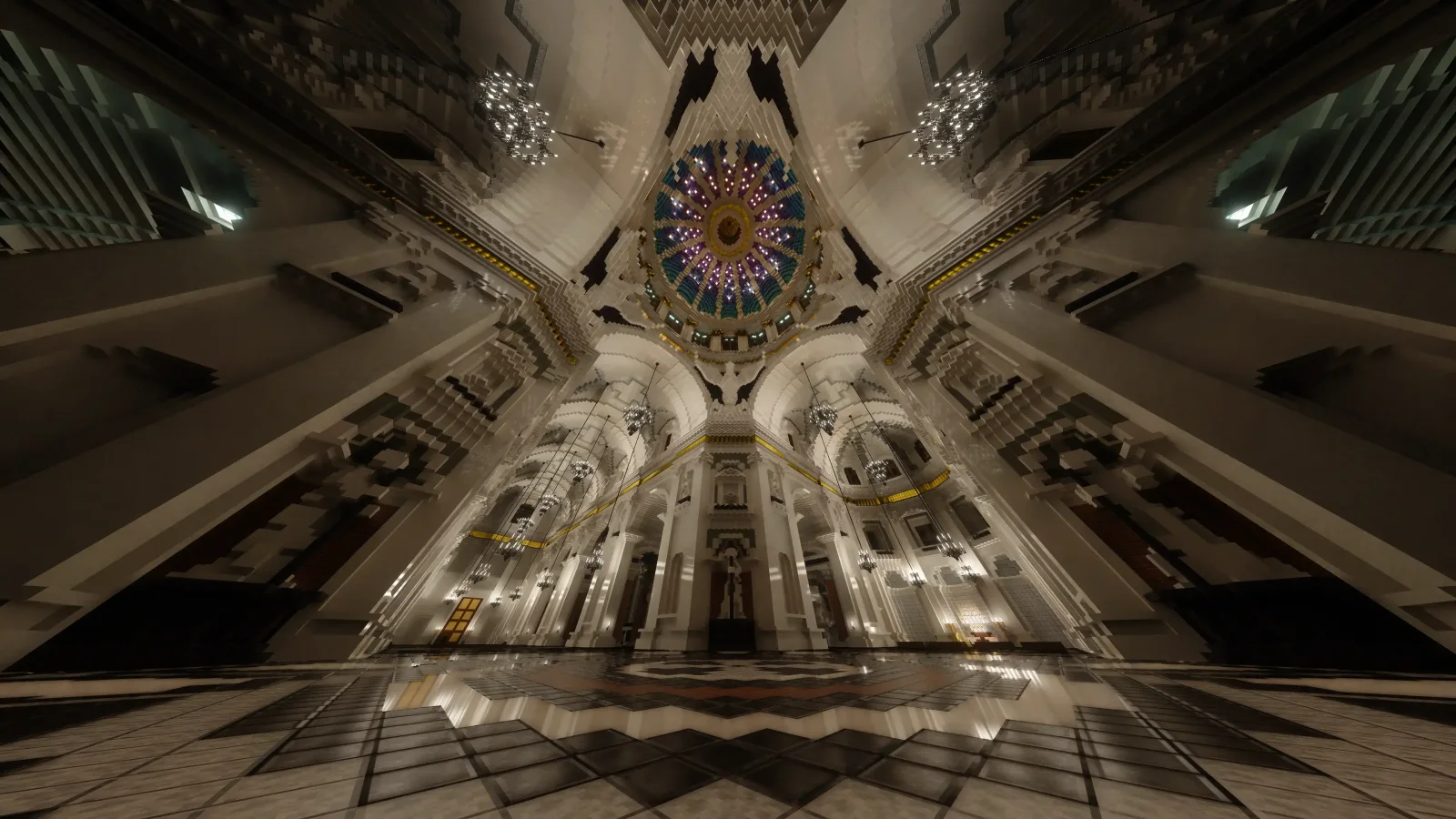
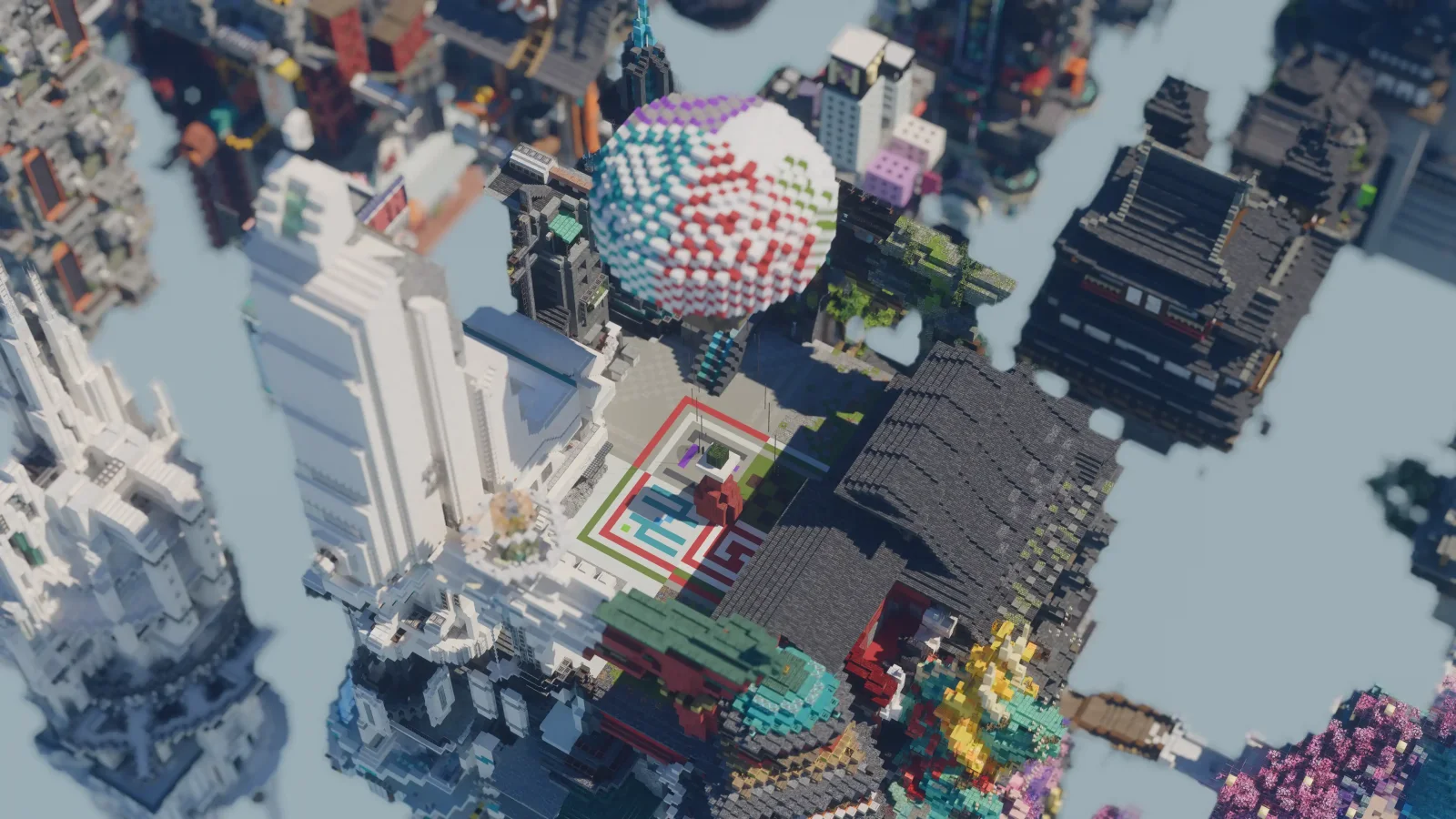
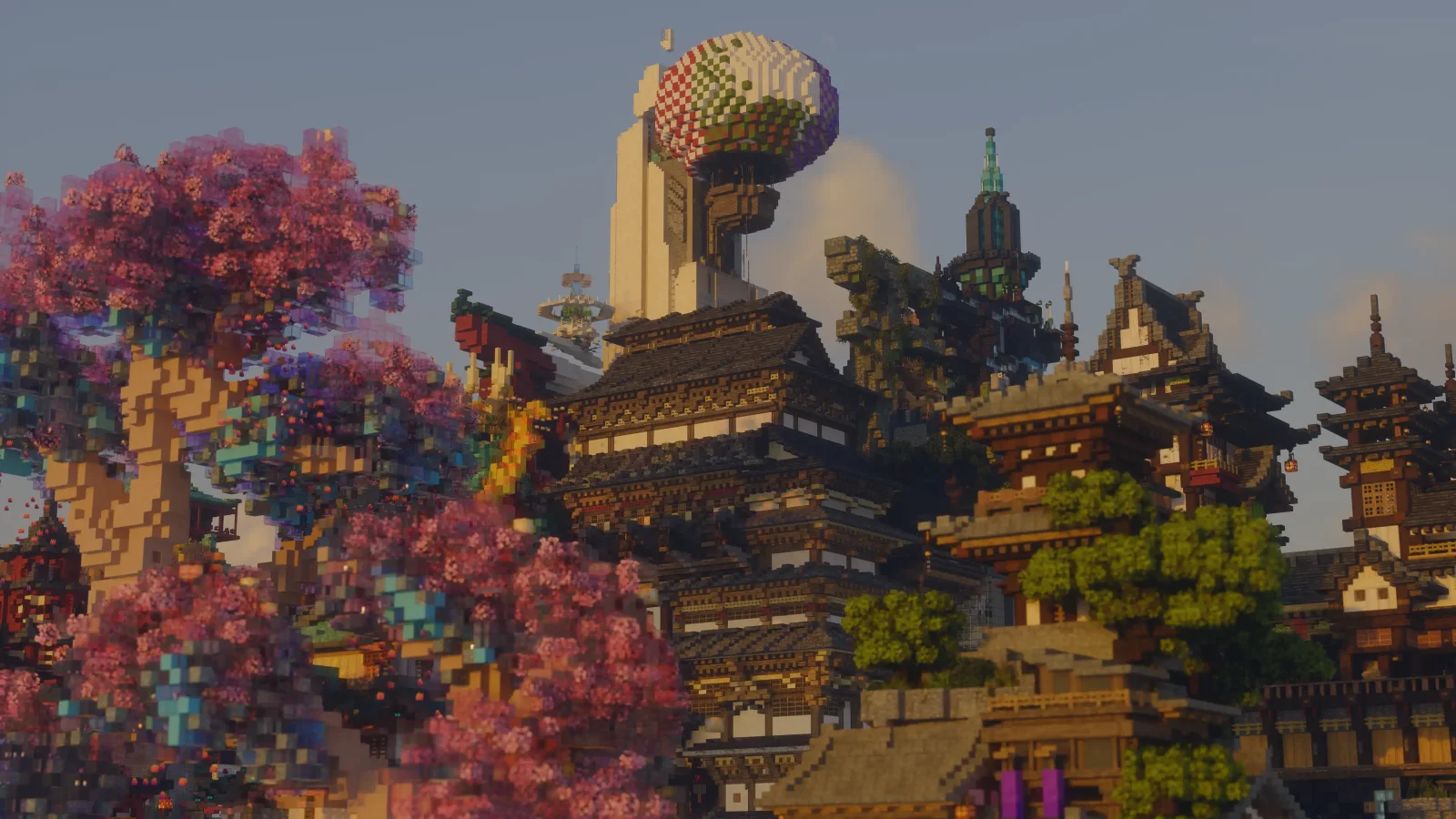
Alpha Piscium, captura 1Alpha Piscium, captura 2Alpha Piscium, captura 3

O que ele faz

Alpha Piscium (pacote de shaders) é obra de Luna5ama. High-quality realistic Minecraft shaderpack.

É compatível com o Minecraft 1.20 – 26.x. Tem 366,154 downloads em Modrinth. A última atualização saiu em 29/09/2026.

Versões suportadas

26.x1.211.20

Histórico de versões

Alpha Piscium teve 35 versões no Modrinth desde 13/10/2025. 30 saíram no último ano. A mais recente é 1.10.0, lançada em 29/09/2026. Ela é feita para o Minecraft 1.20.5 – 26.3. Ela roda em Iris. O download tem 48.3 MB.

VersãoLançadoMinecraftTipo
1.10.029/09/20261.20.5 – 26.3Estável
1.10.0-Beta209/09/20261.20.5 – 26.2Beta
1.10.0-Beta130/08/20261.20.5 – 26.2Beta
1.9.215/08/20261.20.5 – 26.2Estável
1.9.2-Beta105/08/20261.20.5 – 26.2Beta

Última versão no GitHub

Alpha Piscium é de código aberto. A versão mais recente no GitHub é Alpha Piscium v1.10.0, publicada em 29/09/2026.

Highlight

  • Added parallax mapping with shadowing, SSGI support
  • Added Primary Color Calibration and HSL Color Mixer controls to the display transform (by leed)
  • Improved cloud lighting with a new multiple scattering technique
  • Improved rendering performance across raster geometry, shadows, and post-processing

New

  • Added parallax mapping with shadowing, SSGI support.
  • Added independent RGB primary hue/saturation calibration and eight-band HSL hue, saturation, and luminance controls (by leed)
  • Added configurable color-grading color space and transfer-function settings (by leed)

Improvement

  • Improved cloud lighting with a new multiple scattering technique and boundary confidence
  • Refined cumulus density/noise modeling, lighting, edge shaping, and detail textures
  • Packed solid G-buffer TBN data in view space and removed redundant geometry varyings and shadow transforms
  • Optimized PCSS, SSS, and translucent shadow sampling with reused random inputs, deferred gathers, early exits, and selective material decoding
  • Reduced TAA, FXAA, RCAS, Bloom, and exposure workgroup and dispatch overhead
  • Improved GI denoiser temporal stability

Fix

Leia todas as notas no GitHub

Antes: Alpha Piscium v1.10.0-Beta2 (09/09/2026), Alpha Piscium v1.10.0-Beta1 (30/08/2026).

Descrição do autor no Modrinth

Alpha Piscium

High-quality realistic Minecraft shaderpack featuring global illumination, volumetric clouds, atmospheric scattering, and stunning visual effects.

Official Website link: alphapiscium.org/ \
Discord server link: discord.gg/E2Uq2MmHgq

Features

Installation

  1. Download the Alpha Piscium shaders for Minecraft from Modrinth or GitHub Release.
  2. Install Iris shader loader.
  3. Open the Minecraft launcher and choose the Iris profile you just created with the version you're playing.
  4. Launch Minecraft.
  5. Go to Options → Video Settings → Shader Packs, then click Open Shader Pack Folder.
  6. Move the downloaded ZIP file into this folder (.minecraft/shaderpacks).
  7. In-game, select the newly installed pack from the shaders list. (If you select a shader pack using Iris, its filename will turn yellow.)
  8. Click Done or Apply and the shader will be loaded.

FAQ

  • No lighting at night: Please use PBR resource packs. For vanilla style, SPBR is recommended. Otherwise, try Patrix.
  • Can't load shaderpack: Please use Iris with version 1.7 or higher.
  • Everything goes dark when turning back: This is due to the limitations of screenspace techniques. There isn't a perfect way to fix this.
  • Intel GPU: Alpha Piscium uses cutting-edge graphics technology. Unfortunately, Intel doesn't maintain their OpenGL driver well, so Intel GPUs are not supported.
  • AMD GPU: Check if your GPU driver is newer than 22.7.1. If older, please update your driver.
  • Other loading errors: Press Ctrl+D in Iris's shaderpack selection screen, then reload the shaderpack. Make an issue with the error message and the relevant files in .minecraft/patched_shaders as shown in the error message.

Roadmap

1.9 Specular GI

  • Add specular GI

2.0 World Space Tracing

  • Add voxelization and voxel tracing

2.1 DRT Update

  • Release Skibidi DRT
  • HDR mod support?

2.2 Volumetrics shadowing

  • Add cloud shadowing to volumetrics
  • Add screen space shadow to volumetrics

2.3 Local fog

  • Add ground fog

2.4 Cloud shadow

  • Add cloud shadow to terrain rendering
  • Add cloud to reflection/GI

2.5 Cloud update part 1

Improve cloud lighting

  • Add altocumulus
  • Rewrite cirrus modeling

2.6 Cloud udpate part 2

  • Rewrite cumulus modeling
  • Add stratocumulus and nimbostratus

2.7 Upscaling???

  • Add FSR 3.1 (no framegen)

2.8 Parallax mapping???

  • Add steep/smooth parallax mapping
  • Add parallax mapping shadow

AI / LLM Code Disclosure & Compliance Notice

Please be advised that this codebase incorporates software components generated or assisted by Large Language Models (LLMs). If your personal policy, regulatory constraints, or usage criteria prohibit the deployment or execution of AI-generated software, you are requested to immediately cease utilization and remove all instances of Alpha Piscium from your systems.

License

Files under the scripts directory are licensed under the MIT License. All other files are licensed under the GNU General Public License v3.0.

Escrita por Luna5ama. Leia com imagens no Modrinth.

Como instalar Alpha Piscium

  1. Instale o Iris (com Sodium) ou o OptiFine para sua versão do Minecraft: shaders precisam de um deles.

  2. Baixe o arquivo .zip pelo Modrinth. Não descompacte.

  3. No Minecraft, abra Opções, depois Gráficos, depois Shader Packs e clique em Abrir pasta de shaders.

  4. Coloque o arquivo .zip nessa pasta, escolha Alpha Piscium na lista e clique em Concluído.

  5. Shaders pesam na placa de vídeo. Se o jogo ficar lento, escolha um perfil mais baixo nas configurações.

Compatibilidade

Versões do Minecraft
26.x, 1.21, 1.20
Edição
Java
Precisa de
Nada além disso
Licença
GPL
Preço
Grátis
Manutenção
Atualizado ativamente (13/11/2026)

Alpha Piscium comparado com similares Comparar todas as alternativas

RecursoDownloadsVersõesÚltima atualizaçãoPreço
Alpha Pisciumo que você estava vendo366K1.20 – 26.x29 set 2026Grátis
Kappa ShaderRRe363.4M1.16 – 1.2128 fev 2025Grátis
FastPBRRRe362M1.18 – 1.2128 fev 2025Grátis
Luster ShadersFourthEcho21K1.21 – 26.xhá 16 diasGrátis

Perguntas

Alpha Piscium funciona no Minecraft 26.x?

Sim. Alpha Piscium é compatível com o Minecraft 26.x. Todas as versões compatíveis: 26.x, 1.21, 1.20.

Alpha Piscium é grátis?

Sim. Você pode baixar Alpha Piscium de graça em Modrinth.

Alpha Piscium ainda recebe atualizações?

Sim. A última atualização saiu no último dia.

Quais são as melhores alternativas a Alpha Piscium?

Os mais parecidos são Kappa Shader, FastPBR e Luster Shaders. Comparar todas as alternativas

Alternativas ao Alpha Piscium

Comparar todas as alternativas ›

Avaliações

–★★★★★
0 avaliações
50
40
30
20
10

Entre para deixar uma avaliação.