
 Kappa ShaderShaders · 1.16 – 1.21
A high-quality realistic, yet also somewhat stylized shaderpack.
Free3,398,714 downloads

High-quality realistic Minecraft shaderpack.
Direct download from Modrinth · 364,173 downloads

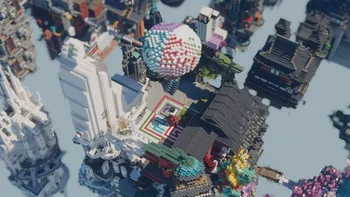

Alpha Piscium is a shader pack made by Luna5ama. High-quality realistic Minecraft shaderpack.
It supports Minecraft 1.20 – 26.x. It has been downloaded 364,173 times on Modrinth. The last update came out on Sep 29, 2026.
Alpha Piscium has had 35 releases on Modrinth since Oct 13, 2025. 30 of them came out in the past year. The newest is 1.10.0, released on Sep 29, 2026. It is made for Minecraft 1.20.5 – 26.3. It runs on Iris. The download is 48.3 MB.
| Version | Released | Minecraft | Type |
|---|---|---|---|
1.10.0 | Sep 29, 2026 | 1.20.5 – 26.3 | Release |
1.10.0-Beta2 | Sep 9, 2026 | 1.20.5 – 26.2 | Beta |
1.10.0-Beta1 | Aug 30, 2026 | 1.20.5 – 26.2 | Beta |
1.9.2 | Aug 15, 2026 | 1.20.5 – 26.2 | Release |
1.9.2-Beta1 | Aug 5, 2026 | 1.20.5 – 26.2 | Beta |
Alpha Piscium is open source. Its newest release on GitHub is Alpha Piscium v1.10.0, published on Sep 29, 2026.
Read all release notes on GitHub
Before that: Alpha Piscium v1.10.0-Beta2 (Sep 9, 2026), Alpha Piscium v1.10.0-Beta1 (Aug 30, 2026).
High-quality realistic Minecraft shaderpack featuring global illumination, volumetric clouds, atmospheric scattering, and stunning visual effects.
Official Website link: alphapiscium.org/ \
Discord server link: discord.gg/E2Uq2MmHgq
Improve cloud lighting
Please be advised that this codebase incorporates software components generated or assisted by Large Language Models (LLMs). If your personal policy, regulatory constraints, or usage criteria prohibit the deployment or execution of AI-generated software, you are requested to immediately cease utilization and remove all instances of Alpha Piscium from your systems.
Files under the scripts directory are licensed under the MIT License. All other files are licensed under the GNU General Public License v3.0.
Written by Luna5ama. Read it with pictures on Modrinth.
Install Iris (with Sodium) or OptiFine for your Minecraft version: shaders need one of them.
Download the .zip file from Modrinth. Do not unzip it.
In Minecraft, open Options, then Video Settings, then Shader Packs, and click Open Shader Pack Folder.
Drop the .zip file into that folder, pick Alpha Piscium in the list and click Done.
Shaders are heavy on the graphics card. If the game gets slow, pick a lower profile in the shader settings.
Full guide: How to install Minecraft shaders
| Resource | Downloads | Versions | Last update | Price |
|---|---|---|---|---|
| Alpha Pisciumthe one you looked at | 364K | 1.20 – 26.x | Sep 29, 2026 | Free |
| Kappa ShaderRRe36 | 3.4M | 1.16 – 1.21 | Feb 28, 2025 | Free |
 FastPBRRRe36 | 2M | 1.18 – 1.21 | Feb 28, 2025 | Free |
 Luster ShadersFourthEcho | 20K | 1.21 – 26.x | 14 days ago | Free |
Yes. Alpha Piscium supports Minecraft 26.x. All supported versions: 26.x, 1.21, 1.20.
Yes. Alpha Piscium is free to download from Modrinth.
Yes. The last update came out in the past day.
The closest ones are Kappa Shader, FastPBR and Luster Shaders. Compare all alternatives
Kappa ShaderShaders · 1.16 – 1.21A high-quality realistic, yet also somewhat stylized shaderpack.
FastPBRShaders · 1.18 – 1.21A fast and high-quality shaderpack with realistic visuals and PBR atmospherics.
Luster ShadersShaders · 1.21 – 26.xA high-quality, realistic shaderpack with macbooks in mind
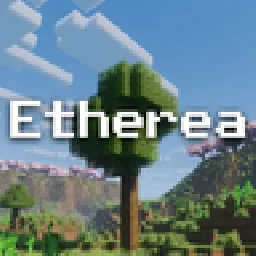 Etherea ShaderShaders · 1.16 – 26.x
A high quality vanilla-styled shaderpack built for exceptional performance.
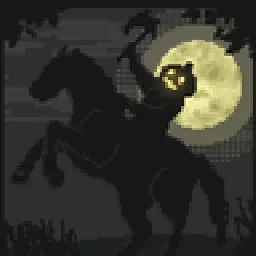 Insanity ShaderShaders · 1.8 – 1.21
A stylized, horror themed Iris shaderpack with high customizability and performance.
 AstraLex ShadersShaders · 1.16 – 26.x
Shaderpack with very high customization. If you like effects, this shaderpack is made for you!
Log in to leave a review.