
 Bloom Auto PickupPlugins · 1.21 – 26.x
Highly Optimized and Supported Auto Pickup Plugin. Folia, All Paper Forks, Spigot. 1.21.x - 26.3
Grátis5 downloads
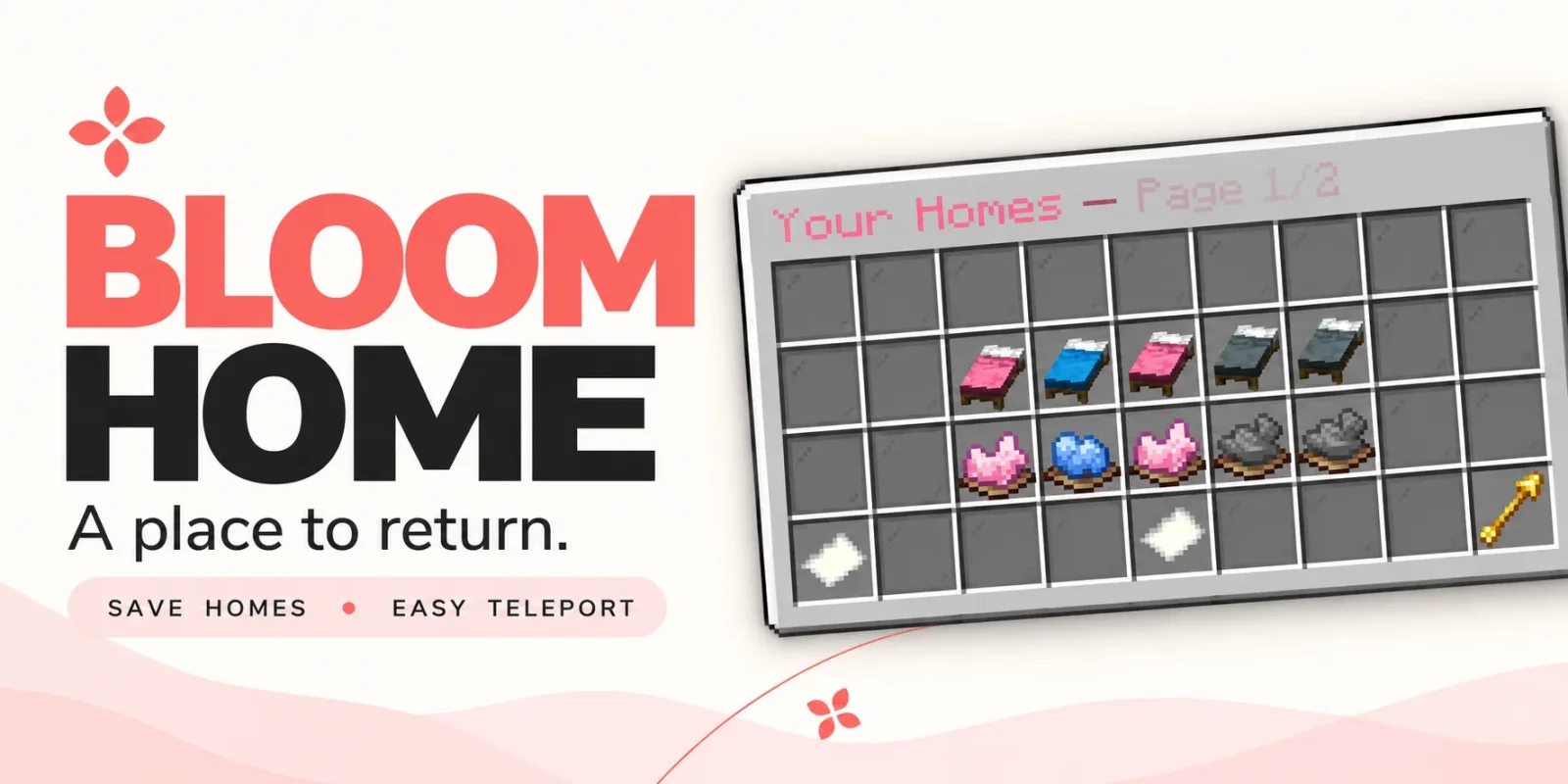
Metene criou Bloom Home (plugin) para servidores Paper / Spigot. Highly Optimized and Supported Home Plugin. Folia, All Paper Forks, Spigot. 1.21.x - 26.x.
É compatível com o Minecraft 1.21 – 26.x. Tem 4 downloads em Modrinth. Isso o coloca na posição 88 entre os 105 plugins de teleporte e warps listados aqui. A última atualização saiu em 03/11/2026.
Bloom Home teve 2 versões no Modrinth desde 28/10/2026. 2 saíram no último ano. A mais recente é 1.1.7, lançada em 03/11/2026. Ela é feita para o Minecraft 1.21 – 26.3. Ela roda em Bukkit, Folia, Paper, Purpur e Spigot. O download tem 128 KB.
| Versão | Lançado | Minecraft | Tipo |
|---|---|---|---|
1.1.7 | 03/11/2026 | 1.21 – 26.3 | Estável |
1.1.4 | 28/10/2026 | 1.21 – 26.3 | Estável |
Os comandos citados na página de Bloom Home no Modrinth:
/home/homes/sethome/delhome/bloomhomePermissões citadas lá, para dar com um plugin como o LuckPerms:
bloomhome.usebloomhome.admin.reloadbloomhome.limit.5bloomhome.limit.10bloomhome.limit.15bloomhome.limitbloomhome.teleport.bypassbloom.**A little charm. A place to return.
From your first shelter to your favorite hideaway, keep the places that matter close. Bloom Home combines simple home management, soft pink menus, and gentle sounds to make returning home feel welcoming.
Save your spot. Make it yours. Come home.
Open /home to manage your saved locations through a clean, easy-to-use menu.
Click an available bed to save your current location. Your next home is ready.
Left-click a saved bed to return home, or use /home .
A gentle 3-second countdown appears before teleporting. Moving cancels the countdown, and server owners can customize the delay.
Give selected players or ranks instant travel with the teleport bypass permission.
A cozy cabin? A mountain retreat? Your favorite fishing spot?
Right-click a saved bed to rename it and make your home menu feel personal.
Ready for somewhere new? Click the dye beneath a saved home to open its deletion confirmation menu. Cancel or close the confirmation to keep your home.
Players start with 3 home slots by default. Server owners can change that starting allowance and grant additional homes through permissions.
Use limits such as 5, 10, 15, or any other positive number to suit your ranks.
The highest granted limit applies when it exceeds the configured default. Limits do not stack.
Locked slots can send a customizable, clickable store link in private chat, helping players discover your server’s upgrades.
English and Turkish translations are included, with editable messages and menu text.
Customize the experience to match your server:
Command · Description
/home · Open the home menu.
/homes · Alias for /home.
/home · Teleport to a saved home, with a countdown unless bypassed.
/sethome · Save your current location to an empty home slot.
/delhome · Open deletion confirmation for that home.
/bloomhome reload · Reload configuration and language files.
Players can access the home menu and player commands by default. Use permissions to grant additional slots or skip the teleport countdown.
Permission · Default · Description
bloomhome.use · Everyone · Access the home menu and player commands.
bloomhome.admin.reload · OP · Use /bloomhome reload.
bloomhome.limit.5 · Not granted · Grant a limit of 5 homes if higher than the configured default.
bloomhome.limit.10 · Not granted · Grant a limit of 10 homes if higher than the configured default.
bloomhome.limit.15 · Not granted · Grant a limit of 15 homes if higher than the configured default.
bloomhome.limit. · Not granted · Grant any positive numeric home limit, resolved at runtime.
bloomhome.teleport.bypass · Not granted · Skip the home teleport countdown.
Teleport bypass must be granted explicitly, including for OPs. Give it to the players or ranks you choose.
🌸 New adventures. Familiar places. Let your home Bloom.
Escrita por Metene. Leia com imagens no Modrinth.
Confira se o seu servidor roda Paper e Spigot no Minecraft 1.21 – 26.x.
Baixe o arquivo .jar pelo Modrinth e coloque na pasta plugins do seu servidor.
Reinicie o servidor. Evite /reload, muitos plugins não lidam bem com ele.
Digite /plugins no console: Bloom Home deve aparecer em verde. Os arquivos de configuração são criados na pasta plugins na primeira inicialização.
Guia completo: Como instalar plugins em um servidor de Minecraft
| Recurso | Downloads | Versões | Última atualização | Preço |
|---|---|---|---|---|
 Bloom Homeo que você estava vendo | 4 | 1.21 – 26.x | há 11 dias | Grátis |
| Bloom Auto PickupMetene | 5 | 1.21 – 26.x | há 1 dia | Grátis |
 Bloom BountyMetene | 5 | 1.21 – 26.x | há 11 dias | Grátis |
 Bloom PerksMetene | 5 | 1.21 – 26.x | há 10 dias | Grátis |
Sim. Bloom Home é compatível com o Minecraft 26.x. Todas as versões compatíveis: 26.x, 1.21.
Sim. Você pode baixar Bloom Home de graça em Modrinth.
Bloom Home roda em servidores Paper e Spigot.
Sim. A última atualização saiu no último dia.
Os mais parecidos são Bloom Auto Pickup, Bloom Bounty e Bloom Perks. Comparar todas as alternativas
Bloom Auto PickupPlugins · 1.21 – 26.xHighly Optimized and Supported Auto Pickup Plugin. Folia, All Paper Forks, Spigot. 1.21.x - 26.3
Bloom BountyPlugins · 1.21 – 26.xHighly Optimized and Supported Bounty Plugin. Folia, All Paper Forks, Spigot. 1.21.x - 26.x
Bloom PerksPlugins · 1.21 – 26.xHighly Optimized and Supported Perks Plugin. Folia, All Paper Forks, Spigot. 1.21.x - 26.x
 Bloom ToolsPlugins · 1.21 – 26.x
Highly Optimized and Supported Tools Plugin. Folia, All Paper Forks, Spigot. 1.21.x - 26.x
 Bloom Night VisionPlugins · 1.21 – 26.x
Highly Optimized and Supported Night Vision Plugin. Folia, All Paper Forks, Spigot. 1.21.x - 26.x
 Bloom SpawnersPlugins · 1.21 – 26.x
Highly Optimized and Supported Spawner Plugin. Folia, All Paper Forks, Spigot. 1.21.x - 26.3
Entre para deixar uma avaliação.