
 Bloom Auto PickupPlugins · 1.21 – 26.x
Highly Optimized and Supported Auto Pickup Plugin. Folia, All Paper Forks, Spigot. 1.21.x - 26.3
Kostenlos5 Downloads

Highly Optimized and Supported Home Plugin. Folia, All Paper Forks, Spigot. 1.21.x - 26.x
Direkter Download von Modrinth · 3 Downloads
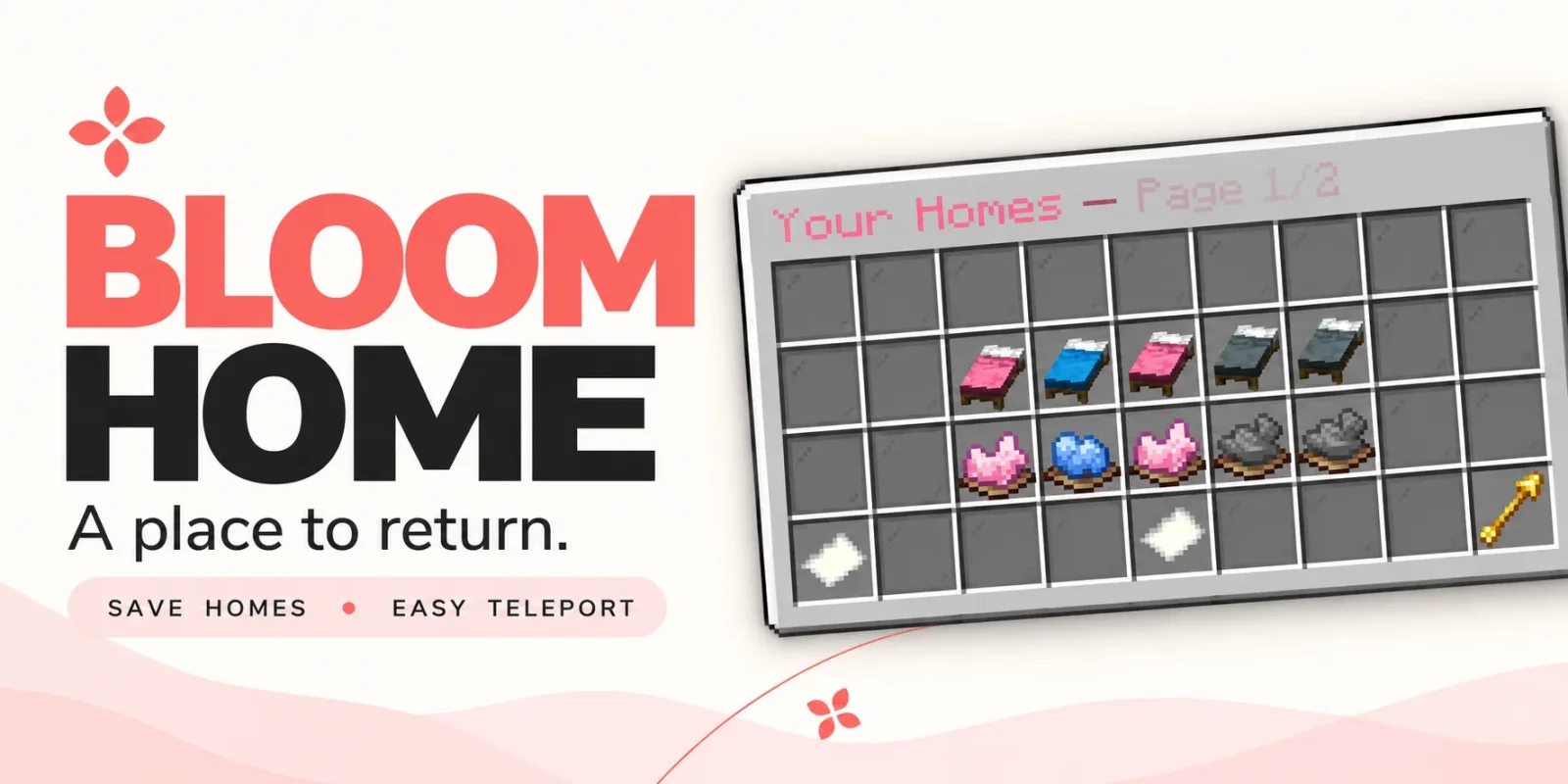
Bloom Home (Plugin) ist für Server mit Paper / Spigot gedacht und stammt von Metene. Highly Optimized and Supported Home Plugin. Folia, All Paper Forks, Spigot. 1.21.x - 26.x.
Unterstützt wird Minecraft 1.21 – 26.x. Auf Modrinth gibt es 3 Downloads. Damit liegt es auf Platz 89 der 105 hier gelisteten Teleport- und Warp-Plugins. Das letzte Update erschien am 03.11.2026.
Bloom Home hat seit 28.10.2026 2 Versionen auf Modrinth veröffentlicht. 2 davon erschienen im letzten Jahr. Die neueste ist 1.1.7, erschienen am 03.11.2026. Sie ist für Minecraft 1.21 – 26.3 gemacht. Sie läuft auf Bukkit, Folia, Paper, Purpur und Spigot. Der Download ist 128 KB groß.
| Version | Veröffentlicht | Minecraft | Typ |
|---|---|---|---|
1.1.7 | 03.11.2026 | 1.21 – 26.3 | Release |
1.1.4 | 28.10.2026 | 1.21 – 26.3 | Release |
Die Befehle, die auf der Modrinth-Seite von Bloom Home stehen:
/home/homes/sethome/delhome/bloomhomeDort genannte Berechtigungen, zu vergeben mit einem Plugin wie LuckPerms:
bloomhome.usebloomhome.admin.reloadbloomhome.limit.5bloomhome.limit.10bloomhome.limit.15bloomhome.limitbloomhome.teleport.bypassbloom.**A little charm. A place to return.
From your first shelter to your favorite hideaway, keep the places that matter close. Bloom Home combines simple home management, soft pink menus, and gentle sounds to make returning home feel welcoming.
Save your spot. Make it yours. Come home.
Open /home to manage your saved locations through a clean, easy-to-use menu.
Click an available bed to save your current location. Your next home is ready.
Left-click a saved bed to return home, or use /home .
A gentle 3-second countdown appears before teleporting. Moving cancels the countdown, and server owners can customize the delay.
Give selected players or ranks instant travel with the teleport bypass permission.
A cozy cabin? A mountain retreat? Your favorite fishing spot?
Right-click a saved bed to rename it and make your home menu feel personal.
Ready for somewhere new? Click the dye beneath a saved home to open its deletion confirmation menu. Cancel or close the confirmation to keep your home.
Players start with 3 home slots by default. Server owners can change that starting allowance and grant additional homes through permissions.
Use limits such as 5, 10, 15, or any other positive number to suit your ranks.
The highest granted limit applies when it exceeds the configured default. Limits do not stack.
Locked slots can send a customizable, clickable store link in private chat, helping players discover your server’s upgrades.
English and Turkish translations are included, with editable messages and menu text.
Customize the experience to match your server:
Command · Description
/home · Open the home menu.
/homes · Alias for /home.
/home · Teleport to a saved home, with a countdown unless bypassed.
/sethome · Save your current location to an empty home slot.
/delhome · Open deletion confirmation for that home.
/bloomhome reload · Reload configuration and language files.
Players can access the home menu and player commands by default. Use permissions to grant additional slots or skip the teleport countdown.
Permission · Default · Description
bloomhome.use · Everyone · Access the home menu and player commands.
bloomhome.admin.reload · OP · Use /bloomhome reload.
bloomhome.limit.5 · Not granted · Grant a limit of 5 homes if higher than the configured default.
bloomhome.limit.10 · Not granted · Grant a limit of 10 homes if higher than the configured default.
bloomhome.limit.15 · Not granted · Grant a limit of 15 homes if higher than the configured default.
bloomhome.limit. · Not granted · Grant any positive numeric home limit, resolved at runtime.
bloomhome.teleport.bypass · Not granted · Skip the home teleport countdown.
Teleport bypass must be granted explicitly, including for OPs. Give it to the players or ranks you choose.
🌸 New adventures. Familiar places. Let your home Bloom.
Geschrieben von Metene. Mit Bildern auf Modrinth lesen.
Stelle sicher, dass dein Server Paper und Spigot auf Minecraft 1.21 – 26.x nutzt.
Lade die .jar-Datei von Modrinth herunter und lege sie in den plugins-Ordner deines Servers.
Starte den Server neu. Vermeide /reload, viele Plugins kommen damit nicht gut klar.
Gib /plugins in der Konsole ein: Bloom Home sollte grün aufgelistet sein. Die Konfigurationsdateien werden beim ersten Start im plugins-Ordner angelegt.
Ausführliche Anleitung: So installierst du Plugins auf einem Minecraft-Server
| Ressource | Downloads | Versionen | Letztes Update | Preis |
|---|---|---|---|---|
| Bloom Homedie du angesehen hast | 3 | 1.21 – 26.x | vor 11 Tagen | Kostenlos |
| Bloom Auto PickupMetene | 5 | 1.21 – 26.x | vor 1 Tag | Kostenlos |
 Bloom BountyMetene | 4 | 1.21 – 26.x | vor 11 Tagen | Kostenlos |
 Bloom PerksMetene | 4 | 1.21 – 26.x | vor 10 Tagen | Kostenlos |
Ja. Bloom Home unterstützt Minecraft 26.x. Alle unterstützten Versionen: 26.x, 1.21.
Ja. Bloom Home kannst du kostenlos bei Modrinth herunterladen.
Bloom Home läuft auf Servern mit Paper und Spigot.
Ja. Das letzte Update kam innerhalb des letzten Tages.
Am ähnlichsten sind Bloom Auto Pickup, Bloom Bounty und Bloom Perks. Alle Alternativen vergleichen
Bloom Auto PickupPlugins · 1.21 – 26.xHighly Optimized and Supported Auto Pickup Plugin. Folia, All Paper Forks, Spigot. 1.21.x - 26.3
Bloom BountyPlugins · 1.21 – 26.xHighly Optimized and Supported Bounty Plugin. Folia, All Paper Forks, Spigot. 1.21.x - 26.x
Bloom PerksPlugins · 1.21 – 26.xHighly Optimized and Supported Perks Plugin. Folia, All Paper Forks, Spigot. 1.21.x - 26.x
 Bloom Night VisionPlugins · 1.21 – 26.x
Highly Optimized and Supported Night Vision Plugin. Folia, All Paper Forks, Spigot. 1.21.x - 26.x
 Bloom ToolsPlugins · 1.21 – 26.x
Highly Optimized and Supported Tools Plugin. Folia, All Paper Forks, Spigot. 1.21.x - 26.x
 Bloom SpawnersPlugins · 1.21 – 26.x
Highly Optimized and Supported Spawner Plugin. Folia, All Paper Forks, Spigot. 1.21.x - 26.3
Logg dich ein, um eine Bewertung zu schreiben.