
 Bloom Auto PickupПлагины · 1.21 – 26.x
Highly Optimized and Supported Auto Pickup Plugin. Folia, All Paper Forks, Spigot. 1.21.x - 26.3
БесплатноЗагрузок: 5
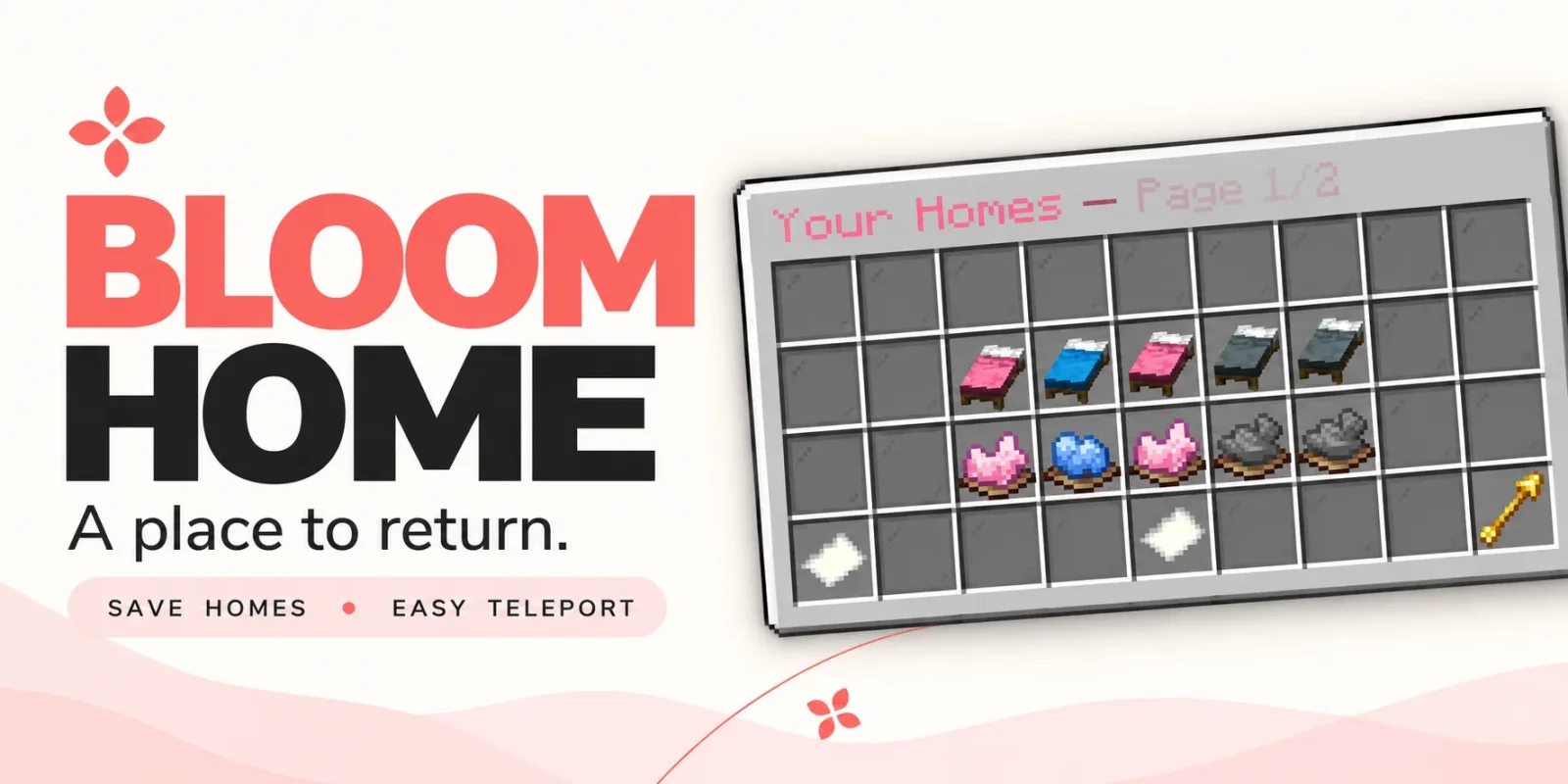
Bloom Home — плагин для серверов Paper / Spigot от Metene. Highly Optimized and Supported Home Plugin. Folia, All Paper Forks, Spigot. 1.21.x - 26.x.
Поддерживаемые версии: Minecraft 1.21 – 26.x. Скачиваний на Modrinth: 3. Это место №89 в разделе «плагины телепортации и варпов» (всего в списке: 105). Последнее обновление: 03.11.2026.
С 28.10.2026 у Bloom Home вышло 2 версий на Modrinth. 2 из них вышли за последний год. Новейшая — 1.1.7, вышла 03.11.2026. Она сделана для Minecraft 1.21 – 26.3. Работает на Bukkit, Folia, Paper, Purpur и Spigot. Размер файла — 128 KB.
| Версия | Выпущен | Minecraft | Тип |
|---|---|---|---|
1.1.7 | 03.11.2026 | 1.21 – 26.3 | Релиз |
1.1.4 | 28.10.2026 | 1.21 – 26.3 | Релиз |
Команды, указанные на странице Bloom Home на Modrinth:
/home/homes/sethome/delhome/bloomhomeПрава, упомянутые там (выдаются плагином вроде LuckPerms):
bloomhome.usebloomhome.admin.reloadbloomhome.limit.5bloomhome.limit.10bloomhome.limit.15bloomhome.limitbloomhome.teleport.bypassbloom.**A little charm. A place to return.
From your first shelter to your favorite hideaway, keep the places that matter close. Bloom Home combines simple home management, soft pink menus, and gentle sounds to make returning home feel welcoming.
Save your spot. Make it yours. Come home.
Open /home to manage your saved locations through a clean, easy-to-use menu.
Click an available bed to save your current location. Your next home is ready.
Left-click a saved bed to return home, or use /home .
A gentle 3-second countdown appears before teleporting. Moving cancels the countdown, and server owners can customize the delay.
Give selected players or ranks instant travel with the teleport bypass permission.
A cozy cabin? A mountain retreat? Your favorite fishing spot?
Right-click a saved bed to rename it and make your home menu feel personal.
Ready for somewhere new? Click the dye beneath a saved home to open its deletion confirmation menu. Cancel or close the confirmation to keep your home.
Players start with 3 home slots by default. Server owners can change that starting allowance and grant additional homes through permissions.
Use limits such as 5, 10, 15, or any other positive number to suit your ranks.
The highest granted limit applies when it exceeds the configured default. Limits do not stack.
Locked slots can send a customizable, clickable store link in private chat, helping players discover your server’s upgrades.
English and Turkish translations are included, with editable messages and menu text.
Customize the experience to match your server:
Command · Description
/home · Open the home menu.
/homes · Alias for /home.
/home · Teleport to a saved home, with a countdown unless bypassed.
/sethome · Save your current location to an empty home slot.
/delhome · Open deletion confirmation for that home.
/bloomhome reload · Reload configuration and language files.
Players can access the home menu and player commands by default. Use permissions to grant additional slots or skip the teleport countdown.
Permission · Default · Description
bloomhome.use · Everyone · Access the home menu and player commands.
bloomhome.admin.reload · OP · Use /bloomhome reload.
bloomhome.limit.5 · Not granted · Grant a limit of 5 homes if higher than the configured default.
bloomhome.limit.10 · Not granted · Grant a limit of 10 homes if higher than the configured default.
bloomhome.limit.15 · Not granted · Grant a limit of 15 homes if higher than the configured default.
bloomhome.limit. · Not granted · Grant any positive numeric home limit, resolved at runtime.
bloomhome.teleport.bypass · Not granted · Skip the home teleport countdown.
Teleport bypass must be granted explicitly, including for OPs. Give it to the players or ranks you choose.
🌸 New adventures. Familiar places. Let your home Bloom.
Автор: Metene. С картинками — на Modrinth.
Убедись, что твой сервер работает на Paper и Spigot с Minecraft 1.21 – 26.x.
Скачай .jar-файл с Modrinth и положи его в папку plugins на сервере.
Перезапусти сервер. Не используй /reload, многие плагины плохо это переносят.
Введи /plugins в консоли: Bloom Home должен быть зелёным. Файлы настроек создаются в папке plugins при первом запуске.
Подробное руководство: Как установить плагины на сервер Minecraft
| Ресурс | Загрузки | Версии | Обновление | Цена |
|---|---|---|---|---|
 Bloom Homeтот, что ты смотрел | 3 | 1.21 – 26.x | 11 дн. назад | Бесплатно |
| Bloom Auto PickupMetene | 5 | 1.21 – 26.x | 1 день назад | Бесплатно |
 Bloom BountyMetene | 4 | 1.21 – 26.x | 11 дн. назад | Бесплатно |
 Bloom PerksMetene | 4 | 1.21 – 26.x | 10 дн. назад | Бесплатно |
Да. Bloom Home поддерживает Minecraft 26.x. Все поддерживаемые версии: 26.x, 1.21.
Да. Bloom Home можно бесплатно скачать на Modrinth.
Bloom Home работает на серверах Paper и Spigot.
Да. Последнее обновление вышло за последние сутки.
Ближе всего к нему Bloom Auto Pickup, Bloom Bounty и Bloom Perks. Сравнить все альтернативы
Bloom Auto PickupПлагины · 1.21 – 26.xHighly Optimized and Supported Auto Pickup Plugin. Folia, All Paper Forks, Spigot. 1.21.x - 26.3
Bloom BountyПлагины · 1.21 – 26.xHighly Optimized and Supported Bounty Plugin. Folia, All Paper Forks, Spigot. 1.21.x - 26.x
Bloom PerksПлагины · 1.21 – 26.xHighly Optimized and Supported Perks Plugin. Folia, All Paper Forks, Spigot. 1.21.x - 26.x
 Bloom Night VisionПлагины · 1.21 – 26.x
Highly Optimized and Supported Night Vision Plugin. Folia, All Paper Forks, Spigot. 1.21.x - 26.x
 Bloom ToolsПлагины · 1.21 – 26.x
Highly Optimized and Supported Tools Plugin. Folia, All Paper Forks, Spigot. 1.21.x - 26.x
 Bloom SpawnersПлагины · 1.21 – 26.x
Highly Optimized and Supported Spawner Plugin. Folia, All Paper Forks, Spigot. 1.21.x - 26.3
Войди, чтобы оставить отзыв.