
 EnchantsSquaredPlugins · 1.16 – 1.20
50+ Highly customizable vanilla-like enchantments. w/ WorldGuard, Geyser, & Jobs compatibility
Free769 downloads
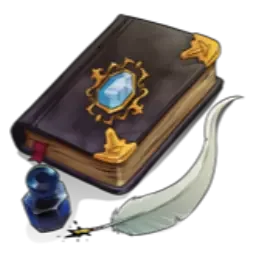
Turn worn-out gear’s enchantments into books you can apply anywhere.
Direct download from Hangar · 0 downloads
Inscribe is a plugin for Paper / Spigot servers, made by VolmitSoftware. Turn worn-out gear’s enchantments into books you can apply anywhere.
It supports Minecraft 26.x. That puts it at #89 of the 94 RPG and magic plugins listed here. The last update came out on Nov 7, 2026.
The newest is 2.0.0-26.1.2-26.3, released on Nov 7, 2026. It is made for Minecraft 26.1 – 26.3. It runs on Paper. The download is 803 KB.
| Version | Released | Minecraft | Type |
|---|---|---|---|
2.0.0-26.1.2-26.3 | Nov 7, 2026 | 26.1 – 26.3 | Release |
The commands named on the Hangar page of Inscribe:
/inscribe/ins/volmitPermission nodes named there, to give with a plugin like LuckPerms:
inscribe.extractinscribe.applyinscribe.commandinscribe.language.selfinscribe.configinscribe.debuginscribe.updateinscribe.*Choose which enchantments to take off your gear and put them on a book, then click that book onto other gear. You set the price in XP or using Vault.
Right-click an enchanted item with a book in your inventory.
Pick up an enchanted book and right-click your gear.
By default, each extracted enchantment costs 100 XP points and applying a book is free.
Aliases: /ins for /inscribe
/inscribe Show help
/inscribe config Open the settings editor
/inscribe status Show settings, prices and open menus
/inscribe language self Pick your own language
/inscribe language server Set the server language
/inscribe language server edit Edit messages in game
/inscribe language update Check for translation updates
/inscribe debug dump [upload=true] Save a diagnostic report
/volmit plugins Shared tools for Volmit plugins
Permission Default Allows
inscribe.extract everyone Extract enchantments onto a book
inscribe.apply everyone Apply enchanted books
inscribe.command everyone Help command
inscribe.language.self everyone Pick your own language
inscribe.config op Settings, server language, messages
inscribe.debug op Diagnostic reports
inscribe.update op Update notices
inscribe.* op Every permission above
Runs on: Paper, Purpur, Leaf, Folia, Canvas, Spigot
Minecraft: 26.1 to 26.3 on Java 25
Optional: Vault with an economy plugin, for money prices
Questions, suggestions and bug reports are welcome on Discord or GitHub.
Written by VolmitSoftware. Read it with pictures on Hangar.
Make sure your server runs Paper and Spigot on Minecraft 26.x.
Download the .jar file from Hangar and put it in the plugins folder of your server.
Restart the server. Avoid /reload, many plugins do not handle it well.
Type /plugins in the console: Inscribe should be listed in green. Its config files are created in the plugins folder on the first start.
Full guide: How to install plugins on a Minecraft server
| Resource | Downloads | Versions | Last update | Price |
|---|---|---|---|---|
| Inscribethe one you looked at | 0 | 26.x | 4 days ago | Free |
| EnchantsSquaredAthlaeos | 769 | 1.16 – 1.20 | Feb 27, 2024 | Free |
 enchantcaprewrite123 | 51 | 26.x | 17 days ago | Free |
 tempoSMPAvishStrike | 20 | 26.x | Oct 8, 2026 | Free |
Yes. Inscribe supports Minecraft 26.x. All supported versions: 26.x.
Yes. Inscribe is free to download from Hangar.
Inscribe runs on Paper and Spigot servers.
Yes. The last update came out in the past day.
The closest ones are EnchantsSquared, enchantcap and tempoSMP. Compare all alternatives
EnchantsSquaredPlugins · 1.16 – 1.2050+ Highly customizable vanilla-like enchantments. w/ WorldGuard, Geyser, & Jobs compatibility
enchantcapPlugins · 26.xRemoves the cap on the number of enchantments and the too expensive block on enchantments.
tempoSMPPlugins · 26.xA high-stakes zero-sum SMP plugin where players battle over temporal momentum (Tempo %). Scale pearl cooldowns and eating speeds, turn axes, maces, and…
Automatically fixes illegal enchantments. No lag, no manual commands required.
 NirvanaPlugins · 1.8 – 1.21
High-performance survival enhancement plugin suite with auto-pickup and custom enchantments.
 SmelterPlugins · 26.x
Smelter is an enchantment that you can add to pickaxes that will turn metal ores into ingots upon breaking!
Log in to leave a review.