
 Mandala's GUITexture packs · 1.12 – 1.21
Mandala GUI is an elegant theme, in the style of Mandala Creations. It is specifically made for people who like Dark mode. It only changes the UI of…
Free7,503,181 downloads

A patch for Mandala's GUI to use the vanilla crosshair.
Direct download from Modrinth · 1,179,631 downloads
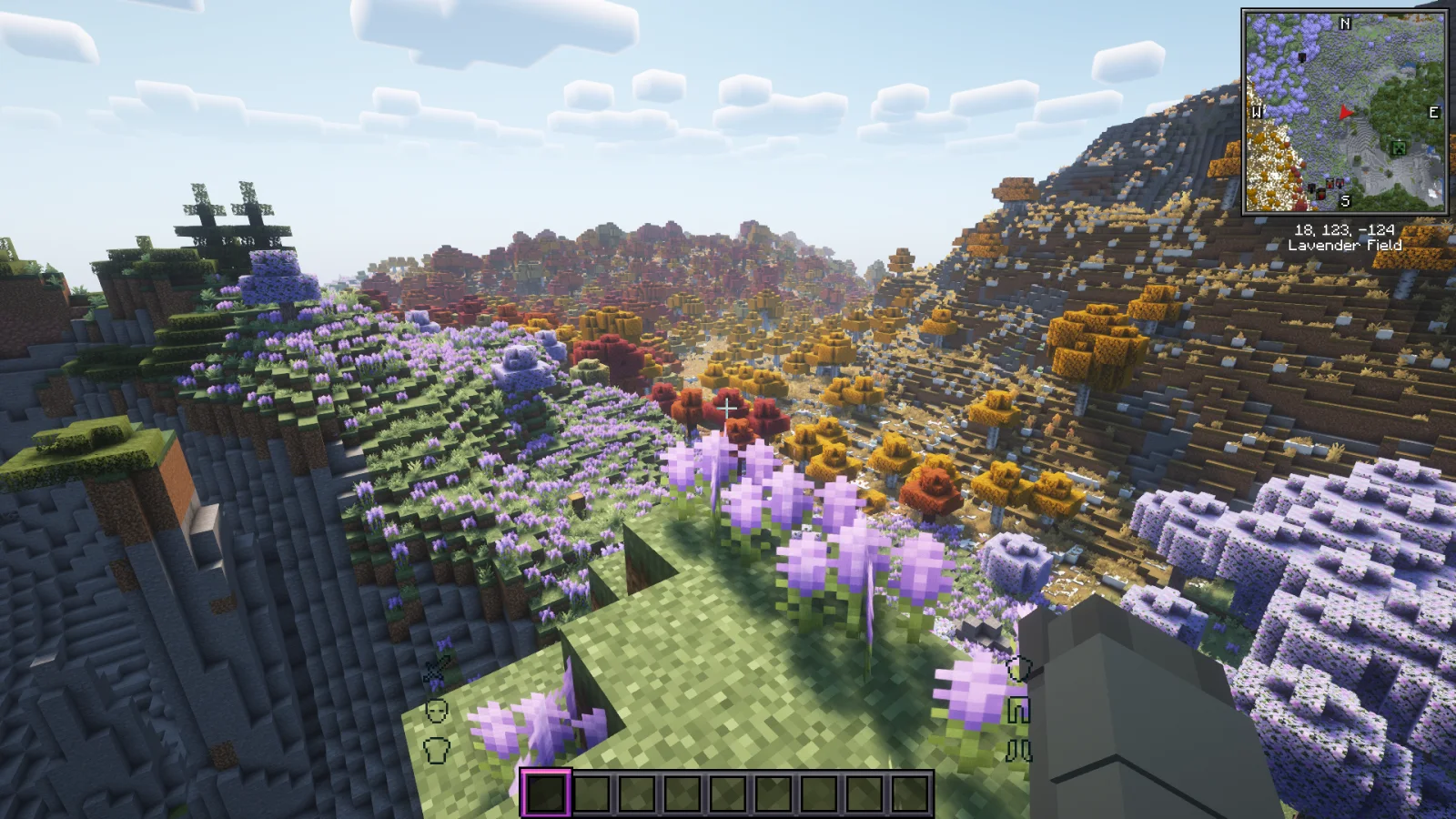
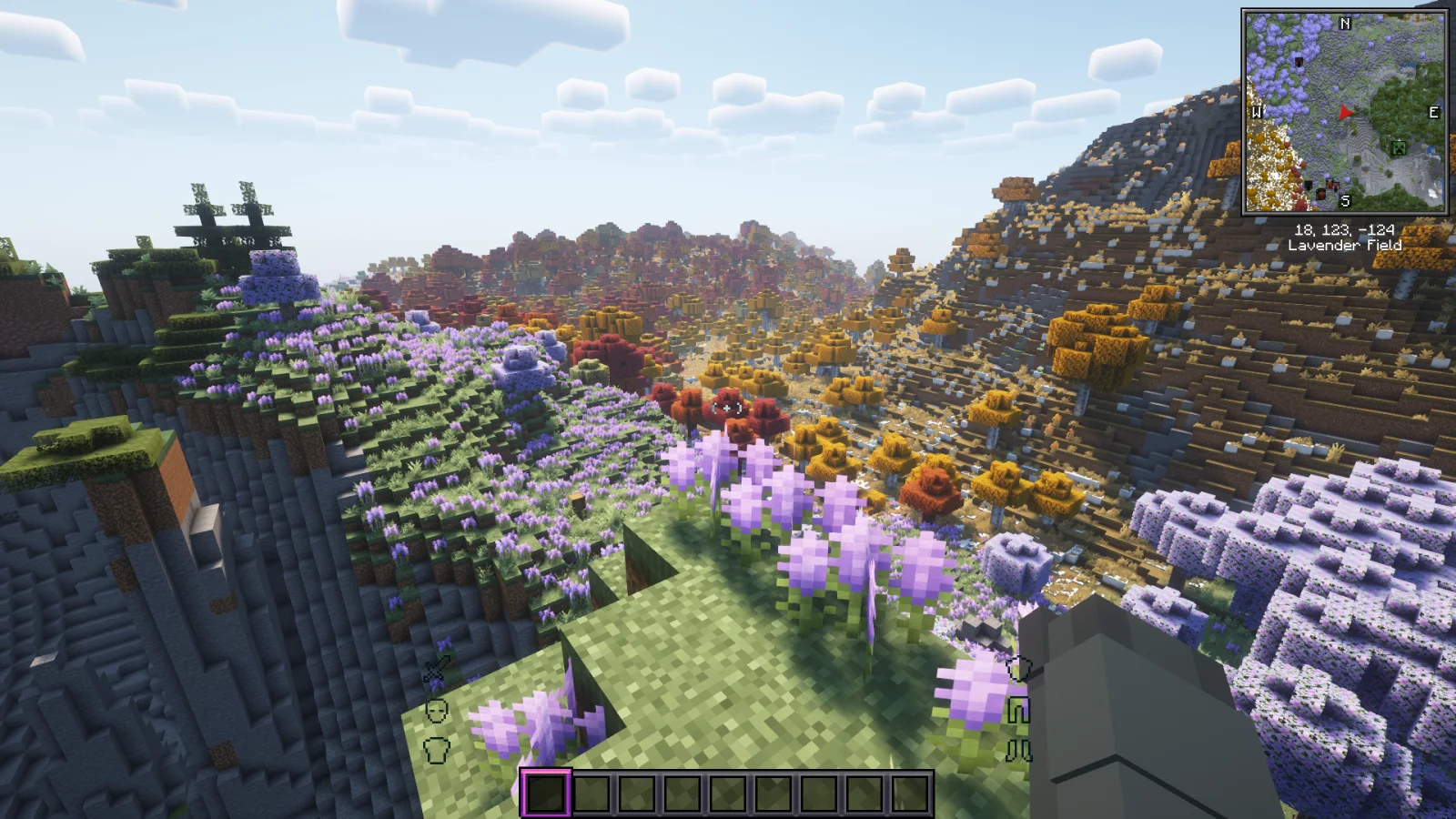
Mandala's GUI Vanilla Crosshair is a texture pack made by gbird84. A patch for Mandala's GUI to use the vanilla crosshair.
It supports Minecraft 1.16 – 1.21. It has been downloaded 1,179,631 times on Modrinth. The last update came out on Nov 17, 2025.
Mandala's GUI Vanilla Crosshair has had 3 releases on Modrinth since Nov 17, 2025. 3 of them came out in the past year. The newest is 1.0, released on Nov 17, 2025. It is made for Minecraft 1.20, 1.20.1. It runs on Minecraft. The download is 8 KB.
| Version | Released | Minecraft | Type |
|---|---|---|---|
1.0 | Nov 17, 2025 | 1.20, 1.20.1 | Release |
1.0 | Nov 17, 2025 | 1.16.2 – 1.16.5 | Release |
1.0 | Nov 17, 2025 | 1.21 – 1.21.10 | Release |
Mandala's GUI textures the crosshair differently from vanilla's. This resourcepack is a patch to reintroduce the vanilla crosshair.
Just put the downloaded resourepack in your C:\Users\username\AppData\Roaming\.minecraft\resourcepacks
MAKE SURE THIS RESOUREPACK IS HIGHEST PRIORITY (Make sure it is at the top)
You can get to this folder by going in game, settings, resourepacks, and hit open resourepack folder. Just put this folder in and voila this amazing pack will work.
Written by gbird84. Read it with pictures on Modrinth.
Download the .zip file from Modrinth. Do not unzip it.
In Minecraft, open Options, then Resource Packs, then Open Pack Folder.
Drop the .zip file into that folder and go back to the game.
Move Mandala's GUI Vanilla Crosshair to the right-hand list and click Done.
It is made for Minecraft 1.16 – 1.21. On other versions Minecraft marks it as incompatible, but it often still works.
Full guide: How to install Minecraft resource packs
| Resource | Downloads | Versions | Last update | Price |
|---|---|---|---|---|
| Mandala's GUI Vanilla Crosshairthe one you looked at | 1.2M | 1.16 – 1.21 | Nov 17, 2025 | Free |
| Mandala's GUICesarZorak | 7.5M | 1.12 – 1.21 | Dec 17, 2025 | Free |
 Mandala's Dragon Mount RefreshedCesarZorak | 322K | 1.20 – 1.21 | Aug 4, 2026 | Free |
 PvP CrosshairDiscorde | 1.4M | 1.8 – 26.x | Nov 30, 2025 | Free |
Not yet. The newest version it supports is Minecraft 1.21.
Yes. Mandala's GUI Vanilla Crosshair is free to download from Modrinth.
Yes. The last update came out in the past day.
The closest ones are Mandala's GUI, Mandala's Dragon Mount Refreshed and PvP Crosshair. Compare all alternatives
Mandala's GUITexture packs · 1.12 – 1.21Mandala GUI is an elegant theme, in the style of Mandala Creations. It is specifically made for people who like Dark mode. It only changes the UI of…
Mandala's Dragon Mount RefreshedTexture packs · 1.20 – 1.21Quality Improvement to Dragon Mounts
PvP CrosshairTexture packs · 1.8 – 26.xThe one and only crosshair to PvP with, available on all versions!
 PVP zegarn+Anime skyTexture packs · 1.8 – 26.x
[UPD 1.3.6] Minimalistic PvP resource pack with dark UI, custom sky, clean HUD & crosshair, small fire, and refined visuals (see description)
 CrossAttackTexture packs · 1.20 – 26.x
You dont find the crosshairs odd? This resource pack fixes this problem by making crosshair attacks better!
 Crosshair v3Texture packs · 1.8 – 26.x
Simple crosshair to enhance the PvP experience.
Log in to leave a review.