
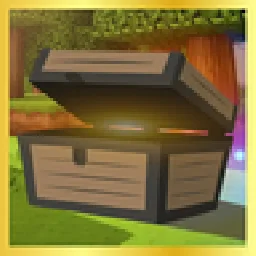
 Realistic ChestsTexture packs · 1.16 – 26.x
Forget about the boring look of vanilla chests, now you will have more realistic textures!
Free427,200 downloads
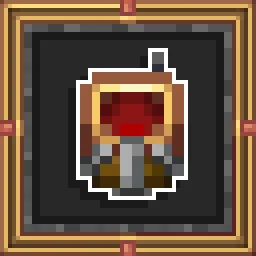
The container mod is now in brass color!


The container mod is now in brass color!
Aures is a texture pack made by BlackAures. It supports Minecraft 1.8 – 26.x. It has been downloaded 891,492 times on Modrinth. The last update came out on May 18, 2026.
The newest is Create_Style_for_Refined_Storage, released on May 18, 2026. It is made for Minecraft 1.10 – 1.20.2. It runs on Minecraft. The download is 2.3 MB.
| Version | Released | Minecraft | Type |
|---|---|---|---|
Create_Style_for_Refined_Storage | May 18, 2026 | 1.10 – 1.20.2 | Release |
Curseforge - curseforge.com/minecraft/texture-packs/create-s…
■ - Create Style for Refined Storage is a resourcepack that makes the Refined Storage fresher and more copper/brass/medieval/steampunk looking! The main version is 1.19.2 and 1.20 (new version).
■ - Compatibility with RefinedStorageAddons, ExtraStorage, CableTiers.
■ - Artist: Black Aures, rafaelveras and nocubeyt
Written by BlackAures. Read it with pictures on Modrinth.
Download the .zip file from Modrinth. Do not unzip it.
In Minecraft, open Options, then Resource Packs, then Open Pack Folder.
Drop the .zip file into that folder and go back to the game.
Move Aures to the right-hand list and click Done.
It is made for Minecraft 1.8 – 26.x. On other versions Minecraft marks it as incompatible, but it often still works.
| Resource | Downloads | Versions | Last update | Price |
|---|---|---|---|---|
| Auresthe one you looked at | 891K | 1.8 – 26.x | May 18, 2026 | Free |
| Realistic ChestsLupin | 427K | 1.16 – 26.x | Jul 23, 2026 | Free |
 Villager VarietyAgente_511 | 152K | 1.16 – 26.x | Aug 20, 2024 | Free |
 Chat Reporting Helperrobotkoer | 18M | 1.19 – 26.x | Sep 27, 2026 | Free |
Yes. Aures supports Minecraft 26.x. All supported versions: 26.x, 1.21, 1.20, 1.19, 1.18, 1.17, 1.16, 1.13, 1.12, 1.8.
Yes. Aures is free to download from Modrinth.
Yes. The last update came out in the past day.
The closest ones are Realistic Chests, Villager Variety and Chat Reporting Helper. Compare all alternatives
Realistic ChestsTexture packs · 1.16 – 26.xForget about the boring look of vanilla chests, now you will have more realistic textures!
Villager VarietyTexture packs · 1.16 – 26.xAdds skin tone, eye color and eyebrow color variations to villagers.
Chat Reporting HelperTexture packs · 1.19 – 26.xAn educational tool that explains chat reporting in a simple and neutral way.
 Default Dark ModeTexture packs · 1.8 – 26.x
🌙 The Dark Mode Resource Pack for Minecraft: Java Edition
 Enchantment OutlinesTexture packs · 1.19 – 26.x
Adds an outline to all enchantable tools.
 Simple Grass FlowersTexture packs · 1.16 – 26.x
Gives Grass, Podzol, Mycelium, Crimson Nylium, and Warped Nylium vanilla-friendly flowers, clovers, and rocks!
Log in to leave a review.