
 Remove Reloading ScreenMods · 1.16 – 26.x
Makes resource packs load in the background, allowing you to do other things while waiting!
Free28,472,131 downloads

Config menus for resource packs
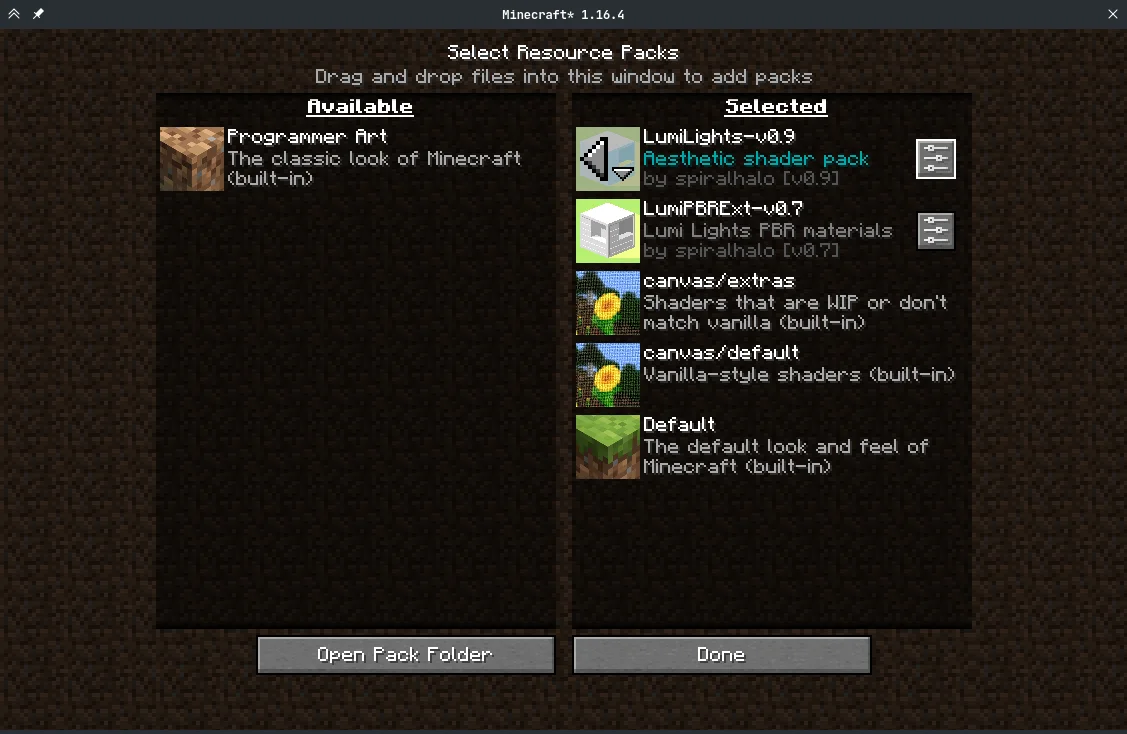
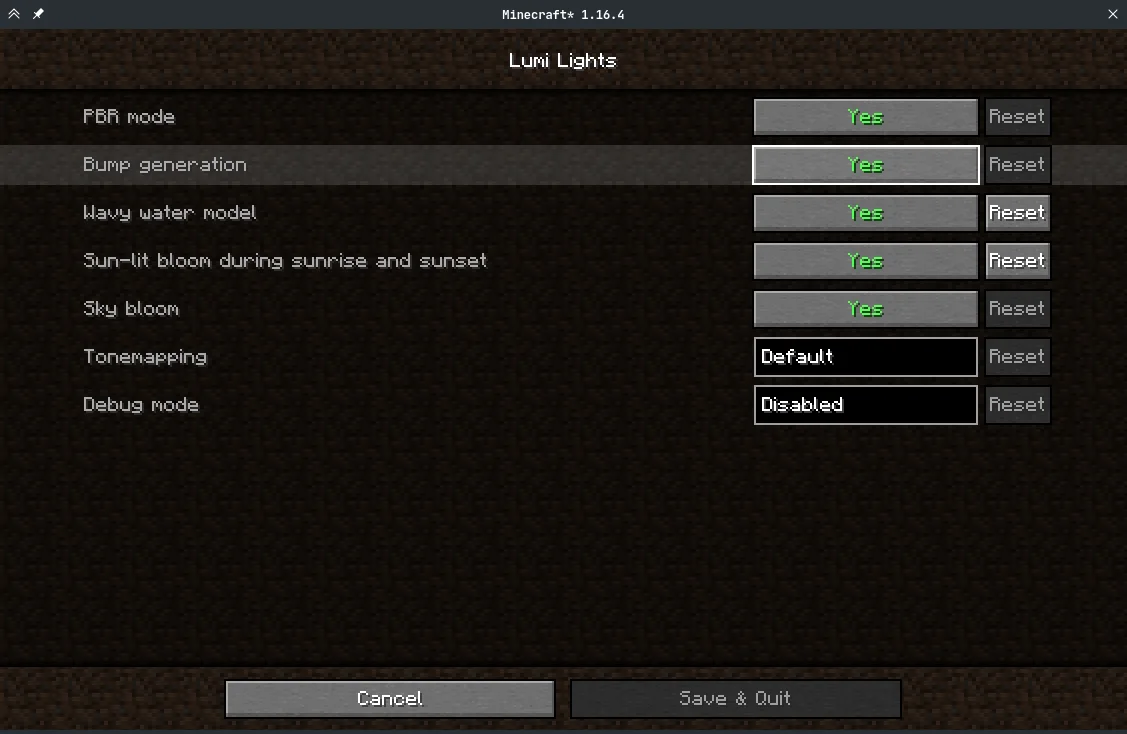
Config menus for resource packs
Respackopts is a resource made by JFronny. It supports Minecraft 1.16 – 26.x. It has been downloaded 11,743,386 times on Modrinth. The last update came out on Sep 16, 2026.
Respackopts has had 109 releases on Modrinth since Nov 26, 2020. 23 of them came out in the past year. The newest is 26.3.0, released on Sep 15, 2026. It is made for Minecraft 26.3. It runs on Fabric and NeoForge. The download is 922 KB.
| Version | Released | Minecraft | Type |
|---|---|---|---|
26.3.0 | Sep 15, 2026 | 26.3 | Release |
26.2.2 | Aug 25, 2026 | 26.2 | Release |
26.1.3 | Jul 26, 2026 | 26.1.2 | Release |
26.2.1 | Jul 26, 2026 | 26.2 | Release |
26.2.0 | Jun 17, 2026 | 26.2 | Release |
PSA: Respackopts depends on LibJF, which you must add alongside it.
Respackopts provides resource and data packs with config menus\
By default, it provides a custom system for conditional resources, resource expansion and integrates with fabulous shaders
After installing Respackopts, a menu button will appear besides all supported resource packs.
No further configuration is needed.
Please head to the wiki for details on how to use Respackopts in a pack.
Performance Impact
Performance always depends on factors other than the game itself like disk speed, resource usage by other programs, the OS you are using, etc.
These measurements were made with Minecraft 1.20.1, Fabric Loader 0.14.21, Fabric API 0.84.0, and LibJF 3.8.0 on Linux 6.3 with a Ryzen 5 7600X processor and an NVMe SSD.
Please do not expect them to be representative for all other versions and setups, but they should give you a general idea of the impact of using Respackopts.
LibJF injects hooks into the resource loader, meaning there is additional overhead for every resource access.
In practice, this results in a five-percent increase in resource reloading time over vanilla, and an eight percent increase in game load times over vanilla (.2 seconds).
Respackopts uses those hooks and additional mixins to work, adding additional overhead.
In practice, this results in a six-percent increase in resource reloading time over vanilla, and an eighteen percent increase in game load times over vanilla (.43 seconds).
The most significant increase is measurable during pack scanning, which takes nearly 100 times longer when comparing Minecraft with Respackopts to vanilla.
This is because Respackopts performs and caches most parsing and computation during this stage.
As the statistic for game loading shows, this is not necessarily noticeable during startup, because the total is still comparably small.
It is only noticeable in the resource pack screen, where scanning is performed every 20 ticks and whenever the screen is resized, which can lead to minor freezes while it is visible.
For this reason, I have created a separate mod that tweaks that screen for increased performance.
[
Written by JFronny. Read it with pictures on Modrinth.
This mod runs only on your own game. Servers do not need it, so you can use it on any server.
Install Fabric and NeoForge for Minecraft 1.16 – 26.x.
Add the mods it needs: LibJF.
Download the .jar file from Modrinth and put it in the mods folder of your .minecraft directory.
Start Minecraft with the Fabric profile.
With the CraftRank Launcher you can skip these steps: open Mods, search for Respackopts and click Install.
| Resource | Downloads | Versions | Last update | Price |
|---|---|---|---|---|
| Respackoptsthe one you looked at | 11.7M | 1.16 – 26.x | Sep 16, 2026 | Free |
| Remove Reloading Screendima_dencep | 28.5M | 1.16 – 26.x | Sep 17, 2026 | Free |
 CIT Resewnshsupercm | 26M | 1.17 – 1.21 | Oct 18, 2024 | Free |
 NuitFlashyReese | 14.7M | 1.16 – 26.x | Sep 16, 2026 | Free |
Yes. Respackopts supports Minecraft 26.x. All supported versions: 26.x, 1.21, 1.20, 1.19, 1.18, 1.17, 1.16.
Yes. Respackopts is free to download from Modrinth.
Client-side. Respackopts goes in your own mods folder and works on any server, including servers without mods.
Yes: LibJF, Mod Menu. Install it before Respackopts.
Yes. The last update came out in the past day.
The closest ones are Remove Reloading Screen, CIT Resewn and Nuit. Compare all alternatives
Remove Reloading ScreenMods · 1.16 – 26.xMakes resource packs load in the background, allowing you to do other things while waiting!
CIT ResewnMods · 1.17 – 1.21Re-implements MCPatcher's CIT (custom item textures from optifine resource packs)
NuitMods · 1.16 – 26.xAllows resource packs to define custom skyboxes. Formerly FabricSkyboxes
 TransparentMods · 1.16 – 1.21
Allows resource packs to make certain entities support transparency.
 Draggable ListsMods · 1.19 – 1.21
Draggable resource packs, datapacks, servers and worlds
 Packed PacksMods · 1.21 – 26.x
Pack resource and data packs into profiles with multiple selection, drag and drop, and extended mouse and keyboard controls.
Log in to leave a review.