
 Aurora's ShadersShaders · 1.20 – 1.21
Based on Complimentary Unbound, a beautifully colorful Vanilla+ shader meant for making the game look good while maintaining good performance and vanilla feel.
Free948,697 downloads
Vanilla+ Shader, that supports Optifine and Iris Barely affects performance
Direct download from Modrinth · 159,239 downloads


Cyanide Shaders is a shader pack made by mlgimposter. Vanilla+ Shader, that supports Optifine and Iris Barely affects performance.
It supports Minecraft 1.12 – 1.21. It has been downloaded 159,239 times on Modrinth. The last update came out on Jan 21, 2023.
The newest is 1.1, released on Jan 20, 2023. It is made for Minecraft 1.12.2 – 1.21.10. It runs on Iris and Optifine. The download is 18 KB.
| Version | Released | Minecraft | Type |
|---|---|---|---|
1.1 | Jan 20, 2023 | 1.12.2 – 1.21.10 | Release |
Cyanide is a simple yet decent shaderpack, with not too many lines of code.
The shaderpack is extremely optimized, and doesn't make the feeling of the vanilla game fade away.
Colors change based on time, and many improvements were made, with the inclusion of many tonemap operators to choose from, each one giving a different vibe.
A potato
Written by mlgimposter. Read it with pictures on Modrinth.
Install Iris (with Sodium) or OptiFine for your Minecraft version: shaders need one of them.
Download the .zip file from Modrinth. Do not unzip it.
In Minecraft, open Options, then Video Settings, then Shader Packs, and click Open Shader Pack Folder.
Drop the .zip file into that folder, pick Cyanide Shaders in the list and click Done.
Shaders are heavy on the graphics card. If the game gets slow, pick a lower profile in the shader settings.
Full guide: How to install Minecraft shaders
| Resource | Downloads | Versions | Last update | Price |
|---|---|---|---|---|
| Cyanide Shadersthe one you looked at | 159K | 1.12 – 1.21 | Jan 21, 2023 | Free |
| Aurora's ShadersCrafterAurora | 949K | 1.20 – 1.21 | Mar 28, 2025 | Free |
 Stracciatella ShadersDrDesten | 177K | 1.8 – 1.21 | Feb 10, 2026 | Free |
 Tricked Shaderstricked33 | 95K | 1.8 – 26.x | Sep 6, 2026 | Free |
Not yet. The newest version it supports is Minecraft 1.21.
Yes. Cyanide Shaders is free to download from Modrinth.
Yes. The last update came out in the past day.
The closest ones are Aurora's Shaders, Stracciatella Shaders and Tricked Shaders. Compare all alternatives
Aurora's ShadersShaders · 1.20 – 1.21Based on Complimentary Unbound, a beautifully colorful Vanilla+ shader meant for making the game look good while maintaining good performance and vanilla feel.
Stracciatella ShadersShaders · 1.8 – 1.21A vanilla-style shader with colored lights, many quality of life features and visual improvements aiming for the highest performance.
Tricked ShadersShaders · 1.8 – 26.xBased on Mellow Shader, a modified version to reduce brightness and make the game look better while maintaining good performance and vanilla feel.
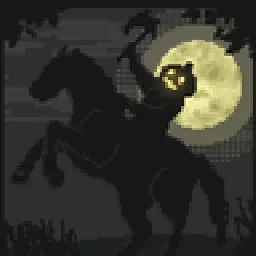 Insanity ShaderShaders · 1.8 – 1.21
A stylized, horror themed Iris shaderpack with high customizability and performance.
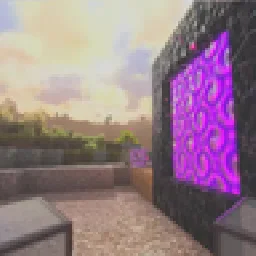 Pegasus ShadersShaders · 1.19 – 26.x
A shader that blends high performance range with new features, and lots of stylistic range!
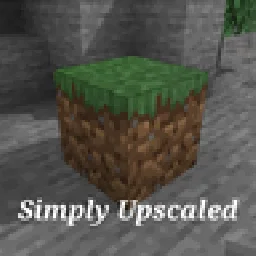 Simply UpscaledShaders · 1.12 – 26.x
A very Vanilla high performance shader with live Texture Upscaling/Filtering and optional shadows. Configurable subtly enhanced vanilla feel.
Log in to leave a review.