
 Default Dark ModeTexture packs · 1.8 – 26.x
🌙 The Dark Mode Resource Pack for Minecraft: Java Edition
Free8,287,846 downloads

Bringing the style of Minecraft: Bedrock Edition's Ore UI into Legacy4J
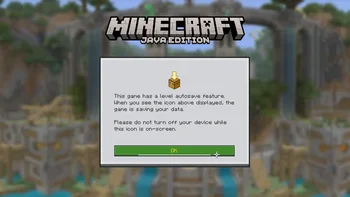
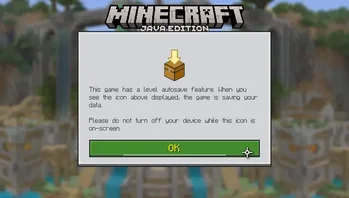

Bringing the style of Minecraft: Bedrock Edition's Ore UI into Legacy4J
Ore4J is a texture pack made by omo50. It supports Minecraft 1.20 – 26.x. It has been downloaded 221,613 times on Modrinth. The last update came out on Jul 20, 2026.
Ore4J has had 9 releases on Modrinth since Dec 30, 2024. 5 of them came out in the past year. The newest is 4.0.0, released on Jul 20, 2026. It is made for Minecraft 1.20.1 – 26.1.2. It runs on Minecraft. The download is 347 KB.
| Version | Released | Minecraft | Type |
|---|---|---|---|
4.0.0 | Jul 20, 2026 | 1.20.1 – 26.1.2 | Release |
O4J-3.3.0 | Mar 14, 2026 | 1.20.1 – 1.21.10 | Release |
v3.2 | Feb 10, 2026 | 1.21 – 1.21.11 | Release |
3.1 | Jan 15, 2026 | 1.21 – 1.21.11 | Release |
3.0 | Jan 15, 2026 | 1.20.1 – 1.21.10 | Release |
This resource pack changes the user interface elements of Legacy4J and Legacy Skins to replicate the style of Minecraft: Bedrock Edition's Ore UI. Ore4J changes a lot of the legacy-style interfaces, including the creative menu, main menu, survival inventory, crafting inventory, change skin menu, etc. This is also an addon for Bare Bones
Ore4J requires Legacy4J. This also works with the Legacy Skins mod, changing elements of the Skin Selector interface.
This means you can use Ore4J on modpacks such as:
Written by omo50. Read it with pictures on Modrinth.
Download the .zip file from Modrinth. Do not unzip it.
In Minecraft, open Options, then Resource Packs, then Open Pack Folder.
Drop the .zip file into that folder and go back to the game.
Move Ore4J to the right-hand list and click Done.
It is made for Minecraft 1.20 – 26.x. On other versions Minecraft marks it as incompatible, but it often still works.
| Resource | Downloads | Versions | Last update | Price |
|---|---|---|---|---|
| Ore4Jthe one you looked at | 222K | 1.20 – 26.x | Jul 20, 2026 | Free |
| Default Dark Modenebulr | 8.3M | 1.8 – 26.x | Sep 19, 2026 | Free |
 Bare BonesRobotPants | 8M | 1.8 – 1.21 | Dec 20, 2025 | Free |
 Mandala's GUICesarZorak | 7.5M | 1.12 – 1.21 | Dec 17, 2025 | Free |
Yes. Ore4J supports Minecraft 26.x. All supported versions: 26.x, 1.21, 1.20.
Yes. Ore4J is free to download from Modrinth.
Yes. The last update came out in the past day.
The closest ones are Default Dark Mode, Bare Bones and Mandala's GUI. Compare all alternatives
Default Dark ModeTexture packs · 1.8 – 26.x🌙 The Dark Mode Resource Pack for Minecraft: Java Edition
Bare BonesTexture packs · 1.8 – 1.21Minecraft with the style of the trailers
Mandala's GUITexture packs · 1.12 – 1.21Mandala GUI is an elegant theme, in the style of Mandala Creations. It is specifically made for people who like Dark mode. It only changes the UI of…
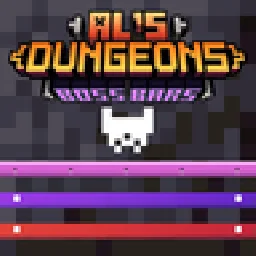 AL's Dungeons Boss BarsTexture packs · 1.21
A pack that makes the Boss Bars in the style of Minecraft Dungeons!
 GUI RevisionTexture packs · 1.17 – 1.21
Bringing a fresh design by keeping the simplicity of default GUI
 Vanilla MashupTexture packs · 1.21 – 26.x
Vanilla style pack with PBR and connected textures.
Log in to leave a review.