
 Elysium ShadersShaders · 1.21 – 26.x
Elysium Shaders is a shader pack that adds soft shadows, pleasing colors, and natural phenomena.
Free342 downloads
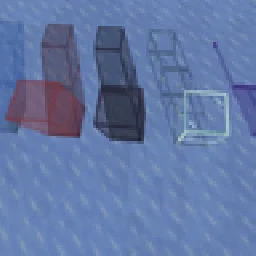
A shader with some shadows! Colors!
Opens Modrinth · 6,716 downloads there

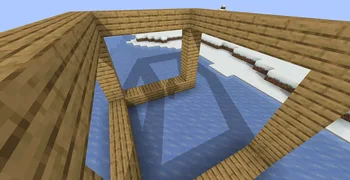

A shader with some shadows! Colors!
Simple Shadows is a shader pack made by thesupereevee. It supports Minecraft 1.20 – 26.x. It has been downloaded 6,716 times on Modrinth. The last update came out on Oct 29, 2026.
Simple Shadows has had 5 releases on Modrinth since Feb 14, 2026. 5 of them came out in the past year. The newest is 1.1.0-beta, released on Oct 29, 2026. It is made for Minecraft 1.20 – 26.3. It runs on Iris and Optifine. The download is 17 KB.
| Version | Released | Minecraft | Type |
|---|---|---|---|
1.1.0-beta | Oct 29, 2026 | 1.20 – 26.3 | Beta |
1.0.3 | Oct 14, 2026 | 26.2, 26.3 | Release |
1.0.2 | Jun 1, 2026 | 26.1, 26.1.1, 26.1.2 | Release |
1.0.1 | Apr 29, 2026 | 1.20 – 1.20.6 | Release |
1.0.0 | Feb 14, 2026 | 1.21 – 1.21.11 | Release |
Simple Shadows is open source. Its newest release on GitHub is 1.1.0 BETA, published on Oct 29, 2026.
Fixed lots of things.
Before that: Start of shaders (Apr 23, 2026).
Basic Shadows
The Color options are 0 1 and 2, 0 means acts as block aka no color, 1 means color, 2 means color blocks are not shown.
Modify the settings till it seems right!
Written by thesupereevee. Read it with pictures on Modrinth.
Install Iris (with Sodium) or OptiFine for your Minecraft version: shaders need one of them.
Download the .zip file from Modrinth. Do not unzip it.
In Minecraft, open Options, then Video Settings, then Shader Packs, and click Open Shader Pack Folder.
Drop the .zip file into that folder, pick Simple Shadows in the list and click Done.
Shaders are heavy on the graphics card. If the game gets slow, pick a lower profile in the shader settings.
| Resource | Downloads | Versions | Last update | Price |
|---|---|---|---|---|
| Simple Shadowsthe one you looked at | 6,716 | 1.20 – 26.x | 12 days ago | Free |
| Elysium Shadersstopscream | 342 | 1.21 – 26.x | 13 days ago | Free |
 Miniature Shaderukrech | 5.1M | 1.8 – 26.x | Jul 29, 2026 | Free |
 ShrimpleNull | 2.2M | 1.16 – 1.21 | Dec 8, 2024 | Free |
Yes. Simple Shadows supports Minecraft 26.x. All supported versions: 26.x, 1.21, 1.20.
Yes. Simple Shadows is free to download from Modrinth.
Yes. The last update came out in the past day.
The closest ones are Elysium Shaders, Miniature Shader and Shrimple. Compare all alternatives
Elysium ShadersShaders · 1.21 – 26.xElysium Shaders is a shader pack that adds soft shadows, pleasing colors, and natural phenomena.
Miniature ShaderShaders · 1.8 – 26.xExtremely lightweight with shadows and reflections
ShrimpleShaders · 1.16 – 1.21A simple Minecraft Java shader that attempts to maintain the vanilla aesthetic while adding optional shadows, colored lighting, and ray-tracing.
 Just Colored LightingShaders · 1.19 – 26.x
Just Colored Lighting and Dynamic Lights added to a very fast shader for Potato computers, with optional shadows, texture upscaling, and great PBR support…
 Simply UpscaledShaders · 1.12 – 26.x
A very Vanilla high performance shader with live Texture Upscaling/Filtering and optional shadows. Configurable subtly enhanced vanilla feel.
 Simplicissimus ShaderShaders · 1.12 – 1.20
A shaderpack that tries to stay as simple as possible while still adding dynamic shadows and preserving as much of the vanilla rendering as possible.
Log in to leave a review.