
 BSL ShadersShaders · 1.8 – 26.x
Shaderpack for Minecraft: Java Edition. It's bright, colorful, and distinct.
Free31,697,125 downloads
A pretty modular OptiFine shaderpack for learning shading
Opens Modrinth · 5,810 downloads there
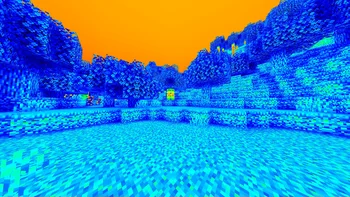

A pretty modular OptiFine shaderpack for learning shading
LBD Shaders is a shader pack made by Annhilati. It supports Minecraft 1.20. It has been downloaded 5,810 times on Modrinth. The last update came out on Feb 20, 2024.
The newest is 24.02.20-DE, released on Feb 20, 2024. It is made for Minecraft 1.20, 1.20.1. It runs on Iris and Optifine. The download is 4 KB.
| Version | Released | Minecraft | Type |
|---|---|---|---|
24.02.20-DE | Feb 20, 2024 | 1.20, 1.20.1 | Alpha |
LBD Shders is a shaderpack which is ideal for learning OptiFine GLSL due to its good structure. And maybe a few cool effects will be added too.
This pack works with OptiFine as well as Iris and has no major compatibility issues.
📦 Features
Technology used
Written by Annhilati. Read it with pictures on Modrinth.
Install Iris (with Sodium) or OptiFine for your Minecraft version: shaders need one of them.
Download the .zip file from Modrinth. Do not unzip it.
In Minecraft, open Options, then Video Settings, then Shader Packs, and click Open Shader Pack Folder.
Drop the .zip file into that folder, pick LBD Shaders in the list and click Done.
Shaders are heavy on the graphics card. If the game gets slow, pick a lower profile in the shader settings.
| Resource | Downloads | Versions | Last update | Price |
|---|---|---|---|---|
| LBD Shadersthe one you looked at | 5,810 | 1.20 | Feb 20, 2024 | Free |
| BSL ShadersCaptTatsu | 31.7M | 1.8 – 26.x | Sep 21, 2026 | Free |
 Bliss ShadersXonk | 15.7M | 1.17 – 26.x | Nov 23, 2025 | Free |
 AstraLex ShadersLexBoosT | 5.7M | 1.16 – 26.x | Jun 16, 2024 | Free |
Not yet. The newest version it supports is Minecraft 1.20.
Yes. LBD Shaders is free to download from Modrinth.
Yes. The last update came out in the past day.
The closest ones are BSL Shaders, Bliss Shaders and AstraLex Shaders. Compare all alternatives
BSL ShadersShaders · 1.8 – 26.xShaderpack for Minecraft: Java Edition. It's bright, colorful, and distinct.
Bliss ShadersShaders · 1.17 – 26.xA well performing fantasy styled shaderpack with emphasis on scene variation and customization.
AstraLex ShadersShaders · 1.16 – 26.xShaderpack with very high customization. If you like effects, this shaderpack is made for you!
 Pastel ShadersShaders · 1.8 – 1.21
An aesthetic, performant pastel-colored shaderpack with multiple color presets.
 Hysteria ShadersShaders · 1.8 – 1.21
Atmospheric, highly customizable horror shaderpack, successor of Insanity Shader.
 Potato ShadersShaders · 1.12 – 1.20
A very lightweight shaderpack that is still fancy in its own way.
Log in to leave a review.