
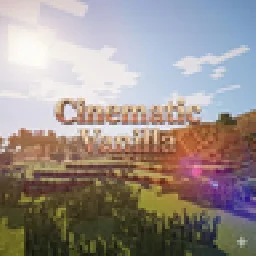
 Cinematic VanillaShaders · 1.17 – 26.x
Cinematic Vanilla is a lightweight cinematic shader pack designed to enhance Minecraft visuals while maintaining smooth performance on low- to mid-end PCs.
Free13,103 downloads
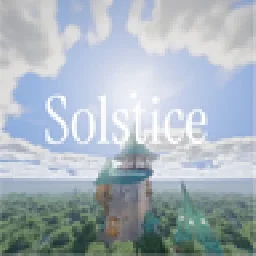
A Minecraft shader pack that balances stunning visuals and smooth performance.
Opens Modrinth · 4,747 downloads there

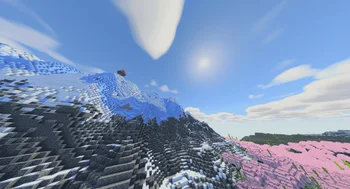
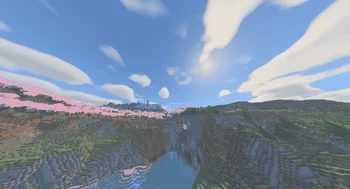
A Minecraft shader pack that balances stunning visuals and smooth performance.
Solstice is a shader pack made by d0mkaaa. It supports Minecraft 1.20 – 26.x. It has been downloaded 4,747 times on Modrinth. The last update came out on Oct 21, 2026.
Solstice has had 8 releases on Modrinth since Jul 3, 2026. 8 of them came out in the past year. The newest is 3, released on Oct 21, 2026. It is made for Minecraft 1.21 – 26.3. It runs on Iris and Optifine. The download is 266 KB.
| Version | Released | Minecraft | Type |
|---|---|---|---|
3 | Oct 21, 2026 | 1.21 – 26.3 | Release |
2 | Sep 9, 2026 | 1.21 – 26.2 | Release |
1.5 | Jul 30, 2026 | 1.20 – 26.2 | Release |
1.4 | Jul 23, 2026 | 1.20 – 26.2 | Release |
1.3 | Jul 10, 2026 | 1.20 – 26.2 | Release |
Thanks for 10,000 downloads in total!
A semi-realistic Minecraft shader with adjustable effects and four performance
profiles. Developed on an RX 6600 at 1440p.
foliage, coloured glass shadows, and underwater caustics.
held items, or full LabPBR 1.3 support with a resource pack.
puddles, god rays, balanced shadows.
SSR is off in every preset. Reselect a preset after updating to replace saved
SSR settings. Lighting Style and colour settings are separate from the profile.
Settings worth trying: Lighting Style (Survival is darkest, Builder brightens
interiors), Cloud Mode, Material Source, Colour Grade, Fog Density, and Water
Murkiness.
Solstice has its own LOD fog and side lighting, so set these in DH:
DH shadows stay off because Iris may render the whole LOD range into the
shadow map. The shader still shades normal distant terrain and water.
Built-in materials keep vanilla texture lighting and add restrained
highlights. For visible normal maps and full metal materials:
Check brick, cobblestone, polished stone, quartz, iron, gold, or copper in
angled sunlight. Parallax uses the height channel in LabPBR normal maps.
to 100%.
Material Source.
DH, GPU, and driver versions.
Full history in [CHANGELOG.md](CHANGELOG.md).
d0mkaaa (Domantas)
Written by d0mkaaa. Read it with pictures on Modrinth.
Install Iris (with Sodium) or OptiFine for your Minecraft version: shaders need one of them.
Download the .zip file from Modrinth. Do not unzip it.
In Minecraft, open Options, then Video Settings, then Shader Packs, and click Open Shader Pack Folder.
Drop the .zip file into that folder, pick Solstice in the list and click Done.
Shaders are heavy on the graphics card. If the game gets slow, pick a lower profile in the shader settings.
| Resource | Downloads | Versions | Last update | Price |
|---|---|---|---|---|
| Solsticethe one you looked at | 4,747 | 1.20 – 26.x | 19 days ago | Free |
| Cinematic VanillaDark_PixelForge | 13K | 1.17 – 26.x | Oct 4, 2026 | Free |
 Baked Potato ShadersGenWasTaken | 39K | 1.20 – 26.x | Oct 4, 2026 | Free |
 Spirity Motion BlurItsAnshuXD | 10K | 1.21 – 26.x | Apr 28, 2026 | Free |
Yes. Solstice supports Minecraft 26.x. All supported versions: 26.x, 1.21, 1.20.
Yes. Solstice is free to download from Modrinth.
Yes. The last update came out in the past day.
The closest ones are Cinematic Vanilla, Baked Potato Shaders and Spirity Motion Blur. Compare all alternatives
Cinematic VanillaShaders · 1.17 – 26.xCinematic Vanilla is a lightweight cinematic shader pack designed to enhance Minecraft visuals while maintaining smooth performance on low- to mid-end PCs.
Baked Potato ShadersShaders · 1.20 – 26.xBaked Potato is a lightweight shader pack designed for players who want better visuals without sacrificing performance.
Spirity Motion BlurShaders · 1.21 – 26.xUltra lightweight motion blur shader with zero FPS drop. Smooth visuals without performance loss.
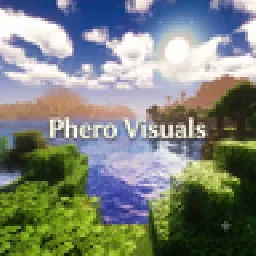 Phero VisualsShaders · 1.16 – 26.x
Phero Visuals Minecraft shader pack featuring vibrant lighting, realistic water, dynamic skies, soft shadows, cinematic atmosphere, and optimized performance…
 Luxora ShadersShaders · 1.21
Warm toned shader pack with realistic lighting, golden sunsets, water reflections, and smooth performance.
 GlamorousSP ShadersShaders · 1.21 – 26.x
A vibrant and customizable shader pack focused on beautiful lighting, rich colors, and smooth performance. GlamorousSP is inspired from Mellow Shader by TheCMK.
Log in to leave a review.