
 Authentic Night VisionShaders · 1.21 – 26.x
Makes the game look like night vision action camera footage.
Free34,741 downloads

Make Minecraft movement look smoother, especially in recorded footage.
Opens Modrinth · 3,958 downloads there
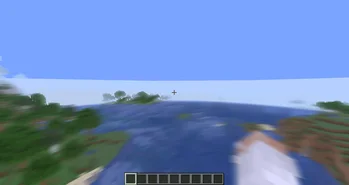
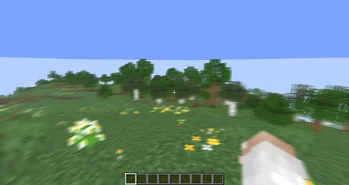
Make Minecraft movement look smoother, especially in recorded footage.
MotionFlow is a shader pack made by FreeBird. It supports Minecraft 1.18 – 26.x. It has been downloaded 3,958 times on Modrinth. The last update came out on Apr 14, 2026.
The newest is 0.01, released on Apr 14, 2026. It is made for Minecraft 1.18 – 26.1.2. It runs on Iris and Optifine. The download is 2 KB.
| Version | Released | Minecraft | Type |
|---|---|---|---|
0.01 | Apr 14, 2026 | 1.18 – 26.1.2 | Release |
MotionFlow 是一个专注于动态模糊(Motion Blur)效果的轻量 Minecraft 光影包。
它不会改变游戏原本的整体光照、色彩风格或阴影表现,而是专门通过运动模糊来提升玩家在奔跑、移动、转头和快速视角变化时的视觉流畅感。
这个光影尤其适合用于录制视频。在部分 AMD 显卡或采集环境下,Minecraft 实际游玩时可能已经很流畅,但录制出来的画面在运动过程中仍然会显得不够顺滑。MotionFlow 可以很好地缓解这种观感问题,让成片看起来更自然、更连贯,也更有速度感。
MotionFlow 提升的是视觉上的运动流畅感,而不是实际 FPS。
MotionFlow is a lightweight Minecraft shaderpack focused entirely on motion blur.
Instead of changing the game’s lighting, colors, or shadow style, it is designed specifically to improve the visual smoothness of movement, sprinting, camera turns, and fast motion.
This shaderpack is especially useful for video recording. On some AMD GPU setups or capture workflows, Minecraft may feel smooth while playing, but recorded footage can still appear less fluid during motion. MotionFlow helps reduce that issue, making the final video look smoother, more natural, and more cohesive.
MotionFlow improves perceived motion smoothness, not actual FPS.
Written by FreeBird. Read it with pictures on Modrinth.
Install Iris (with Sodium) or OptiFine for your Minecraft version: shaders need one of them.
Download the .zip file from Modrinth. Do not unzip it.
In Minecraft, open Options, then Video Settings, then Shader Packs, and click Open Shader Pack Folder.
Drop the .zip file into that folder, pick MotionFlow in the list and click Done.
Shaders are heavy on the graphics card. If the game gets slow, pick a lower profile in the shader settings.
Yes. MotionFlow supports Minecraft 26.x. All supported versions: 26.x, 1.21, 1.20, 1.19, 1.18.
Yes. MotionFlow is free to download from Modrinth.
Yes. The last update came out in the past day.
Authentic Night VisionShaders · 1.21 – 26.xMakes the game look like night vision action camera footage.
Log in to leave a review.