
 SteadfastShaders · 1.18 – 26.x
A remarkably fast and unobtrusive shader pack with exceptional attention-to-detail.
Free47,586 downloads
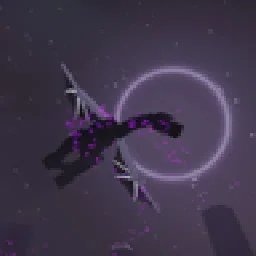
A Minecraft shader which is edited from coderbot's Steadfast
Direct download from Modrinth · 37 downloads

Firmament is a shader pack made by Remiiil1a. A Minecraft shader which is edited from coderbot's Steadfast.
It supports Minecraft 1.21 – 26.x. It has been downloaded 37 times on Modrinth. The last update came out on Nov 9, 2026.
The newest is 1.0.0, released on Oct 5, 2026. It is made for Minecraft 1.21 – 26.2. It runs on Iris. The download is 675 KB.
| Version | Released | Minecraft | Type |
|---|---|---|---|
1.0.0 | Oct 5, 2026 | 1.21 – 26.2 | Release |
Steadfast is free and open-source software developed by coderbot, and can be downloaded from modrinth.com/shader/steadfast-shaders (Modrinth), curseforge.com/minecraft/shaders/steadfast (CurseForge), or github.com/coderbot16/Steadfast (GitHub). Anyone can modify and distribute it under the terms of the GNU General Public License, version 3.
This is not an official Steadfast release and coderbot does not support it. Bug reports about it do not belong in Steadfast's issue tracker.
A shaderpack for Minecraft: Java Edition, built for Iris + Sodium. It is an edit of
coderbot's Steadfast, and takes its name from that.
Pick one at the top of the shader options:
Tier · What it is
Medium (the factory setting) · The pack's own look: the temporal resolve on, SMAA off, everything else as it is
High · Medium plus full-resolution volumetric fog and PBR parallax
Low · Gives up the screen-space shadows and screen-space reflections, and softens the metal diffuse
Toaster · Almost everything off - shadows, volumetric clouds, light shafts, bloom, the temporal resolve, coloured light, the water's and glass's reflections, caustics, PBR materials and their reflections - for a machine that would otherwise not run the pack at all
Each tier sets every option it should, so switching between them is reversible: nothing is
left behind from the tier before.
resource pack, with reflections and self-shadowing built on them.
colour of the pane, and a nether portal tints the light around it.
along the same light axis, brightened where the surface ripples gather them.
sky behind it bent, the star field stretched into arcs), and the pack's own stars and nebula.
reflected in it, and absorption by depth.
rain and snow particles.
debug view.
decode to a flat surface. With one, leave Materials (PBR) → Material format on LabPBR;
without one, set it to Off.
and Steadfast's additional terms**.
NOTICE.md.
ShulkerSakura, a vanilla PBR and parallax resource pack built on
Vanilla Normals Renewed by Poudingue
and licensed under the GPLv3. The textures in them are theirs, not part of this pack.
Written by Remiiil1a. Read it with pictures on Modrinth.
Install Iris (with Sodium) or OptiFine for your Minecraft version: shaders need one of them.
Download the .zip file from Modrinth. Do not unzip it.
In Minecraft, open Options, then Video Settings, then Shader Packs, and click Open Shader Pack Folder.
Drop the .zip file into that folder, pick Firmament in the list and click Done.
Shaders are heavy on the graphics card. If the game gets slow, pick a lower profile in the shader settings.
Full guide: How to install Minecraft shaders
Yes. Firmament supports Minecraft 26.x. All supported versions: 26.x, 1.21.
Yes. Firmament is free to download from Modrinth.
Yes. The last update came out in the past day.
SteadfastShaders · 1.18 – 26.xA remarkably fast and unobtrusive shader pack with exceptional attention-to-detail.
Log in to leave a review.