
 ControlifyMods · 1.19 – 26.x
Adds the best controller support to Minecraft Java edition!
Free25,321,842 downloads
Adds controller support and enhanced controls overall.

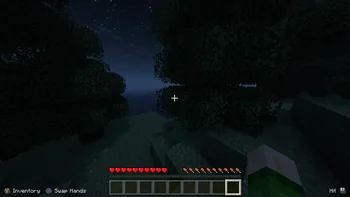
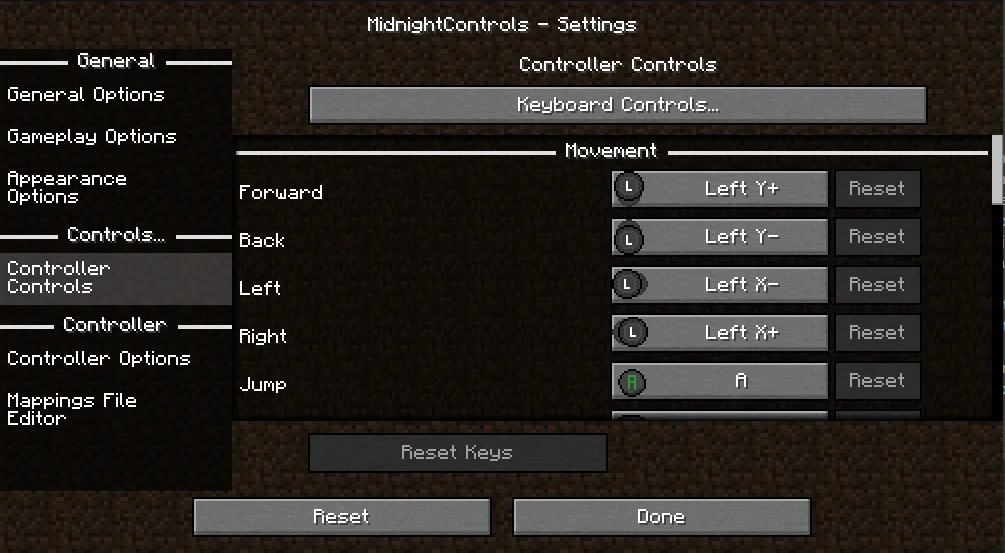
Adds controller support and enhanced controls overall.
MidnightControls is a resource made by Motschen. It supports Minecraft 1.18 – 26.x. It has been downloaded 3,335,195 times on Modrinth. The last update came out on Aug 2, 2026.
MidnightControls has had 73 releases on Modrinth since May 3, 2022. 7 of them came out in the past year. The newest is 1.12.1+26.2-neoforge, released on Aug 2, 2026. It is made for Minecraft 26.2. It runs on NeoForge. The download is 865 KB.
| Version | Released | Minecraft | Type |
|---|---|---|---|
1.12.1+26.2-neoforge | Aug 2, 2026 | 26.2 | Release |
1.12.1+26.2-fabric | Aug 2, 2026 | 26.2 | Release |
1.12.1+26.1-neoforge | Mar 28, 2026 | 26.1, 26.1.1, 26.1.2 | Release |
1.12.1+26.1-fabric | Mar 28, 2026 | 26.1, 26.1.1 | Release |
1.12.0+1.21.11-fabric | Dec 25, 2025 | 1.21.11 | Release |
MidnightControls is open source. Its newest release on GitHub is MidnightControls 1.10.0 Beta 1 for 1.21.3, published on Nov 18, 2024.
The controller options screen is now fully functional again, thanks to my 1.21.3 port of ObsidianUI.
Before that: MidnightControls 1.10.0 Alpha 1 for 1.21.3 (Nov 18, 2024), MidnightControls 1.10.0 - Beta 1 (Aug 30, 2024).
A Fabric Minecraft mod which adds better controls, reach-around and controller support.
Forked from LambdaControls by the amazing LambdAurora, which was sadly discontinued.
This mod adds better controls, reach-around features, etc.
Haven't you dreamed to travel in your modded Minecraft world with your controller? Yes? Then this mod is made for you!
This mod also adds controller support.
Install MidnightControlsExtra for extra features that might be considered as cheats
(click on the image)
Orange controller names indicate a missing controller mapping.
Download GamepadTool, create and copy a mapping, go to MidnightControls' Mappings File Editor and paste the string.
Alternatively, you can use AntiMicroX to create the mappings, in case the Gamepad Tool is not working for you.
If that works, you might as well consider submitting the mapping by opening a PR in this repo: github.com/gabomdq/SDL_GameControllerDB
That will make sure other people using the same controller as you don't have to use gamepad-tool anymore.
Written by Motschen. Read it with pictures on Modrinth.
This mod runs only on your own game. Servers do not need it, so you can use it on any server.
Install Fabric, Quilt and NeoForge for Minecraft 1.18 – 26.x.
Add the mods it needs: MidnightLib.
Download the .jar file from Modrinth and put it in the mods folder of your .minecraft directory.
Start Minecraft with the Fabric profile.
With the CraftRank Launcher you can skip these steps: open Mods, search for MidnightControls and click Install.
| Resource | Downloads | Versions | Last update | Price |
|---|---|---|---|---|
| MidnightControlsthe one you looked at | 3.3M | 1.18 – 26.x | Aug 2, 2026 | Free |
| Controlifyisxander | 25.3M | 1.19 – 26.x | Sep 23, 2026 | Free |
 ModernFix-mVUSCoredex | 11.7M | 1.21 – 26.x | 28 days ago | Free |
 Cobblemon Battle ExtrasRaguto | 5M | 1.21 | 1 day ago | Free |
Yes. MidnightControls supports Minecraft 26.x. All supported versions: 26.x, 1.21, 1.20, 1.19, 1.18.
Yes. MidnightControls is free to download from Modrinth.
Client-side. MidnightControls goes in your own mods folder and works on any server, including servers without mods.
Yes: MidnightLib. Install it before MidnightControls.
Yes. The last update came out in the past day.
The closest ones are Controlify, ModernFix-mVUS and Cobblemon Battle Extras. Compare all alternatives
ControlifyMods · 1.19 – 26.xAdds the best controller support to Minecraft Java edition!
ModernFix-mVUSMods · 1.21 – 26.xA fork of ModernFix that adds minor version update support.
Cobblemon Battle ExtrasMods · 1.21Cobblemon add-on that enhances battling and enables in-battle keyboard/controller support!
 Elytra SlotMods · 1.13 – 1.21
Adds accessory support to the elytra so you can fly and wear chest armor at the same time. Formerly known as Curious Elytra and Elytra Trinket.
 Charm of UndyingMods · 1.13 – 1.21
Adds accessory support for the Totem of Undying so you can place it in a slot and don't have to be holding it. Formerly known as Curio of Undying and Trinket…
 Toni's Immersive LanternsMods · 1.20 – 1.21
Adds dynamic lighting and Accessories support to lanterns, with physics!
Log in to leave a review.