
 ModernFix-mVUSMods · 1.21 – 26.x
A fork of ModernFix that adds minor version update support.
Free11,689,877 downloads

This fork adds the missing printing functionality for Litematica
This fork adds the missing printing functionality for Litematica
Litematica Printer is a resource made by RandomGgames. It supports Minecraft 1.17 – 26.x. It has been downloaded 3,118,521 times on Modrinth. The last update came out on Sep 28, 2026.
Litematica Printer has had 38 releases on Modrinth since Aug 12, 2022. 8 of them came out in the past year. The newest is 3.2.3, released on Sep 27, 2026. It is made for Minecraft 26.3. It runs on Fabric. The download is 151 KB.
| Version | Released | Minecraft | Type |
|---|---|---|---|
3.2.3 | Sep 27, 2026 | 26.3 | Release |
3.2.2 | Sep 22, 2026 | 26.3 | Release |
3.2.2 | Jun 17, 2026 | 26.2 | Release |
3.2.2 | Apr 3, 2026 | 26.1, 26.1.1, 26.1.2 | Release |
3.2.2 | Mar 29, 2026 | 26.1 | Release |
Litematica Printer is open source. Its newest release on GitHub is 1.21.6-3.2.1-sakura.6, published on Jun 19, 2025.
Before that: 1.21.5-3.2.1-sakura.5 (Apr 4, 2025), 1.21.4-sakura.2 (Dec 17, 2024).
Litematica printer is a mod that allows players to build big structures more quickly by automatically placing the correct blocks around you.
Using the printer is straightforward: You can toggle the feature by pressing CAPS_LOCK by default. To configure variables such as
printing speed and range, open Litematica's settings by pressing M + C and navigate to "Generic" tab. Printer's configuration can be
found at the bottom of the page. You can also rebind the printing toggle under "Hotkeys" tab. Holding down V by default will also
print regardless if the printer is toggled on or off.
These blocks have not been implemented yet for various reasons and the printer will skip them instead of placing them wrong. If any
other blocks are placed incorrectly, try to lower the printing speed. If certain block is still placed incorrectly, you can create
an issue.
This mod requires Fabric API, Litematica, and MaLiLib.
Fabric-API is available on Modrinth however litematica and malilib are not and must be downloaded through CurseForge or their respective Githubs.
Please be aware, using this mod on a server may be against the rules and could get you banned!
I am not a developer of this project, but I have been given permission to upload it here and will attempt to keep it updated. Full credits go to aleksilassila for making this mod and maruohon for making Litematica. Please only ping (using a github issue) me if this page is missing a version that has been released on the github.
Sakura also gave me permission to upload their files for litematica printer.
If you'd like to support the original author: paypal.com/paypalme/aleksilassila
If you'd like to support Sakura for keeping the mod updated: sakuraryoko.com/ (Bottom of the page)
Written by RandomGgames. Read it with pictures on Modrinth.
This mod runs only on your own game. Servers do not need it, so you can use it on any server.
Install Fabric for Minecraft 1.17 – 26.x.
Add the mods it needs: Litematica and MaLiLib.
Download the .jar file from Modrinth and put it in the mods folder of your .minecraft directory.
Start Minecraft with the Fabric profile.
With the CraftRank Launcher you can skip these steps: open Mods, search for Litematica Printer and click Install.
| Resource | Downloads | Versions | Last update | Price |
|---|---|---|---|---|
| Litematica Printerthe one you looked at | 3.1M | 1.17 – 26.x | Sep 28, 2026 | Free |
| ModernFix-mVUSCoredex | 11.7M | 1.21 – 26.x | 28 days ago | Free |
 Armor Chroma for FabricA5b84 | 3.8M | 1.16 – 1.21 | Mar 28, 2025 | Free |
 Expanded Delightianm1647 | 6.9M | 1.18 – 1.21 | Jan 10, 2026 | Free |
Yes. Litematica Printer supports Minecraft 26.x. All supported versions: 26.x, 1.21, 1.20, 1.19, 1.18, 1.17.
Yes. Litematica Printer is free to download from Modrinth.
Client-side. Litematica Printer goes in your own mods folder and works on any server, including servers without mods.
Yes: Litematica, MaLiLib. Install it before Litematica Printer.
Yes. The last update came out in the past day.
The closest ones are ModernFix-mVUS, Armor Chroma for Fabric and Expanded Delight. Compare all alternatives
ModernFix-mVUSMods · 1.21 – 26.xA fork of ModernFix that adds minor version update support.
Armor Chroma for FabricMods · 1.16 – 1.21Fabric fork of Armor Chroma, adds different icons in the armor bar depending on the material and can display glint for enchanted items.
Expanded DelightMods · 1.18 – 1.21An addon mod for Farmer's Delight that adds many more crops and functionality to the base mod
 Eclipse PrinterMods · 26.x
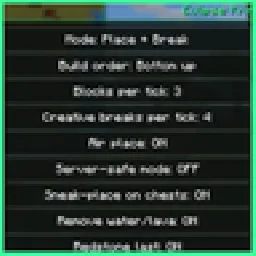
Litematica printer: auto-builds your schematic, fixes wrong blocks, full auto mode, materials list and build together with friends.
 DarkMCMods · 1.21
This mod adds a solarpanel and a money printer just like in most gmod darkrp servers.
Log in to leave a review.