
 Pufferfish's SkillsMods · 1.18 – 26.x
Adds a fully configurable skill system to the game.
Free4,665,983 downloads
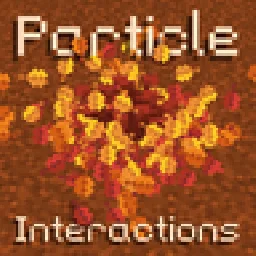
Adds particles to more interactions in the game, such as placing blocks or stripping logs. Fully configurable and client side!
Adds particles to more interactions in the game, such as placing blocks or stripping logs. Fully configurable and client side!
Particle Interactions is a resource made by enchanted-games. It supports Minecraft 1.21 – 26.x. It has been downloaded 2,770,725 times on Modrinth. The last update came out on Oct 10, 2026.
Particle Interactions has had 83 releases on Modrinth since Aug 29, 2024. 32 of them came out in the past year. The newest is 0.10.5+26.3-neoforge, released on Oct 10, 2026. It is made for Minecraft 26.3. It runs on NeoForge. The download is 960 KB.
| Version | Released | Minecraft | Type |
|---|---|---|---|
0.10.5+26.3-neoforge | Oct 10, 2026 | 26.3 | Release |
0.10.5+26.3-fabric | Oct 10, 2026 | 26.3 | Release |
0.10.4+26.3-fabric | Sep 21, 2026 | 26.3 | Release |
0.10.3+26.3-fabric | Sep 15, 2026 | 26.3 | Release |
0.10.2+26.2-neoforge | Aug 12, 2026 | 26.2 | Release |
Particle Interactions is open source. Its newest release on GitHub is [v0.10.5] Particle Interactions for mc 26.3, published on Oct 10, 2026.
Before that: [v0.10.4] Particle Interactions for mc 26.3 (Sep 21, 2026), [v0.10.3] Particle Interactions for mc 26.3 (Sep 15, 2026).
A mod that adds particles to more interactions in the game, such as when placing a block or stripping a log. The aim of this mod is to add particles to almost every interaction in the game while staying as close as possible to the vanilla design and aesthetic!
This mod is fully client side, however, a few particles added by the mod won't spawn when other players use certain items, place certain blocks, etc. Better multiplayer support is planned in the future, which may optionally require the mod to be installed server-side
Every single feature added by this mod can be adjusted or disabled in the mods' config menu or with a resourcepack! To access the config menu, click the Mods button on the title or pause screen (on Fabric you need Mod Menu), click on the Particle Interactions mod, and click the config button
The mod is currently only being actively updated for Minecraft 26.1.2 and 26.2.
Some things may be changed or removed entirely before the full release. If you spot bugs / crashes / other mod incompatibilities, you can report them on the GitHub issue tracker!
Please test this with your favourite mods and report any issues or unexpected behaviour on the issue tracker!
As of v0.10, this mod allows resourcepacks to define custom particles for blocks and fluids! The particles that spawn for each type of interaction can also be configured. See the docs for more info
! NOTE !: Not all of these features are present in all versions! Check the changelogs for further detail. This section is in the process of being moved to the docs website to be much clearer and with images showcasing each feature.
Full list of block particle overrides
You can view the full list of planned features here!. Note that features may be added or removed at any time, however feel free to discuss or suggest new features on the GitHub page!
Particle Interactions by ioblackshaw (a.k.a. Enchanted_Games) is licensed under CC BY-NC 4.0
Video content creators may monetise videos including this work provided the license is followed.
Written by enchanted-games. Read it with pictures on Modrinth.
This mod runs only on your own game. Servers do not need it, so you can use it on any server.
Install Fabric, Quilt and NeoForge for Minecraft 1.21 – 26.x.
Download the .jar file from Modrinth and put it in the mods folder of your .minecraft directory.
Start Minecraft with the Fabric profile.
With the CraftRank Launcher you can skip these steps: open Mods, search for Particle Interactions and click Install.
| Resource | Downloads | Versions | Last update | Price |
|---|---|---|---|---|
| Particle Interactionsthe one you looked at | 2.8M | 1.21 – 26.x | Oct 10, 2026 | Free |
| Pufferfish's SkillsPufferfish | 4.7M | 1.18 – 26.x | Oct 8, 2026 | Free |
 Particle EffectsKlashRaick | 7.9M | 1.20 – 26.x | Sep 22, 2026 | Free |
 donut ah searchhyy_shadow | 38 | 1.21 – 26.x | Sep 17, 2026 | Free |
Yes. Particle Interactions supports Minecraft 26.x. All supported versions: 26.x, 1.21.
Yes. Particle Interactions is free to download from Modrinth.
Client-side. Particle Interactions goes in your own mods folder and works on any server, including servers without mods.
Yes. The last update came out in the past day.
The closest ones are Pufferfish's Skills, Particle Effects and donut ah search. Compare all alternatives
Pufferfish's SkillsMods · 1.18 – 26.xAdds a fully configurable skill system to the game.
Particle EffectsMods · 1.20 – 26.xVisual Mod which adds unique textured particles for every effect in vanilla Minecraft!
donut ah searchMods · 1.21 – 26.xInstantly search the Auction House for the item you are holding with a configurable hotkey. Lightweight client-side Fabric mod with support for display names…
 Ore Blocks Stairs & SlabsMods · 26.x
This mod adds stairs and slabs that were not in the game before!
 Falling LeavesMods · 1.16 – 26.x
Adds a neat little particle effect to leaf blocks
 Make Bubbles PopMods · 1.17 – 26.x
Client-side mod that makes bubble particles pop and lets them rise realistically to the water surface.
Log in to leave a review.