
 Better Early LoadingMods · 1.21
This mod swaps out Minecraft's default loading screen for a cleaner, faster and overall better loading screen. Fully Client Side.
Free28 downloads
A fully customizable, choreographed early loading screen for NeoForge.
Direct download from Modrinth · 10 downloads
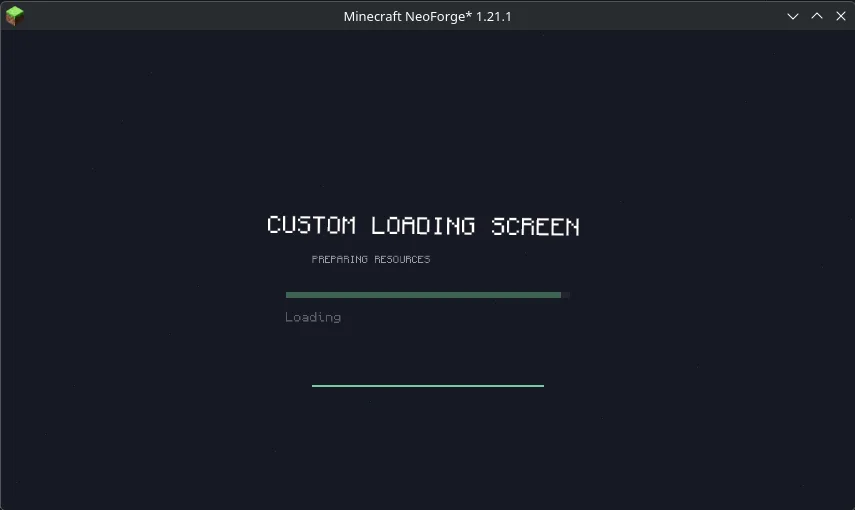
Custom Loading Screen is a mod made by SodaSyrup. A fully customizable, choreographed early loading screen for NeoForge.
It supports Minecraft 1.21. It has been downloaded 10 times on Modrinth. The last update came out on Oct 21, 2026.
Custom Loading Screen has had 3 releases on Modrinth since Oct 2, 2026. 3 of them came out in the past year. The newest is 0.2.1+1.21.1-neoforge, released on Oct 20, 2026. It is made for Minecraft 1.21.1. It runs on NeoForge. The download is 69 KB.
| Version | Released | Minecraft | Type |
|---|---|---|---|
0.2.1+1.21.1-neoforge | Oct 20, 2026 | 1.21.1 | Beta |
0.2.0+1.21.1-neoforge | Oct 7, 2026 | 1.21.1 | Beta |
0.1.0+1.21.1-neoforge | Oct 2, 2026 | 1.21.1 | Beta |
when creating this project, i learned of Custom Loading Screen cause the slug was taken, no relation to that one tho
A custom early loading screen for NeoForge, configured through JSON.
Use your own logo, images, and text. Add particles and progress bars. Animate elements during startup, with loops and animations triggered by loading stages.
The mod creates a default scene in config/customloadingscreen/scene.json. Edit it to change the screen, and put your images in config/customloadingscreen/assets/.
Written by SodaSyrup. Read it with pictures on Modrinth.
This mod runs only on your own game. Servers do not need it, so you can use it on any server.
Install NeoForge for Minecraft 1.21.
Download the .jar file from Modrinth and put it in the mods folder of your .minecraft directory.
Start Minecraft with the NeoForge profile.
Easier: in Prism Launcher or the Modrinth App, search for Custom Loading Screen in your instance's mods and click Install. It adds the loader and the mods it needs for you.
Full guide: How to install Minecraft mods
| Resource | Downloads | Versions | Last update | Price |
|---|---|---|---|---|
| Custom Loading Screenthe one you looked at | 10 | 1.21 | 28 days ago | Free |
| Better Early LoadingSpolii | 28 | 1.21 | Sep 20, 2026 | Free |
 Custom Splash ScreenMotschen | 6.8M | 1.16 – 1.21 | 16 days ago | Free |
 Dark Loading ScreenA5b84 | 4.8M | 1.16 – 26.x | Sep 11, 2026 | Free |
Not yet. The newest version it supports is Minecraft 1.21.
Yes. Custom Loading Screen is free to download from Modrinth.
Client-side. Custom Loading Screen goes in your own mods folder and works on any server, including servers without mods.
Yes. The last update came out in the past day.
The closest ones are Better Early Loading, Custom Splash Screen and Dark Loading Screen. Compare all alternatives
Better Early LoadingMods · 1.21This mod swaps out Minecraft's default loading screen for a cleaner, faster and overall better loading screen. Fully Client Side.
Custom Splash ScreenMods · 1.16 – 1.21Change minecraft's loading screen to your liking! Completely configurable!
Dark Loading ScreenMods · 1.16 – 26.xMakes the loading screen darker.
 FastQuitMods · 1.17 – 26.x
Lets you return to the Title Screen early while your world is still saving in the background!
 Seamless Loading ScreenMods · 1.16 – 1.21
Takes a screenshot of the game when you leave a world or server, and displays it when you rejoin it.
 Remove Reloading ScreenMods · 1.16 – 26.x
Makes resource packs load in the background, allowing you to do other things while waiting!
Log in to leave a review.