
 Entity Texture FeaturesMods · 1.16 – 26.x
Emissive, Random & Custom texture support for entities in resourcepacks just like Optifine but for Fabric
Free113,039,497 downloads
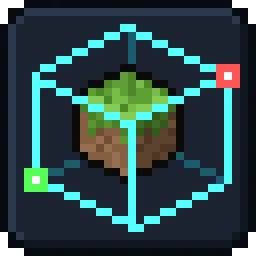
Mark two corners and export the blocks between them as a textured 3D model (OBJ, MTL and .glb). Handles modded blocks, fluids, block entities and entities…
Direct download from Modrinth · 10 downloads
Source and ownership. This page was generated automatically from public data that Modrinth provides through its public API. The name, descriptions, images, trademarks and all other content of this project belong to BakerIsCoding and their respective owners. CraftRank is not the author of this project and is not affiliated with, endorsed or sponsored by its author or by Modrinth.
Hosting and distribution. CraftRank does not host, store, upload or distribute the download files of this project, and no such file is kept on CraftRank's servers. Every download is provided directly by Modrinth from its own servers; the Download button only links to the file there. The license stated on Modrinth is MIT.
Use of public APIs. Modrinth, Hangar (PaperMC) and SpigotMC (through the Spiget API) make their APIs publicly available to third-party websites and applications. Modrinth's Terms of Use give API users a license to download, display and query content through their own services (section “API Usage”), and creators who publish on Modrinth grant Modrinth and its licensees the right to display and distribute their content to third parties (section “User Contributions”). CraftRank uses these APIs in line with the platforms' published rules: it identifies itself in every request and respects their rate limits.
No warranty. The information on this page is provided "as is", without any warranty. Downloading and using this project is at your own risk and subject to the license and terms of its author.
Copyright notices (DMCA). Only the copyright owner or someone authorised to act for them may file a notice, and it must come from a person of legal age or from their parent or legal guardian. A valid notice sent to abuse@craftrank.org must contain: the link of this page; the work claimed to be infringed; your full name, postal address, phone number and e-mail; a statement that you believe in good faith that the use is not authorised by the owner, its agent or the law; a statement, under penalty of perjury, that the notice is accurate and that you are the owner or authorised to act for them; and your physical or electronic signature. Incomplete notices are not processed. Valid notices are acted on within 48 hours, with no need to go through Google.
False notices. Anyone who knowingly misrepresents that material is infringing is liable for the damages caused, including costs and attorneys' fees (17 U.S.C. § 512(f)). Notices filed in bad faith or by someone who does not hold the rights are kept on record and will be contested.
Meshify is a mod made by BakerIsCoding. Mark two corners and export the blocks between them as a textured 3D model (OBJ, MTL and .glb). Handles modded blocks, fluids, block entities and entities…
It supports Minecraft 1.21 – 26.x. It has been downloaded 10 times on Modrinth. The last update came out on Sep 27, 2026.
Meshify has had 5 releases on Modrinth since Sep 27, 2026. 5 of them came out in the past year. The newest is 1.1.3+26.3, released on Sep 27, 2026. It is made for Minecraft 26.3. It runs on Fabric. The download is 217 KB.
| Version | Released | Minecraft | Type |
|---|---|---|---|
1.1.3+26.3 | Sep 27, 2026 | 26.3 | Beta |
1.1.3+26.2 | Sep 27, 2026 | 26.2 | Beta |
1.1.3+26.1 | Sep 27, 2026 | 26.1, 26.1.1, 26.1.2 | Beta |
1.1.3+1.21.11 | Sep 27, 2026 | 1.21.11 | Release |
1.1.3+1.21.10 | Sep 27, 2026 | 1.21.10 | Release |
Mark two corners in your world, run one command, and Meshify writes the blocks between them as a textured 3D model.
You get an OBJ with its materials and texture atlas, plus a .glb that opens in any web glTF viewer. Meshify only runs on your client, so nothing needs to be installed on the server.
The files land in .minecraft/meshify/castle/, and you can click the path in chat to open the folder.
Large regions are scanned a slice per tick, so the game keeps running while progress and time left show above the hotbar.
The start corner is outlined in green, the end corner in red and the region in cyan.
Your selection is kept across restarts.
Press N for a menu that does everything the commands do.
The keys can be changed under Controls > Key Binds > Miscellaneous.
Command · What it does
/meshify gui · Opens the menu
/meshify start [x y z] · Sets the start corner at the coordinates, or at your feet
/meshify end [x y z] · Sets the end corner the same way
/meshify here · Selects only the block you are looking at
/meshify expand [side] · Grows every side of the region, or only side
/meshify shrink [side] · Shrinks every side, or only side
/meshify expand vert · Stretches the region from the bottom of the world to the build limit
/meshify trim · Shrinks the region to the blocks inside it
/meshify clear · Clears the selection
/meshify status · Shows the corners, size and volume
/meshify export [name] [options…] · Exports the selection
/meshify cancel · Stops the running export and deletes what it wrote
/meshify open · Opens the export folder
side is all, up, down, north, south, east, west or facing, the direction you are looking.
Options go after the name, in any order, and Tab suggests them.
With no options at all, Meshify repeats your last export's options. Once you give any option, the rest go back to their defaults.
Option · Default · Effect
atlas · on · Packs every texture into one atlas.png. The .glb needs this
separate · off · One PNG per texture instead. No .glb is written
2, 4, 8, … · 1 · Upscales every texture by this factor, up to 16
weld · off · Welds vertices and removes degenerate and duplicate faces
cull · off · Also hides faces pressed against a neighbour's full opaque face
bake · off · Merges flat surfaces into large quads with baked textures, for far fewer faces
uv · uv16 · Bake resolution per block face, 1 to 256. Turns bake on
max · max4096 · Largest bake sheet, 256 to 16384. Turns bake on
For example:
/meshify export castle bake uv32 weld
Written by BakerIsCoding. Read it with pictures on Modrinth.
This mod runs only on your own game. Servers do not need it, so you can use it on any server.
Install Fabric for Minecraft 1.21 – 26.x.
Add the mods it needs: Fabric API.
Download the .jar file from Modrinth and put it in the mods folder of your .minecraft directory.
Start Minecraft with the Fabric profile.
Easier: in Prism Launcher or the Modrinth App, search for Meshify in your instance's mods and click Install. It adds the loader and the mods it needs for you.
Full guide: How to install Minecraft mods
| Resource | Downloads | Versions | Last update | Price |
|---|---|---|---|---|
| Meshifythe one you looked at | 10 | 1.21 – 26.x | Sep 27, 2026 | Free |
| Entity Texture FeaturesTraben | 113M | 1.16 – 26.x | 21 days ago | Free |
 Custom Hand Modelj4top | 234 | 26.x | 11 days ago | Free |
 ElementMarkxingmot | 8 | 1.20 | Sep 24, 2026 | Free |
Yes. Meshify supports Minecraft 26.x. All supported versions: 26.x, 1.21.
Yes. Meshify is free to download from Modrinth.
Client-side. Meshify goes in your own mods folder and works on any server, including servers without mods.
Yes: Fabric API. Install it before Meshify.
Yes. The last update came out in the past day.
The closest ones are Entity Texture Features, Custom Hand Model and ElementMark. Compare all alternatives
Entity Texture FeaturesMods · 1.16 – 26.xEmissive, Random & Custom texture support for entities in resourcepacks just like Optifine but for Fabric
Custom Hand ModelMods · 26.xA mod to fully customize your first-person hands, item positions, and combat animations. Refreshed version of DulkirMod.
ElementMarkMods · 1.20Uses ore dictionary detection to label items of periodic table elements — ingots, blocks, ores, dusts, plates, gears, rods, and more — with text abbreviations…
 Enhanced Block EntitiesMods · 1.16 – 1.21
Reduce block entity FPS lag with almost no compromises, and improve their visuals
 InspectMCMods · 1.21 – 26.x
Inspect blocks, entities, biomes, registries, datapacks and runtime data in-game, then export diagnostics to JSON, CSV, Excel and ZIP.
 Better Block EntitiesMods · 1.21 – 26.x
A Minecraft optimization mod for Fabric-Sodium that improves framerates by improving block entity rendering via a hybrid renderer
Log in to leave a review.