
 Visor HolsterMods · 1.20 – 26.x
VisorHolster adds customizable, body-mounted holsters to Visor VR, letting you store and retrieve items with your hands.
Free745 downloads
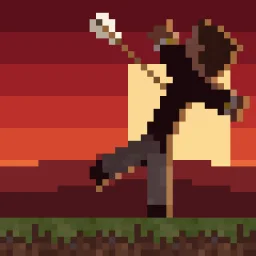
A corpse mod: Your body stays where you fell, shows how you died, and keeps your items safe until you come back for them.
Direct download from Modrinth · 3 downloads
Source and ownership. This page was generated automatically from public data that Modrinth provides through its public API. The name, descriptions, images, trademarks and all other content of this project belong to LegendarySpy and their respective owners. CraftRank is not the author of this project and is not affiliated with, endorsed or sponsored by its author or by Modrinth.
Hosting and distribution. CraftRank does not host, store, upload or distribute the download files of this project, and no such file is kept on CraftRank's servers. Every download is provided directly by Modrinth from its own servers; the Download button only links to the file there. The license stated on Modrinth is MIT.
Use of public APIs. Modrinth, Hangar (PaperMC) and SpigotMC (through the Spiget API) make their APIs publicly available to third-party websites and applications. Modrinth's Terms of Use give API users a license to download, display and query content through their own services (section “API Usage”), and creators who publish on Modrinth grant Modrinth and its licensees the right to display and distribute their content to third parties (section “User Contributions”). CraftRank uses these APIs in line with the platforms' published rules: it identifies itself in every request and respects their rate limits.
No warranty. The information on this page is provided "as is", without any warranty. Downloading and using this project is at your own risk and subject to the license and terms of its author.
Copyright notices (DMCA). Only the copyright owner or someone authorised to act for them may file a notice, and it must come from a person of legal age or from their parent or legal guardian. A valid notice sent to abuse@craftrank.org must contain: the link of this page; the work claimed to be infringed; your full name, postal address, phone number and e-mail; a statement that you believe in good faith that the use is not authorised by the owner, its agent or the law; a statement, under penalty of perjury, that the notice is accurate and that you are the owner or authorised to act for them; and your physical or electronic signature. Incomplete notices are not processed. Valid notices are acted on within 48 hours, with no need to go through Google.
False notices. Anyone who knowingly misrepresents that material is infringing is liable for the damages caused, including costs and attorneys' fees (17 U.S.C. § 512(f)). Notices filed in bad faith or by someone who does not hold the rights are kept on record and will be contested.
Laid to Rest is a mod made by LegendarySpy. A corpse mod: Your body stays where you fell, shows how you died, and keeps your items safe until you come back for them.
It supports Minecraft 26.x. It has been downloaded 3 times on Modrinth. The last update came out on Oct 29, 2026.
Laid to Rest has had 2 releases on Modrinth since Oct 28, 2026. 2 of them came out in the past year. The newest is 1.0.0, released on Oct 28, 2026. It is made for Minecraft 26.3. It runs on NeoForge. The download is 154 KB.
| Version | Released | Minecraft | Type |
|---|---|---|---|
1.0.0 | Oct 28, 2026 | 26.3 | Release |
1.0.0 | Oct 28, 2026 | 26.3 | Release |
Laid to Rest is open source. Its newest release on GitHub is Laid to Rest v1.0.0, published on Oct 28, 2026.
First release, for Minecraft 26.3 on Fabric and NeoForge.
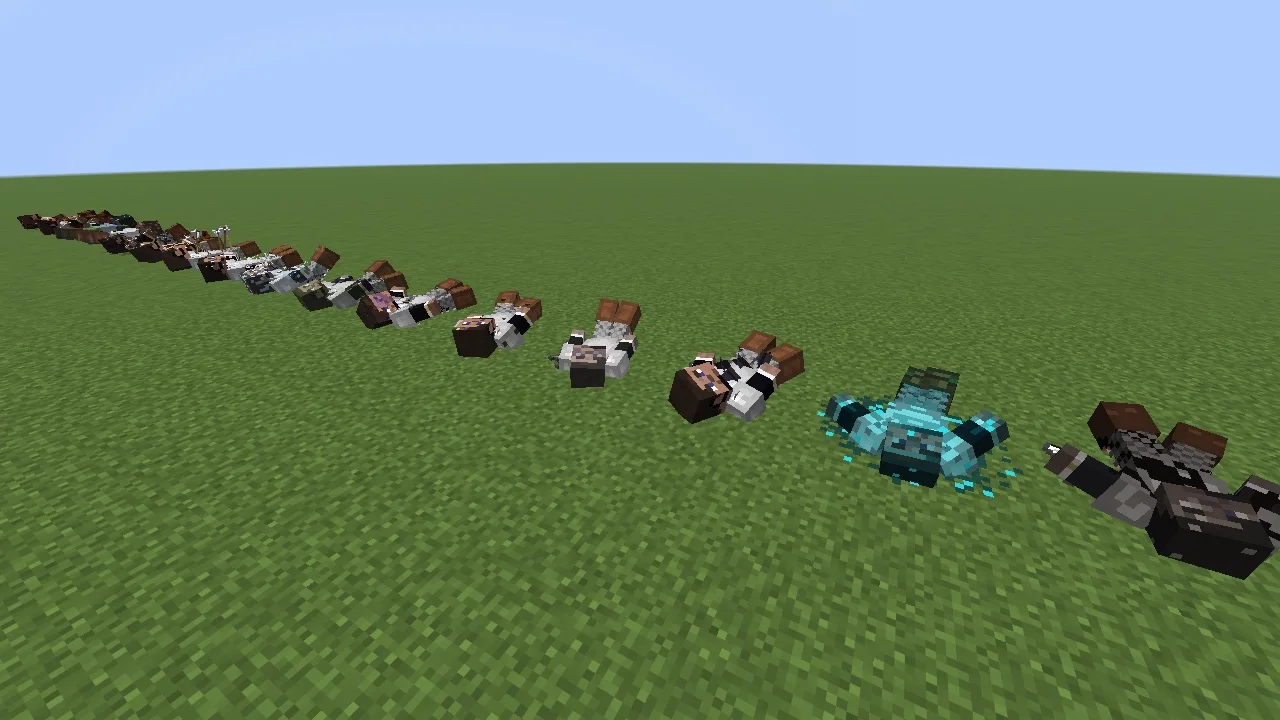
When you die, your items don't scatter on the ground and despawn. They stay with your body: your own skin, your armor, lying where you fell. The body shows how you died. Burned in lava, it's charred with embers still glowing. Drowned, it floats face down, waterlogged and tangled in kelp. Shot, the arrows are still in it. Walk back, right-click, and take your things.
|
Lava |
Drowning |
Fall |
|
Explosion |
Lightning |
Arrows |
|
Freezing |
Warden |
Poison |
|
Slain |
Bee stings |
Spider |
|
Wither |
Mace |
Buried |
Also: fire, starvation, cactus and berry bushes, anvils and falling blocks, stalactites, tridents and suffocation. Every body closes its eyes and gets a small random variation of pose, so no two lie the same way.
Action · What it does
Right-click a body · Opens the recovery screen
Shift + right-click a body · Takes everything that fits, without opening the screen
Take all button · Same as Shift + right-click, from inside the screen
Shift-click a stack · Takes just that stack
Punch an empty body (3 hits) · Clears it away
/laidtorest bodies · Lists your unrecovered bodies with their coordinates
Operators also get /laidtorest list, inspect, tp, repair and delete. Server rules (access, timers, reach) live in config/laidtorest-server.properties, and death scenes can be turned off per client in config/laidtorest-client.properties. See the README for every setting.
Written by LegendarySpy. Read it with pictures on Modrinth.
This mod is needed on both the server and every player who joins.
Install Fabric and NeoForge for Minecraft 26.x.
Download the .jar file from Modrinth and put it in the mods folder of your .minecraft directory.
Start Minecraft with the Fabric profile.
Easier: in Prism Launcher or the Modrinth App, search for Laid to Rest in your instance's mods and click Install. It adds the loader and the mods it needs for you.
Full guide: How to install Minecraft mods
| Resource | Downloads | Versions | Last update | Price |
|---|---|---|---|---|
| Laid to Restthe one you looked at | 3 | 26.x | 27 days ago | Free |
| Visor HolsterSypex_08 | 745 | 1.20 – 26.x | 12 days ago | Free |
 Held Item InfoA5b84 | 6.3M | 1.16 – 26.x | Oct 9, 2026 | Free |
 Visual WorkbenchFuzs | 27.5M | 1.19 – 26.x | Sep 23, 2026 | Free |
Yes. Laid to Rest supports Minecraft 26.x. All supported versions: 26.x.
Yes. Laid to Rest is free to download from Modrinth.
Both. The server and every player need Laid to Rest installed.
Yes. The last update came out in the past day.
The closest ones are Visor Holster, Held Item Info and Visual Workbench. Compare all alternatives
Visor HolsterMods · 1.20 – 26.xVisorHolster adds customizable, body-mounted holsters to Visor VR, letting you store and retrieve items with your hands.
Held Item InfoMods · 1.16 – 26.xShows information (like enchantments) about the held item under its name.
Visual WorkbenchMods · 1.19 – 26.xItems stay inside of crafting tables and are also rendered on top. It's really fancy!
 Easy MagicMods · 1.19 – 26.x
Enchanting tables as they always should have been! Items stay after closing, and easy re-rolls.
 No Chat RestrictionsMods · 1.16 – 26.x
Restores access to game chat for all accounts
 WildcardsMods · 26.x
Every few minutes, pick 1 of 3 Wildcards. Each one is a buff with a catch, and it applies to the whole world for the rest of the run.
Log in to leave a review.