
 Dream DisplaysPlugins · 1.18 – 26.x
Create in-game screens to stream your favorite videos in Minecraft.
Free135,380 downloads
AURELIS is an asynchronous Minecraft plugin that lets you display custom images as physical in-game billboards with tactile, clickable buttons that trigger…
Direct download from Modrinth · 9 downloads
Source and ownership. This page was generated automatically from public data that Modrinth provides through its public API. The name, descriptions, images, trademarks and all other content of this project belong to notvoid and their respective owners. CraftRank is not the author of this project and is not affiliated with, endorsed or sponsored by its author or by Modrinth.
Hosting and distribution. CraftRank does not host, store, upload or distribute the download files of this project, and no such file is kept on CraftRank's servers. Every download is provided directly by Modrinth from its own servers; the Download button only links to the file there. The license stated on Modrinth is MIT-0.
Use of public APIs. Modrinth, Hangar (PaperMC) and SpigotMC (through the Spiget API) make their APIs publicly available to third-party websites and applications. Modrinth's Terms of Use give API users a license to download, display and query content through their own services (section “API Usage”), and creators who publish on Modrinth grant Modrinth and its licensees the right to display and distribute their content to third parties (section “User Contributions”). CraftRank uses these APIs in line with the platforms' published rules: it identifies itself in every request and respects their rate limits.
No warranty. The information on this page is provided "as is", without any warranty. Downloading and using this project is at your own risk and subject to the license and terms of its author.
Copyright notices (DMCA). Only the copyright owner or someone authorised to act for them may file a notice, and it must come from a person of legal age or from their parent or legal guardian. A valid notice sent to abuse@craftrank.org must contain: the link of this page; the work claimed to be infringed; your full name, postal address, phone number and e-mail; a statement that you believe in good faith that the use is not authorised by the owner, its agent or the law; a statement, under penalty of perjury, that the notice is accurate and that you are the owner or authorised to act for them; and your physical or electronic signature. Incomplete notices are not processed. Valid notices are acted on within 48 hours, with no need to go through Google.
False notices. Anyone who knowingly misrepresents that material is infringing is liable for the damages caused, including costs and attorneys' fees (17 U.S.C. § 512(f)). Notices filed in bad faith or by someone who does not hold the rights are kept on record and will be contested.
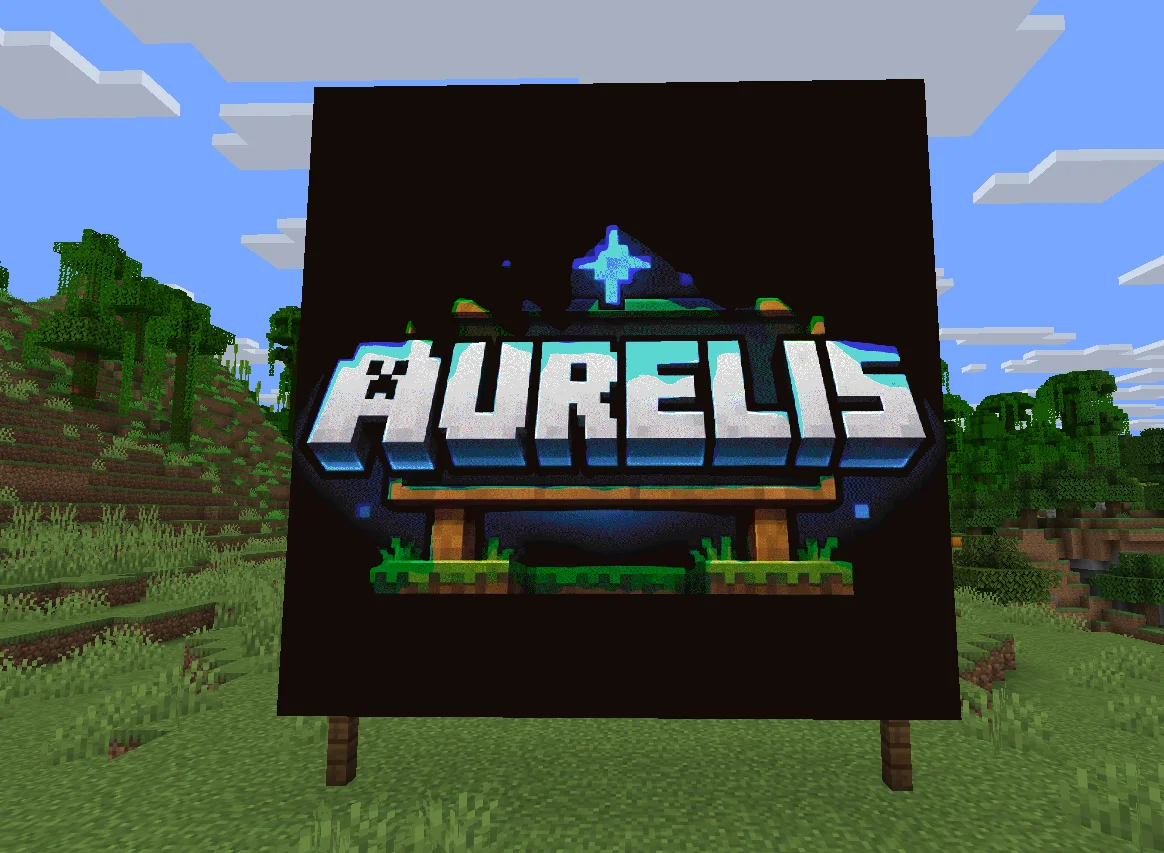
AURELIS is a plugin for Paper / Spigot servers, made by notvoid. AURELIS is an asynchronous Minecraft plugin that lets you display custom images as physical in-game billboards with tactile, clickable buttons that trigger…
It supports Minecraft 1.20 – 26.x. It has been downloaded 9 times on Modrinth. That puts it at #39 of the 45 technology plugins listed here. The last update came out on Nov 19, 2026.
AURELIS has had 5 releases on Modrinth since Nov 14, 2026. 5 of them came out in the past year. The newest is 1.0.4, released on Nov 19, 2026. It is made for Minecraft 1.20 – 26.3. It runs on Bukkit, Paper, Purpur and Spigot. The download is 125 KB.
| Version | Released | Minecraft | Type |
|---|---|---|---|
1.0.4 | Nov 19, 2026 | 1.20 – 26.3 | Release |
1.0.3 | Nov 15, 2026 | 1.20 – 26.3 | Release |
1.0.2 | Nov 15, 2026 | 1.20 – 26.3 | Release |
1.0.1 | Nov 14, 2026 | 1.20 – 26.2 | Release |
1.0.0 | Nov 14, 2026 | 1.20 – 26.3 | Release |
The commands named on the Modrinth page of AURELIS:
/aurelis/catinteract/billboardAURELIS is a high-performance interactive billboard and image engine for Paper/Purpur servers (1.20.4–1.21+). It renders crisp, photorealistic custom images and animated GIFs across item frames without any client-side mods or resource packs, and powers interactive click actions.
Primary command: /aurelis (Aliases: /catinteract, /billboard)
Command · Description · Example
/aurelis create · Automatically detects image/GIF dimensions and creates a billboard. · /aurelis create spawn store_banner.png
/aurelis create [url] · Creates a billboard with explicit tile dimensions (e.g. 4 wide, 2 high). · /aurelis create rules 4 2 rules.jpg
/aurelis wand · Gives you a placement wand. Right-Click the top-left wall block to place all frames instantly. Shift + Right-Click to undo. · /aurelis wand spawn
/aurelis place · Automatically places the billboard on the wall you are currently looking at. · /aurelis place spawn
/aurelis undowand [id] · Dedicated Undo Wand (Blaze Rod). Right-click any frame or wall block to delete frames and wipe commands from that wall. · /aurelis undowand
/aurelis undo · Instantly removes physical frames, clears actions, and unregisters location bindings. · /aurelis undo spawn
No need to count columns and rows manually.
Selection Command · What It Does
/aurelis sel clickable true · Marks all selected tiles as interactive buttons.
/aurelis sel clickable false · Disables clicking on those tiles (background/decor).
/aurelis sel action · Binds actions to all selected tiles (any runs on BOTH left and right click).
/aurelis sel clearactions · Removes all custom actions from the selected tiles.
/aurelis sel setimage · Swaps the picture only inside the selected box while leaving the rest of the billboard untouched!
Command · What It Does · Example
/aurelis setimage · Replaces the whole billboard image (or animated GIF) in real-time. · /aurelis setimage spawn anim.gif
/aurelis addaction · Appends an action (right, left, or any click). · /aurelis addaction spawn any [SOUND] UI_BUTTON_CLICK 1.0 1.0
/aurelis clearactions [right\ · left\ · any] · Clears configured actions. · /aurelis clearactions spawn any
/aurelis pov · Toggles between server-wide shared view or per-player personal view. · /aurelis pov stats personal
/aurelis playerimage · Sets a personalized image for a single player when in personal POV mode. · /aurelis playerimage profile Notch skin.png
/aurelis sound [vol] [pitch] · Changes the tactile click sound. · /aurelis sound spawn UI_BUTTON_CLICK 1.0 1.0
/aurelis particles [count] · Sets click particles on interaction. · /aurelis particles spawn CRIT 6
/aurelis info · Shows full configuration, size, world, click regions, and actions. · /aurelis info spawn
/aurelis list · Lists all registered billboards. · /aurelis list
/aurelis delete · Deletes the billboard from config and removes its frames. · /aurelis delete spawn
/aurelis reload · Hot-reloads configurations and restarts renderers. · /aurelis reload
AURELIS executes actions sequentially without ever freezing the main server thread:
[MESSAGE] # Sends a colored message (&, hex &#rrggbb, or MiniMessage)
[PLAYER] # Runs command as the clicking player
[CONSOLE] # Runs command as Server Console
[SOUND] [volume] [pitch] # Plays sound at player (e.g. ENTITY_PLAYER_LEVELUP 1.0 1.0)
[PARTICLE] [count] # Emits particles at frame
[TITLE] [;sub;in;stay;out] # Displays a screen title
[ACTIONBAR] # Sends action bar message
[BUNGEE] # Sends player to a BungeeCord/Velocity server
[TELEPORT] # Teleports player
[EFFECT] [amp] # Gives potion effect (e.g. SPEED 10 1)
[GAMEMODE] # Sets gamemode (survival, adventure, etc.)
[SETIMAGE] # Dynamically changes the billboard image on click
[POV] # Toggles POV mode
[DELAY] # Waits safely without lagging the server (20 ticks = 1 sec)
[CLOSE] # Closes open inventories
To use local images or animated GIFs:
plugins/AURELIS/pic/
/aurelis create dance anim.gif
All GIF frames are dithered asynchronously and automatically tick with zero main-thread lag.
Contact in discord for any Bugs found
Written by notvoid. Read it with pictures on Modrinth.
Make sure your server runs Paper and Spigot on Minecraft 1.20 – 26.x.
Download the .jar file from Modrinth and put it in the plugins folder of your server.
Restart the server. Avoid /reload, many plugins do not handle it well.
Type /plugins in the console: AURELIS should be listed in green. Its config files are created in the plugins folder on the first start.
Full guide: How to install plugins on a Minecraft server
| Resource | Downloads | Versions | Last update | Price |
|---|---|---|---|---|
| AURELISthe one you looked at | 9 | 1.20 – 26.x | 6 days ago | Free |
| Dream Displaysarnodoelinger | 135K | 1.18 – 26.x | 4 days ago | Free |
 TPAUIDarkSpirit006 | 112 | 1.8 – 26.x | Oct 5, 2026 | Free |
 rVisualBoardsRulhot | 116 | 1.21 – 26.x | 11 days ago | Free |
Yes. AURELIS supports Minecraft 26.x. All supported versions: 26.x, 1.21, 1.20.
Yes. AURELIS is free to download from Modrinth.
AURELIS runs on Paper and Spigot servers.
Yes. AURELIS is a server plugin: it goes in the plugins folder of the server, not in the mods folder of a player's game.
Yes. The last update came out in the past day.
The closest ones are Dream Displays, TPAUI and rVisualBoards. Compare all alternatives
Dream DisplaysPlugins · 1.18 – 26.xCreate in-game screens to stream your favorite videos in Minecraft.
TPAUIPlugins · 1.8 – 26.xTPA/TPAHERE requests with clickable accept and deny buttons.
rVisualBoardsPlugins · 1.21 – 26.xHolographic leaderboards in your world with clickable buttons, period tabs and scrolling up to 100 places
 VoicePhysicsPlugins · 1.16 – 26.x
Simple Voice Chat addon: server-side wall occlusion (no client mod needed), sound zones, game rules & chat-mute sync.
 AuraSkillsPlugins · 1.16 – 26.x
The ultra-versatile RPG skills plugin. Formerly known as Aurelium Skills.
 Fancy PhysicsPlugins · 1.19 – 1.21
Tree fall animation, hit particles, realistic explosions, 3D particles & more - Server mod / plugin
Log in to leave a review.