
 YouTube ThemedРесурспаки · 1.21 – 26.x
This Texture Pack Introduces new textures for items and equipment to enhance gameplay themed like YouTube
БесплатноЗагрузок: 10
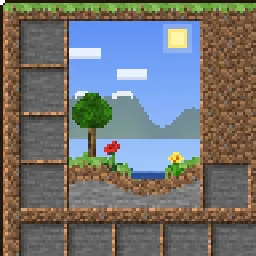
This texture pack makes the GUI overworld themed.
Прямая загрузка с Modrinth · 14 загрузок
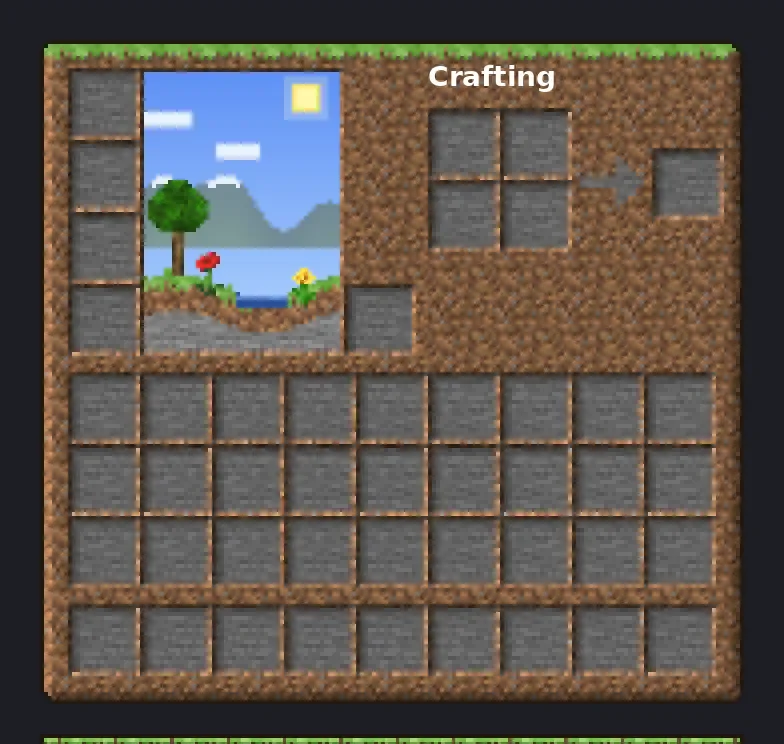
OverworldGUI — ресурспак от TheRealPJ. This texture pack makes the GUI overworld themed.
Поддерживаемые версии: Minecraft 26.x. Скачиваний на Modrinth: 14. Последнее обновление: 03.11.2026.
Новейшая — Version1, вышла 03.11.2026. Она сделана для Minecraft 26.2, 26.3. Работает на Minecraft. Размер файла — 657 KB.
| Версия | Выпущен | Minecraft | Тип |
|---|---|---|---|
Version1 | 03.11.2026 | 26.2, 26.3 | Релиз |
Your menus, built from the Overworld. Every inventory, button and hotbar is made from real Overworld blocks, with real lighting on the edges, so it feels like you're looking at actual grass, dirt and stone.
Hearts, hunger, armor, the crosshair, the Minecraft logo and colored icons stay vanilla, so your HUD stays easy to read.
💡 Tip: If you use other packs that change the GUI, put Overworld GUI above them.
Minecraft version · 26.2.x
Resolution · 16x
Download size · ~660 KB
Автор: TheRealPJ. С картинками — на Modrinth.
Скачай .zip-файл с Modrinth. Не распаковывай его.
В Minecraft открой Настройки, затем Наборы ресурсов, затем Открыть папку наборов.
Положи .zip-файл в эту папку и вернись в игру.
Перенеси OverworldGUI в правый список и нажми Готово.
Он сделан для Minecraft 26.x. На других версиях Minecraft помечает его как несовместимый, но часто он всё равно работает.
| Ресурс | Загрузки | Версии | Обновление | Цена |
|---|---|---|---|---|
| OverworldGUIтот, что ты смотрел | 14 | 26.x | 7 дн. назад | Бесплатно |
| YouTube ThemedFudgeMan8171 | 10 | 1.21 – 26.x | 1 день назад | Бесплатно |
 Recolourful Containers GUI + HUDVi_Tul | 4.3M | 1.19 – 26.x | 1 окт. 2026 | Бесплатно |
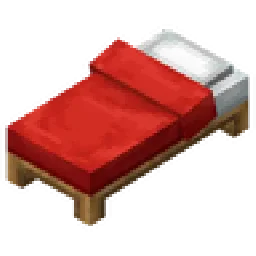 Better 3D Bedsheycronus | 1.7M | 1.12 – 1.21 | 7 февр. 2026 | Бесплатно |
Да. OverworldGUI поддерживает Minecraft 26.x. Все поддерживаемые версии: 26.x.
Да. OverworldGUI можно бесплатно скачать на Modrinth.
Да. Последнее обновление вышло за последние сутки.
Ближе всего к нему YouTube Themed, Recolourful Containers GUI + HUD и Better 3D Beds. Сравнить все альтернативы
YouTube ThemedРесурспаки · 1.21 – 26.xThis Texture Pack Introduces new textures for items and equipment to enhance gameplay themed like YouTube
Recolourful Containers GUI + HUDРесурспаки · 1.19 – 26.xDo you want more immersive, more interesting, more colourful GUIs and HUD? Than this pack is for you!
Better 3D BedsРесурспаки · 1.12 – 1.21Better 3D Beds is a texture pack for Minecraft that significantly enhances the appearance of beds in the game, making them more realistic and detailed with…
 Raki Kazuki HUD & GUIРесурспаки · 1.19 – 1.20
A fan-driven HUD and GUI overhaul themed around PixelLink's 1st Generation VTuber, Raki Kazuki! Rah!
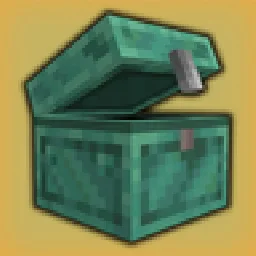 FA ExtensionsРесурспаки · 1.19 – 1.21
This is a temporary patch pack to fix vanilla chest models in the GUI slot when using Fresh Animation Extensions in newer versions of Minecraft
 Rent-A-Girlfriend Custom GUI PackРесурспаки · 1.20 – 1.21
Rent-A-Girlfriend Custom GUI Pack
Войди, чтобы оставить отзыв.