
 VHS OverlayShader · 1.21
VHS Effects shader with Overlay (Classic REC, date and time)
Kostenlos33,184 Downloads
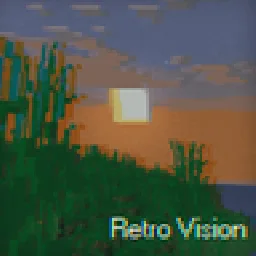
Add a VHS TV Effects Shader and MORE
Direkter Download von Modrinth · 188,582 Downloads

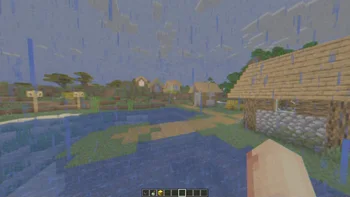

RetroVision (Shaderpack) stammt von marctgamer. Add a VHS TV Effects Shader and MORE.
Unterstützt wird Minecraft 1.8 – 1.21. Auf Modrinth gibt es 188,582 Downloads. Das letzte Update erschien am 26.12.2025.
RetroVision hat seit 05.07.2024 12 Versionen auf Modrinth veröffentlicht. 2 davon erschienen im letzten Jahr. Die neueste ist 1.80.1, erschienen am 26.12.2025. Sie ist für Minecraft 1.10 – 1.20.3 gemacht. Sie läuft auf Iris und Optifine. Der Download ist 253 KB groß.
| Version | Veröffentlicht | Minecraft | Typ |
|---|---|---|---|
1.80.1 | 26.12.2025 | 1.10 – 1.20.3 | Release |
1.80 | 20.12.2025 | 1.10 – 1.20.3 | Release |
1.70 | 01.11.2024 | 1.20.4 – 1.21.3 | Release |
1.65 | 28.09.2024 | 1.12 – 1.21.1 | Release |
1.60 | 22.09.2024 | 1.12.1 – 1.21.1 | Release |
The RetroVision Shader is a unique Minecraft shader that transforms the game's visuals into a retro-inspired, VHS-like aesthetic. It applies a variety of visual effects to create a Dreamcore aesthetic while maintaining the core Minecraft experience. This shader evokes a sense of nostalgia, allowing players to relive the charm of classic gaming while exploring the blocky landscapes of Minecraft.
You Can…
You Cannot…
If you want to contact
Contact to: marctgamer@gmail.com
Explore the world of Minecraft through a nostalgic lens with RetroVision, where every pixel tells a story of creativity and memory. Dive into a unique gaming experience that combines the familiar with the fantastical, and transform your Minecraft adventures today!
Geschrieben von marctgamer. Mit Bildern auf Modrinth lesen.
Installiere Iris (mit Sodium) oder OptiFine für deine Minecraft-Version: Shader brauchen eins davon.
Lade die .zip-Datei von Modrinth herunter. Entpacke sie nicht.
Öffne in Minecraft Optionen, dann Grafikeinstellungen, dann Shaderpacks und klicke auf Shaderpack-Ordner öffnen.
Lege die .zip-Datei in diesen Ordner, wähle RetroVision in der Liste und klicke auf Fertig.
Shader belasten die Grafikkarte. Wird das Spiel langsam, wähle in den Shader-Einstellungen ein niedrigeres Profil.
| Ressource | Downloads | Versionen | Letztes Update | Preis |
|---|---|---|---|---|
| RetroVisiondie du angesehen hast | 189K | 1.8 – 1.21 | 26. Dez. 2025 | Kostenlos |
| VHS Overlaylidlevolkan | 33K | 1.21 | 3. Sept. 2025 | Kostenlos |
 Found VHS Tapeskyreyreyes | 7,039 | 1.16 – 1.21 | 13. Aug. 2026 | Kostenlos |
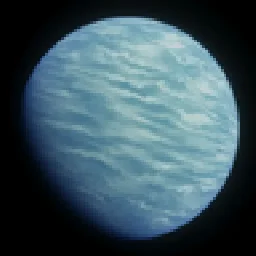 Voyager shader 2.06ix7even | 766K | 1.16 – 1.21 | 23. Mai 2024 | Kostenlos |
Noch nicht. Die neueste unterstützte Version ist Minecraft 1.21.
Ja. RetroVision kannst du kostenlos bei Modrinth herunterladen.
Ja. Das letzte Update kam innerhalb des letzten Tages.
Am ähnlichsten sind VHS Overlay, Found VHS Tapes und Voyager shader 2.0. Alle Alternativen vergleichen
VHS OverlayShader · 1.21VHS Effects shader with Overlay (Classic REC, date and time)
Found VHS TapesShader · 1.16 – 1.21Found VHS Tapes is a liminal horror Minecraft shader featuring 11 atmospheric profiles and customizable VHS/CRT effects, fog, lighting, color grading, camera…
Voyager shader 2.0Shader · 1.16 – 1.21A shader that add realism for Minecraft with a good look
 CTR VCRShader · 1.12 – 26.x
Retro stylized shader that brings artifacts from CRT and VCR / VHS
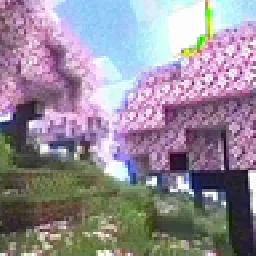 MC VHSShader · 1.19 – 1.21
A relatively simple shader for minecraft, made to emulate the look of old VHS recordings.
 ReverieShader · 1.20 – 26.x
Shader with a foggy and warm look. It leverages new features added by Iris for effects previously impossible to achieve.
Logg dich ein, um eine Bewertung zu schreiben.