
 VHS OverlayShaders · 1.21
VHS Effects shader with Overlay (Classic REC, date and time)
Gratis33,184 descargas
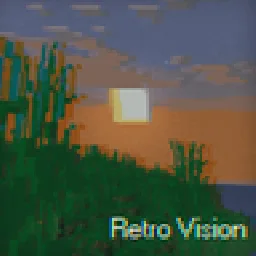
Add a VHS TV Effects Shader and MORE
Descarga directa desde Modrinth · 188,582 descargas

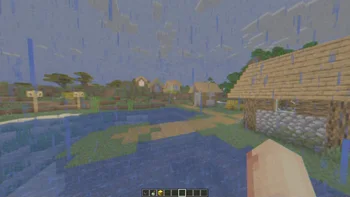

RetroVision (pack de shaders) es obra de marctgamer. Add a VHS TV Effects Shader and MORE.
Es compatible con Minecraft 1.8 – 1.21. Se ha descargado 188,582 veces en Modrinth. La última actualización salió el 26/12/2025.
RetroVision ha publicado 12 versiones en Modrinth desde el 05/07/2024. 2 salieron en el último año. La más reciente es 1.80.1, publicada el 26/12/2025. Está hecha para Minecraft 1.10 – 1.20.3. Funciona en Iris y Optifine. La descarga ocupa 253 KB.
| Versión | Publicado | Minecraft | Tipo |
|---|---|---|---|
1.80.1 | 26/12/2025 | 1.10 – 1.20.3 | Estable |
1.80 | 20/12/2025 | 1.10 – 1.20.3 | Estable |
1.70 | 01/11/2024 | 1.20.4 – 1.21.3 | Estable |
1.65 | 28/09/2024 | 1.12 – 1.21.1 | Estable |
1.60 | 22/09/2024 | 1.12.1 – 1.21.1 | Estable |
The RetroVision Shader is a unique Minecraft shader that transforms the game's visuals into a retro-inspired, VHS-like aesthetic. It applies a variety of visual effects to create a Dreamcore aesthetic while maintaining the core Minecraft experience. This shader evokes a sense of nostalgia, allowing players to relive the charm of classic gaming while exploring the blocky landscapes of Minecraft.
You Can…
You Cannot…
If you want to contact
Contact to: marctgamer@gmail.com
Explore the world of Minecraft through a nostalgic lens with RetroVision, where every pixel tells a story of creativity and memory. Dive into a unique gaming experience that combines the familiar with the fantastical, and transform your Minecraft adventures today!
Escrita por marctgamer. Léela con imágenes en Modrinth.
Instala Iris (con Sodium) u OptiFine para tu versión de Minecraft: los shaders necesitan uno de ellos.
Descarga el archivo .zip desde Modrinth. No lo descomprimas.
En Minecraft, abre Opciones, luego Gráficos, luego Shader Packs y pulsa Abrir carpeta de shaders.
Suelta el archivo .zip en esa carpeta, elige RetroVision en la lista y pulsa Listo.
Los shaders exigen mucho a la tarjeta gráfica. Si el juego va lento, elige un perfil más bajo en sus ajustes.
| Recurso | Descargas | Versiones | Última actualización | Precio |
|---|---|---|---|---|
| RetroVisionel que estabas viendo | 189K | 1.8 – 1.21 | 26 dic 2025 | Gratis |
| VHS Overlaylidlevolkan | 33K | 1.21 | 3 sept 2025 | Gratis |
 Found VHS Tapeskyreyreyes | 7,039 | 1.16 – 1.21 | 13 ago 2026 | Gratis |
 Voyager shader 2.06ix7even | 766K | 1.16 – 1.21 | 23 may 2024 | Gratis |
Todavía no. La versión más reciente que admite es Minecraft 1.21.
Sí. RetroVision se puede descargar gratis desde Modrinth.
Sí. La última actualización salió en el último día.
Los más parecidos son VHS Overlay, Found VHS Tapes y Voyager shader 2.0. Comparar todas las alternativas
VHS OverlayShaders · 1.21VHS Effects shader with Overlay (Classic REC, date and time)
Found VHS TapesShaders · 1.16 – 1.21Found VHS Tapes is a liminal horror Minecraft shader featuring 11 atmospheric profiles and customizable VHS/CRT effects, fog, lighting, color grading, camera…
Voyager shader 2.0Shaders · 1.16 – 1.21A shader that add realism for Minecraft with a good look
 CTR VCRShaders · 1.12 – 26.x
Retro stylized shader that brings artifacts from CRT and VCR / VHS
 MC VHSShaders · 1.19 – 1.21
A relatively simple shader for minecraft, made to emulate the look of old VHS recordings.
 ReverieShaders · 1.20 – 26.x
Shader with a foggy and warm look. It leverages new features added by Iris for effects previously impossible to achieve.
Inicia sesión para dejar una reseña.