
 VHS OverlayShaders · 1.21
VHS Effects shader with Overlay (Classic REC, date and time)
Free33,131 downloads
Add a VHS TV Effects Shader and MORE
Opens Modrinth · 188,470 downloads there

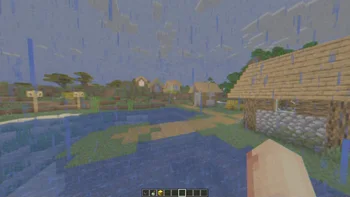

Add a VHS TV Effects Shader and MORE
RetroVision is a shader pack made by marctgamer. It supports Minecraft 1.8 – 1.21. It has been downloaded 188,470 times on Modrinth. The last update came out on Dec 26, 2025.
RetroVision has had 12 releases on Modrinth since Jul 5, 2024. 2 of them came out in the past year. The newest is 1.80.1, released on Dec 26, 2025. It is made for Minecraft 1.10 – 1.20.3. It runs on Iris and Optifine. The download is 253 KB.
| Version | Released | Minecraft | Type |
|---|---|---|---|
1.80.1 | Dec 26, 2025 | 1.10 – 1.20.3 | Release |
1.80 | Dec 20, 2025 | 1.10 – 1.20.3 | Release |
1.70 | Nov 1, 2024 | 1.20.4 – 1.21.3 | Release |
1.65 | Sep 28, 2024 | 1.12 – 1.21.1 | Release |
1.60 | Sep 22, 2024 | 1.12.1 – 1.21.1 | Release |
The RetroVision Shader is a unique Minecraft shader that transforms the game's visuals into a retro-inspired, VHS-like aesthetic. It applies a variety of visual effects to create a Dreamcore aesthetic while maintaining the core Minecraft experience. This shader evokes a sense of nostalgia, allowing players to relive the charm of classic gaming while exploring the blocky landscapes of Minecraft.
You Can…
You Cannot…
If you want to contact
Contact to: marctgamer@gmail.com
Explore the world of Minecraft through a nostalgic lens with RetroVision, where every pixel tells a story of creativity and memory. Dive into a unique gaming experience that combines the familiar with the fantastical, and transform your Minecraft adventures today!
Written by marctgamer. Read it with pictures on Modrinth.
Install Iris (with Sodium) or OptiFine for your Minecraft version: shaders need one of them.
Download the .zip file from Modrinth. Do not unzip it.
In Minecraft, open Options, then Video Settings, then Shader Packs, and click Open Shader Pack Folder.
Drop the .zip file into that folder, pick RetroVision in the list and click Done.
Shaders are heavy on the graphics card. If the game gets slow, pick a lower profile in the shader settings.
| Resource | Downloads | Versions | Last update | Price |
|---|---|---|---|---|
| RetroVisionthe one you looked at | 188K | 1.8 – 1.21 | Dec 26, 2025 | Free |
| VHS Overlaylidlevolkan | 33K | 1.21 | Sep 3, 2025 | Free |
 Found VHS Tapeskyreyreyes | 7,039 | 1.16 – 1.21 | Aug 13, 2026 | Free |
 Voyager shader 2.06ix7even | 765K | 1.16 – 1.21 | May 23, 2024 | Free |
Not yet. The newest version it supports is Minecraft 1.21.
Yes. RetroVision is free to download from Modrinth.
Yes. The last update came out in the past day.
The closest ones are VHS Overlay, Found VHS Tapes and Voyager shader 2.0. Compare all alternatives
VHS OverlayShaders · 1.21VHS Effects shader with Overlay (Classic REC, date and time)
Found VHS TapesShaders · 1.16 – 1.21Found VHS Tapes is a liminal horror Minecraft shader featuring 11 atmospheric profiles and customizable VHS/CRT effects, fog, lighting, color grading, camera…
Voyager shader 2.0Shaders · 1.16 – 1.21A shader that add realism for Minecraft with a good look
 CTR VCRShaders · 1.12 – 26.x
Retro stylized shader that brings artifacts from CRT and VCR / VHS
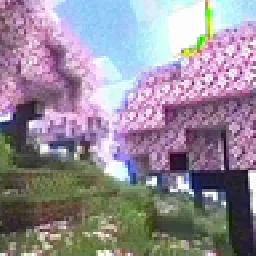 MC VHSShaders · 1.19 – 1.21
A relatively simple shader for minecraft, made to emulate the look of old VHS recordings.
 ReverieShaders · 1.20 – 26.x
Shader with a foggy and warm look. It leverages new features added by Iris for effects previously impossible to achieve.
Log in to leave a review.