
 ArchiveSpawnPlugins · 1.21
Lightweight spawn management plugin with full Folia support. Set, manage and teleport players to custom spawn locations with a simple and optimized command…
Kostenlos9 Downloads
DINScreenshare is a lightweight Minecraft moderation plugin that allows staff to easily manage player screenshares with configurable locations, command…
Direkter Download von Modrinth · 2 Downloads
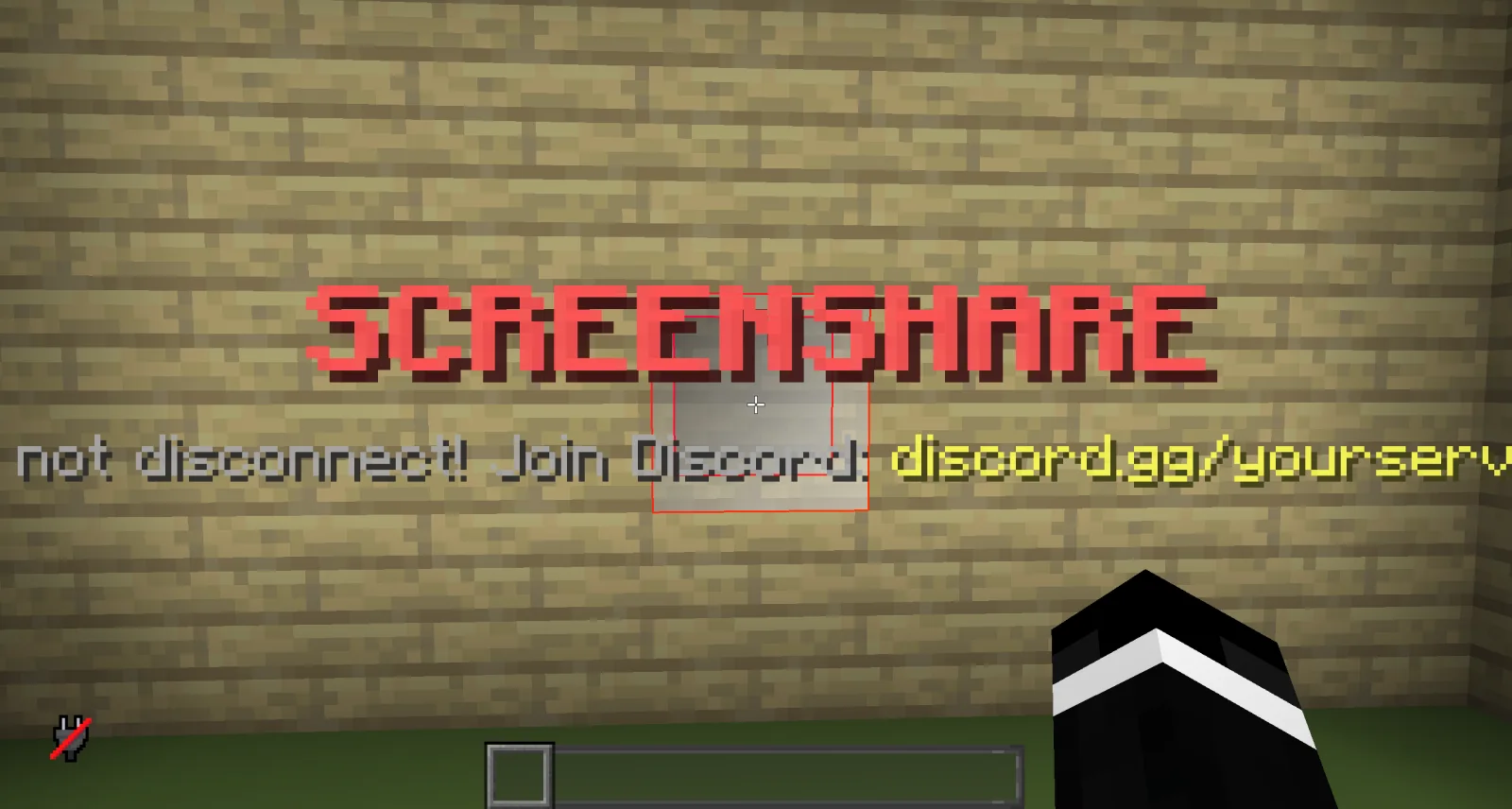
DINScreenshare (Plugin) ist für Server mit Paper / Spigot gedacht und stammt von dinmaurice. DINScreenshare is a lightweight Minecraft moderation plugin that allows staff to easily manage player screenshares with configurable locations, command…
Unterstützt wird Minecraft 1.21 – 26.x. Auf Modrinth gibt es 2 Downloads. Damit liegt es auf Platz 414 der 443 hier gelisteten Admin- und Rechte-Plugins. Das letzte Update erschien am 05.11.2026.
Die neueste ist 1.0.0, erschienen am 05.11.2026. Sie ist für Minecraft 1.21 – 26.3 gemacht. Sie läuft auf Bukkit, Folia, Paper, Purpur und Spigot. Der Download ist 15 KB groß.
| Version | Veröffentlicht | Minecraft | Typ |
|---|---|---|---|
1.0.0 | 05.11.2026 | 1.21 – 26.3 | Release |
Die Befehle, die auf der Modrinth-Seite von DINScreenshare stehen:
/ss/unssDINScreenshare is a lightweight and reliable Minecraft screenshare plugin designed to help server staff perform controlled player inspections.
With DINScreenshare, staff members can easily teleport players into a dedicated screenshare area, prevent them from escaping or using commands, and safely release them once the inspection is finished.
Starts a screenshare with the specified player and teleports them to the configured Screenshare Location.
While being screenshared, the player is restricted from using commands or leaving the screenshare area to prevent them from escaping the inspection.
Sets the Screenshare Location at the staff member's current position.
This is the location where players will be teleported when a screenshare is started using /ss .
Sets the Screenshare Spawn Location at the staff member's current position.
When a player is released using /unss , they will be teleported to this location.
Ends the active screenshare for the specified player and teleports them to the configured Screenshare Spawn Location.
Reloads the DINScreenshare configuration without requiring a server restart.
DINScreenshare provides a simple and effective way for Minecraft server staff to manage player screenshares while keeping the entire process controlled and secure.
Geschrieben von dinmaurice. Mit Bildern auf Modrinth lesen.
Stelle sicher, dass dein Server Paper und Spigot auf Minecraft 1.21 – 26.x nutzt.
Lade die .jar-Datei von Modrinth herunter und lege sie in den plugins-Ordner deines Servers.
Starte den Server neu. Vermeide /reload, viele Plugins kommen damit nicht gut klar.
Gib /plugins in der Konsole ein: DINScreenshare sollte grün aufgelistet sein. Die Konfigurationsdateien werden beim ersten Start im plugins-Ordner angelegt.
Ausführliche Anleitung: So installierst du Plugins auf einem Minecraft-Server
| Ressource | Downloads | Bewertung | Versionen | Letztes Update | Preis |
|---|---|---|---|---|---|
| DINScreensharedie du angesehen hast | 2 | – | 1.21 – 26.x | vor 7 Tagen | Kostenlos |
| ArchiveSpawnArchiveYeez | 9 | – | 1.21 | 7. Okt. 2026 | Kostenlos |
 BanItemAndross | 109K | 4.6 | 1.8 – 26.x | 19. Juli 2026 | Kostenlos |
 ServerSuiteNoelX | 108 | – | 1.21 | vor 1 Tag | Kostenlos |
Ja. DINScreenshare unterstützt Minecraft 26.x. Alle unterstützten Versionen: 26.x, 1.21.
Ja. DINScreenshare kannst du kostenlos bei Modrinth herunterladen.
DINScreenshare läuft auf Servern mit Paper und Spigot.
Ja. Das letzte Update kam innerhalb des letzten Tages.
Am ähnlichsten sind ArchiveSpawn, BanItem und ServerSuite. Alle Alternativen vergleichen
ArchiveSpawnPlugins · 1.21Lightweight spawn management plugin with full Folia support. Set, manage and teleport players to custom spawn locations with a simple and optimized command…
BanItemPlugins · 1.8 – 26.xLightweight, powerful & configurable per world ban item plugin
ServerSuitePlugins · 1.21An all in one server management plugin that replaces dozens of separate utility, moderation, teleportation, and staff plugins.
 MentionMePlugins · 1.21 – 26.x
A lightweight, configurable mention system for Paper servers with player mentions, group mentions, sounds, actionbars, permissions and HEX support.
 LightVisionPlugins · 1.21 – 26.x
Lightweight night vision plugin. Players toggle it themselves, staff can control, block and automate it.
A modern, lightweight GUI rewards plugin featuring advanced color support (MiniMessage/Hex), dynamic permissions, and flexible command execution.
Logg dich ein, um eine Bewertung zu schreiben.