
 ArchiveSpawnПлагины · 1.21
Lightweight spawn management plugin with full Folia support. Set, manage and teleport players to custom spawn locations with a simple and optimized command…
БесплатноЗагрузок: 9

DINScreenshare is a lightweight Minecraft moderation plugin that allows staff to easily manage player screenshares with configurable locations, command…
Прямая загрузка с Modrinth · 3 загрузок
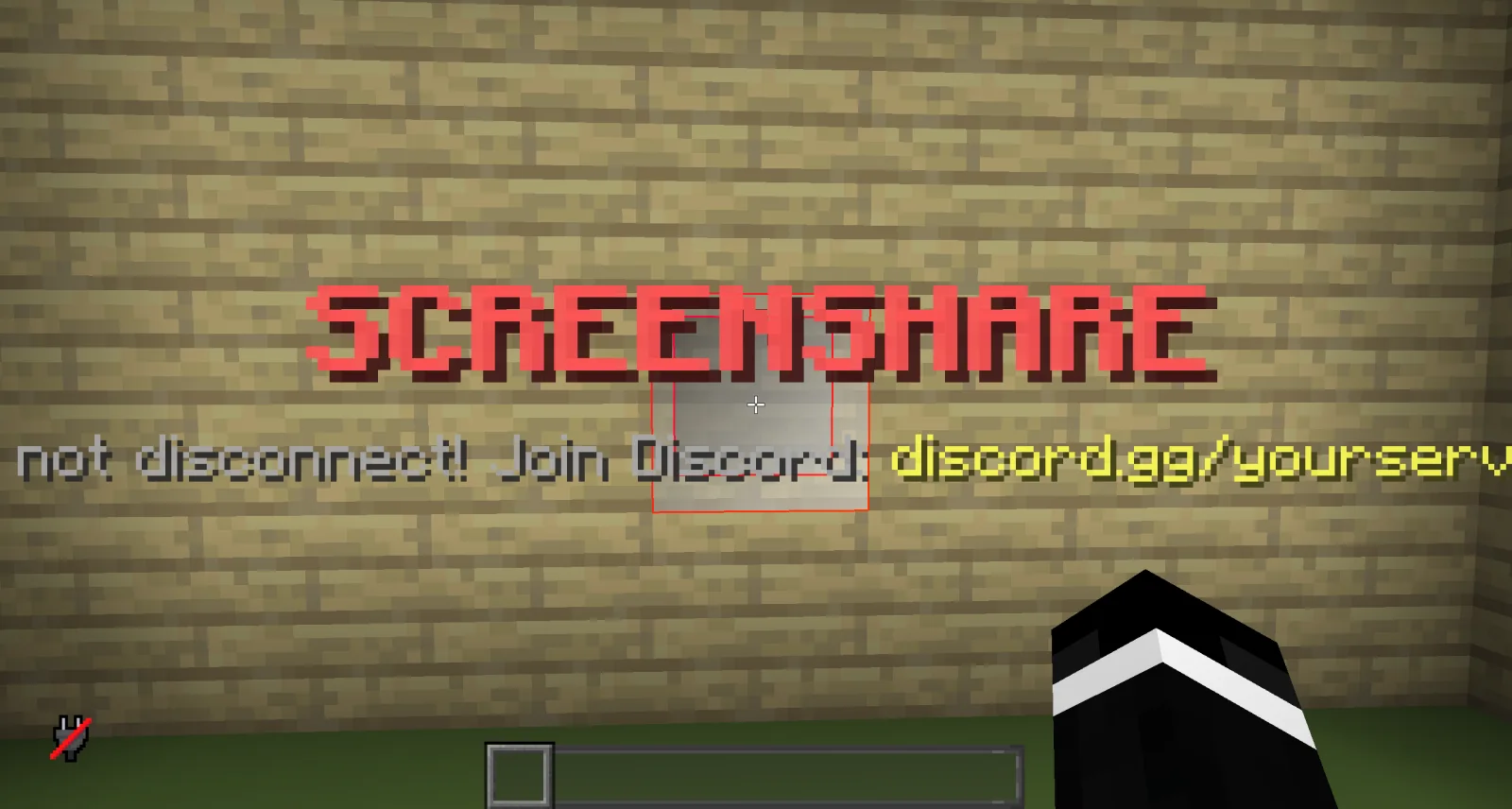
DINScreenshare — плагин для серверов Paper / Spigot от dinmaurice. DINScreenshare is a lightweight Minecraft moderation plugin that allows staff to easily manage player screenshares with configurable locations, command…
Поддерживаемые версии: Minecraft 1.21 – 26.x. Скачиваний на Modrinth: 3. Это место №402 в разделе «плагины администрирования и прав» (всего в списке: 443). Последнее обновление: 05.11.2026.
Новейшая — 1.0.0, вышла 05.11.2026. Она сделана для Minecraft 1.21 – 26.3. Работает на Bukkit, Folia, Paper, Purpur и Spigot. Размер файла — 15 KB.
| Версия | Выпущен | Minecraft | Тип |
|---|---|---|---|
1.0.0 | 05.11.2026 | 1.21 – 26.3 | Релиз |
Команды, указанные на странице DINScreenshare на Modrinth:
/ss/unssDINScreenshare is a lightweight and reliable Minecraft screenshare plugin designed to help server staff perform controlled player inspections.
With DINScreenshare, staff members can easily teleport players into a dedicated screenshare area, prevent them from escaping or using commands, and safely release them once the inspection is finished.
Starts a screenshare with the specified player and teleports them to the configured Screenshare Location.
While being screenshared, the player is restricted from using commands or leaving the screenshare area to prevent them from escaping the inspection.
Sets the Screenshare Location at the staff member's current position.
This is the location where players will be teleported when a screenshare is started using /ss .
Sets the Screenshare Spawn Location at the staff member's current position.
When a player is released using /unss , they will be teleported to this location.
Ends the active screenshare for the specified player and teleports them to the configured Screenshare Spawn Location.
Reloads the DINScreenshare configuration without requiring a server restart.
DINScreenshare provides a simple and effective way for Minecraft server staff to manage player screenshares while keeping the entire process controlled and secure.
Автор: dinmaurice. С картинками — на Modrinth.
Убедись, что твой сервер работает на Paper и Spigot с Minecraft 1.21 – 26.x.
Скачай .jar-файл с Modrinth и положи его в папку plugins на сервере.
Перезапусти сервер. Не используй /reload, многие плагины плохо это переносят.
Введи /plugins в консоли: DINScreenshare должен быть зелёным. Файлы настроек создаются в папке plugins при первом запуске.
Подробное руководство: Как установить плагины на сервер Minecraft
| Ресурс | Загрузки | Рейтинг | Версии | Обновление | Цена |
|---|---|---|---|---|---|
| DINScreenshareтот, что ты смотрел | 3 | – | 1.21 – 26.x | 7 дн. назад | Бесплатно |
| ArchiveSpawnArchiveYeez | 9 | – | 1.21 | 7 окт. 2026 | Бесплатно |
 BanItemAndross | 109K | 4.6 | 1.8 – 26.x | 19 июл. 2026 | Бесплатно |
 ServerSuiteNoelX | 108 | – | 1.21 | 1 день назад | Бесплатно |
Да. DINScreenshare поддерживает Minecraft 26.x. Все поддерживаемые версии: 26.x, 1.21.
Да. DINScreenshare можно бесплатно скачать на Modrinth.
DINScreenshare работает на серверах Paper и Spigot.
Да. Последнее обновление вышло за последние сутки.
Ближе всего к нему ArchiveSpawn, BanItem и ServerSuite. Сравнить все альтернативы
ArchiveSpawnПлагины · 1.21Lightweight spawn management plugin with full Folia support. Set, manage and teleport players to custom spawn locations with a simple and optimized command…
BanItemПлагины · 1.8 – 26.xLightweight, powerful & configurable per world ban item plugin
ServerSuiteПлагины · 1.21An all in one server management plugin that replaces dozens of separate utility, moderation, teleportation, and staff plugins.
 MentionMeПлагины · 1.21 – 26.x
A lightweight, configurable mention system for Paper servers with player mentions, group mentions, sounds, actionbars, permissions and HEX support.
 LightVisionПлагины · 1.21 – 26.x
Lightweight night vision plugin. Players toggle it themselves, staff can control, block and automate it.
A modern, lightweight GUI rewards plugin featuring advanced color support (MiniMessage/Hex), dynamic permissions, and flexible command execution.
Войди, чтобы оставить отзыв.