
 Carbon ChatPlugins · 1.19 – 26.x
Carbon is a modern chat plugin built on channels, with just about every single setting and format configurable.
Kostenlos34,106 Downloads

MineBridge connects Minecraft and Discord with seamless two-way chat, configurable channels, bot filtering, and safe message handling for your community.
Direkter Download von Modrinth · 5 Downloads
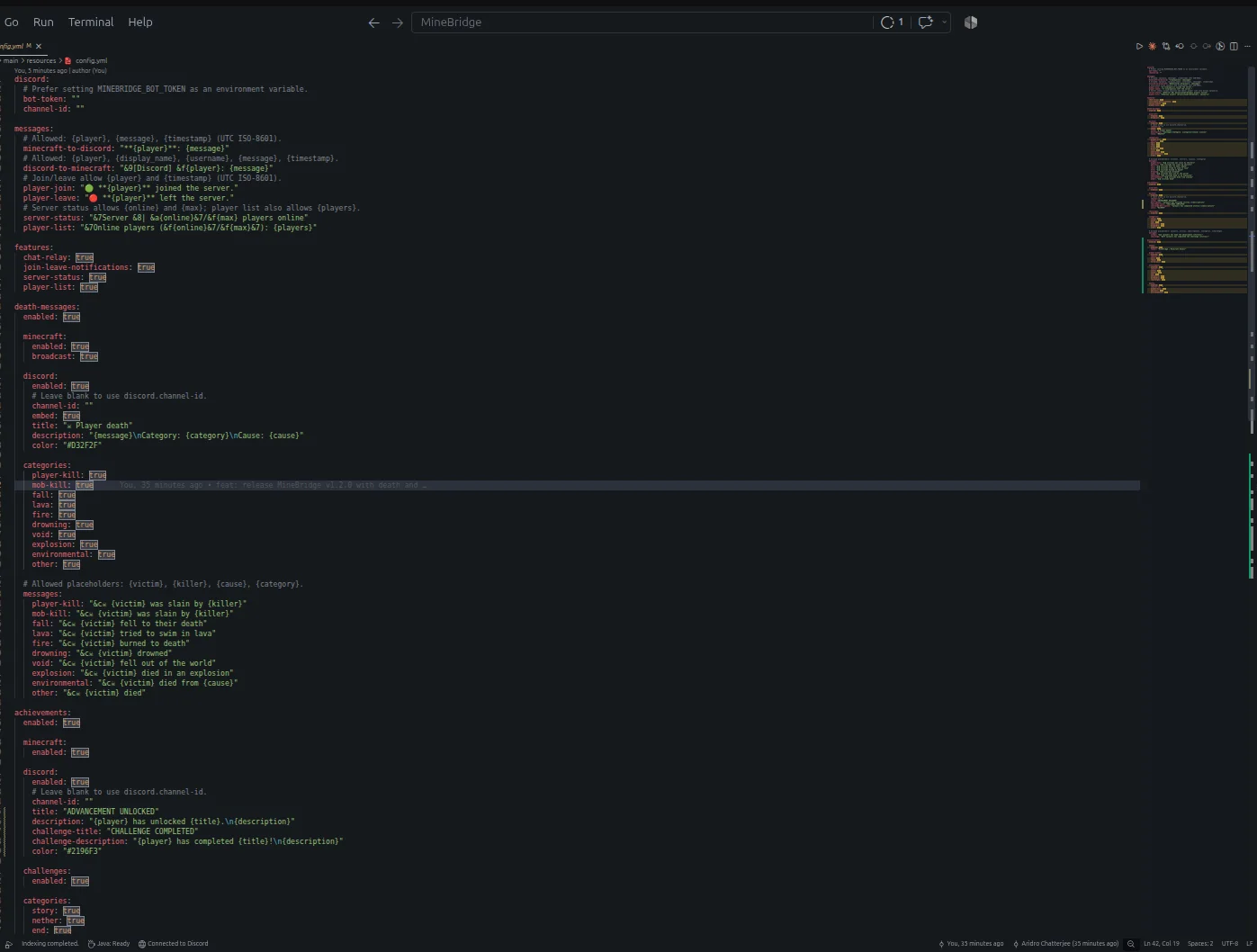
MineBridge (Plugin) ist für Server mit Paper / Spigot gedacht und stammt von aridrochatterjee. MineBridge connects Minecraft and Discord with seamless two-way chat, configurable channels, bot filtering, and safe message handling for your community.
Unterstützt wird Minecraft 1.20 – 26.x. Auf Modrinth gibt es 5 Downloads. Damit liegt es auf Platz 153 der 195 hier gelisteten Voicechat- und Community-Plugins. Das letzte Update erschien am 10.11.2026.
MineBridge hat seit 29.10.2026 3 Versionen auf Modrinth veröffentlicht. 3 davon erschienen im letzten Jahr. Die neueste ist 1.2.0, erschienen am 10.11.2026. Sie ist für Minecraft 1.20 – 26.3 gemacht. Sie läuft auf Bukkit, Paper und Spigot. Der Download ist 18.3 MB groß.
| Version | Veröffentlicht | Minecraft | Typ |
|---|---|---|---|
1.2.0 | 10.11.2026 | 1.20 – 26.3 | Release |
1.0.1 | 02.11.2026 | 1.20 – 26.3 | Release |
1.0.0 | 29.10.2026 | 1.20 – 26.2 | Beta |
Die Befehle, die auf der Modrinth-Seite von MineBridge stehen:
/minebridgeConnect your Minecraft server with Discord. Bridge conversations, share gameplay events, and keep your community connected.
MineBridge is a Minecraft × Discord integration plugin designed to connect your in-game community with your Discord server through real-time communication and automated event notifications.
For better token security, configure the MINEBRIDGE_BOT_TOKEN environment variable. Never share your Discord bot token publicly.
MineBridge provides administrative status and configuration reload commands.
Administrative access uses the minebridge.admin permission, which defaults to server operators.
Refer to the project README for detailed command usage and configuration instructions.
MineBridge includes message sanitization, Discord mention suppression, and secure environment-based token configuration.
Automated dependency vulnerability scanning has not yet completed. No clean vulnerability-audit result is claimed.
Current version: 1.2.x
Release highlights:
Source Code: github.com/aridrochatterjee/Minebridge
Geschrieben von aridrochatterjee. Mit Bildern auf Modrinth lesen.
Stelle sicher, dass dein Server Paper und Spigot auf Minecraft 1.20 – 26.x nutzt.
Lade die .jar-Datei von Modrinth herunter und lege sie in den plugins-Ordner deines Servers.
Starte den Server neu. Vermeide /reload, viele Plugins kommen damit nicht gut klar.
Gib /plugins in der Konsole ein: MineBridge sollte grün aufgelistet sein. Die Konfigurationsdateien werden beim ersten Start im plugins-Ordner angelegt.
Ausführliche Anleitung: So installierst du Plugins auf einem Minecraft-Server
| Ressource | Downloads | Versionen | Letztes Update | Preis |
|---|---|---|---|---|
| MineBridgedie du angesehen hast | 5 | 1.20 – 26.x | vor 4 Tagen | Kostenlos |
| Carbon ChatDraycia | 34K | 1.19 – 26.x | 18. Sept. 2026 | Kostenlos |
 Discord IntegrationErdbeerbaerLP | 286K | 1.12 – 26.x | 13. Sept. 2026 | Kostenlos |
 ChatNextZeroMrs | 142 | 1.20 – 1.21 | vor 29 Tagen | Kostenlos |
Ja. MineBridge unterstützt Minecraft 26.x. Alle unterstützten Versionen: 26.x, 1.21, 1.20.
Ja. MineBridge kannst du kostenlos bei Modrinth herunterladen.
MineBridge läuft auf Servern mit Paper und Spigot.
Ja. Das letzte Update kam innerhalb des letzten Tages.
Am ähnlichsten sind Carbon Chat, Discord Integration und ChatNext. Alle Alternativen vergleichen
Carbon ChatPlugins · 1.19 – 26.xCarbon is a modern chat plugin built on channels, with just about every single setting and format configurable.
Discord IntegrationPlugins · 1.12 – 26.xThis mod links your server chat with a channel on your discord server
ChatNextPlugins · 1.20 – 1.21The next generation of Minecraft chat management. Multilingual, private, and highly customizable. Build the chat your community deserves with ChatNext.
 AuraChatPlugins · 1.21
Customize your server’s chat with rank prefixes, private messaging, and configurable formatting. Includes anti-spam protection and moderation tools, with…
 GhostTextHoverPlugins · 1.19 – 26.x
EN: A simple plugin that adds info when you hover over a chat message along with message formatting PL: Prosty plugin dodający informacje po najechaniu na…
 EssentialsX ChatPlugins · 1.8 – 26.x
The chat formatting module for EssentialsX. (requires main module)
Logg dich ein, um eine Bewertung zu schreiben.