
 Carbon ChatPluginy · 1.19 – 26.x
Carbon is a modern chat plugin built on channels, with just about every single setting and format configurable.
Za darmoPobrania: 34,106

MineBridge connects Minecraft and Discord with seamless two-way chat, configurable channels, bot filtering, and safe message handling for your community.
Bezpośrednie pobieranie z Modrinth · 5 pobrań
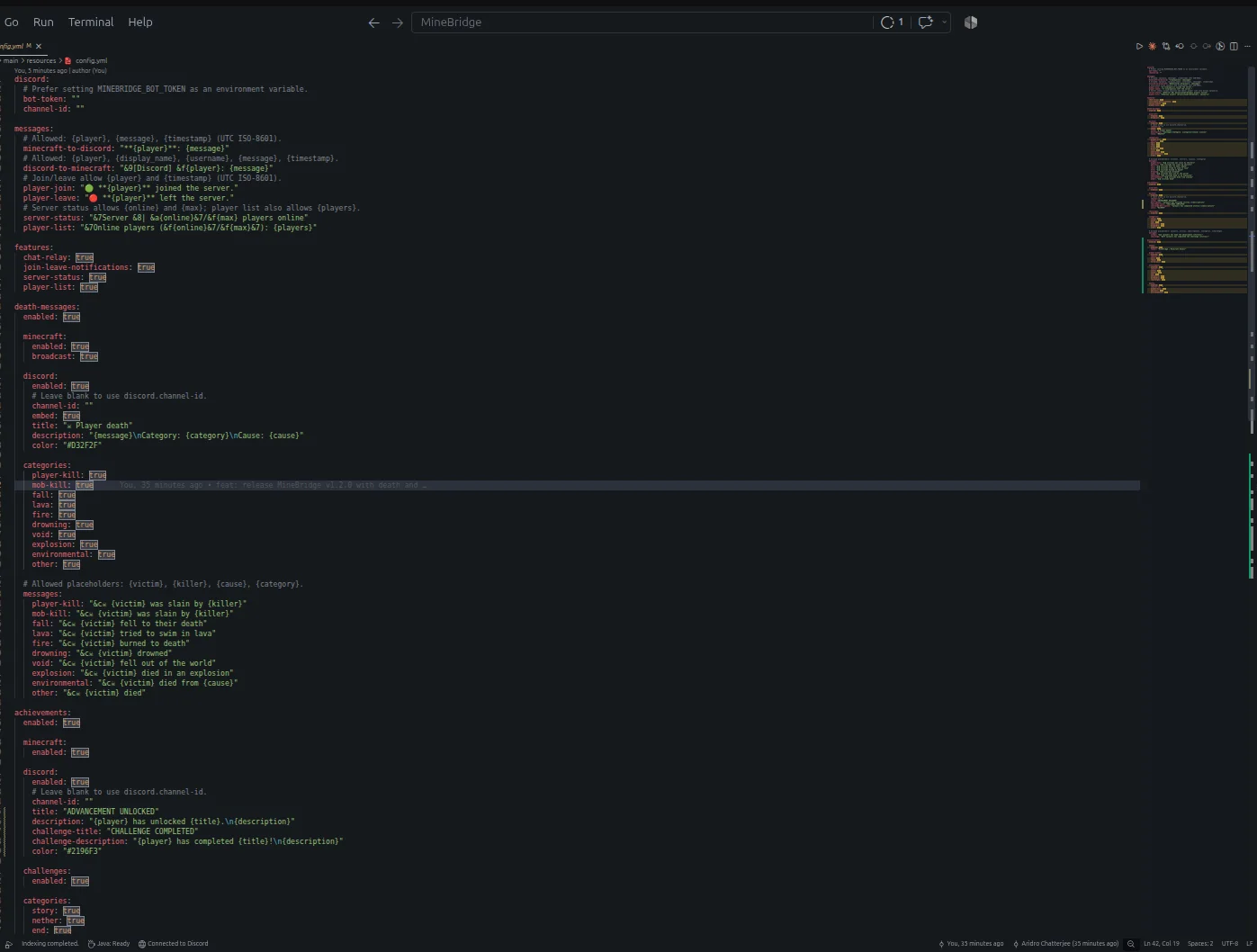
MineBridge to plugin do serwerów Paper / Spigot, autor: aridrochatterjee. MineBridge connects Minecraft and Discord with seamless two-way chat, configurable channels, bot filtering, and safe message handling for your community.
Obsługiwane wersje: Minecraft 1.20 – 26.x. Liczba pobrań w serwisie Modrinth: 5. Zajmuje 153. miejsce w kategorii „pluginy czatu głosowego i społecznościowe” (łącznie: 195). Ostatnia aktualizacja: 10.11.2026.
MineBridge ma 3 wydań na Modrinth od 29.10.2026. 3 z nich wyszło w ostatnim roku. Najnowsza to 1.2.0, wydana 10.11.2026. Jest zrobiona dla Minecraft 1.20 – 26.3. Działa na Bukkit, Paper i Spigot. Plik ma 18.3 MB.
| Wersja | Wydano | Minecraft | Typ |
|---|---|---|---|
1.2.0 | 10.11.2026 | 1.20 – 26.3 | Wydanie |
1.0.1 | 02.11.2026 | 1.20 – 26.3 | Wydanie |
1.0.0 | 29.10.2026 | 1.20 – 26.2 | Beta |
Komendy wymienione na stronie MineBridge w Modrinth:
/minebridgeConnect your Minecraft server with Discord. Bridge conversations, share gameplay events, and keep your community connected.
MineBridge is a Minecraft × Discord integration plugin designed to connect your in-game community with your Discord server through real-time communication and automated event notifications.
For better token security, configure the MINEBRIDGE_BOT_TOKEN environment variable. Never share your Discord bot token publicly.
MineBridge provides administrative status and configuration reload commands.
Administrative access uses the minebridge.admin permission, which defaults to server operators.
Refer to the project README for detailed command usage and configuration instructions.
MineBridge includes message sanitization, Discord mention suppression, and secure environment-based token configuration.
Automated dependency vulnerability scanning has not yet completed. No clean vulnerability-audit result is claimed.
Current version: 1.2.x
Release highlights:
Source Code: github.com/aridrochatterjee/Minebridge
Autor: aridrochatterjee. Z obrazkami na Modrinth.
Upewnij się, że twój serwer działa na Paper i Spigot w Minecraft 1.20 – 26.x.
Pobierz plik .jar z Modrinth i wrzuć go do folderu plugins na serwerze.
Zrestartuj serwer. Unikaj /reload, wiele pluginów źle to znosi.
Wpisz /plugins w konsoli: MineBridge powinien być na zielono. Pliki konfiguracyjne tworzą się w folderze plugins przy pierwszym starcie.
Pełny poradnik: Jak zainstalować pluginy na serwerze Minecraft
| Zasób | Pobrania | Wersje | Aktualizacja | Cena |
|---|---|---|---|---|
| MineBridgeten, który oglądałeś | 5 | 1.20 – 26.x | 4 d. temu | Za darmo |
| Carbon ChatDraycia | 34K | 1.19 – 26.x | 18 wrz 2026 | Za darmo |
 Discord IntegrationErdbeerbaerLP | 286K | 1.12 – 26.x | 13 wrz 2026 | Za darmo |
 ChatNextZeroMrs | 142 | 1.20 – 1.21 | 29 d. temu | Za darmo |
Tak. MineBridge działa w wersji Minecrafta 26.x. Wszystkie obsługiwane wersje: 26.x, 1.21, 1.20.
Tak. MineBridge można pobrać za darmo z serwisu Modrinth.
MineBridge działa na serwerach Paper i Spigot.
Tak. Ostatnia aktualizacja wyszła w ciągu ostatniej doby.
Najbliższe to Carbon Chat, Discord Integration i ChatNext. Porównaj wszystkie alternatywy
Carbon ChatPluginy · 1.19 – 26.xCarbon is a modern chat plugin built on channels, with just about every single setting and format configurable.
Discord IntegrationPluginy · 1.12 – 26.xThis mod links your server chat with a channel on your discord server
ChatNextPluginy · 1.20 – 1.21The next generation of Minecraft chat management. Multilingual, private, and highly customizable. Build the chat your community deserves with ChatNext.
 AuraChatPluginy · 1.21
Customize your server’s chat with rank prefixes, private messaging, and configurable formatting. Includes anti-spam protection and moderation tools, with…
 GhostTextHoverPluginy · 1.19 – 26.x
EN: A simple plugin that adds info when you hover over a chat message along with message formatting PL: Prosty plugin dodający informacje po najechaniu na…
 EssentialsX ChatPluginy · 1.8 – 26.x
The chat formatting module for EssentialsX. (requires main module)
Zaloguj się, aby wystawić opinię.