
A Minecraft resource pack that adds 3D music disc models!
Free1,235,489 downloads
A Resource pack that changes the minecraft sounds to Pokemon in-game music from various Pokemon Games!
Direct download from Modrinth · 5,820,024 downloads


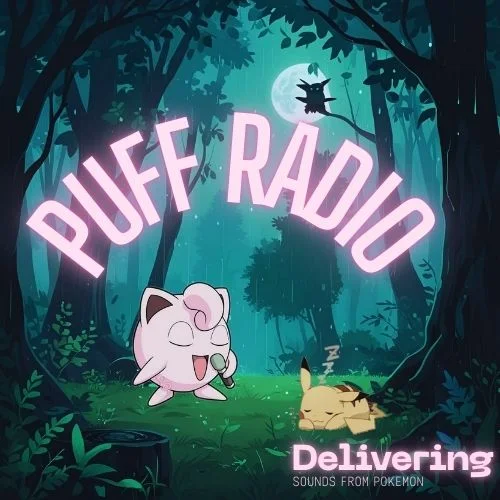
Puff Radio is a resource pack made by SwordPack69. A Resource pack that changes the minecraft sounds to Pokemon in-game music from various Pokemon Games!
It supports Minecraft 1.19 – 1.21. It has been downloaded 5,820,024 times on Modrinth. The last update came out on Jun 22, 2026.
Puff Radio has had 6 releases on Modrinth since May 28, 2023. One of them came out in the past year. The newest is 1.5, released on Jun 22, 2026. It is made for Minecraft 1.20 – 1.21.8. It runs on Minecraft. The download is 124.7 MB.
| Version | Released | Minecraft | Type |
|---|---|---|---|
1.5 | Jun 22, 2026 | 1.20 – 1.21.8 | Release |
1.4 | Aug 5, 2024 | 1.21 – 1.21.4 | Release |
1.3 | Oct 22, 2023 | 1.20 – 1.20.6 | Release |
1.2 | Jun 20, 2023 | 1.19 – 1.19.4 | Release |
1.1 | Jun 2, 2023 | 1.19 – 1.19.4 | Release |
Official Sound pack for all modpacks who like Pokemon Music!
This resourcepack was created to replace MUSIC only on minecraft, for a better playing experience. Lets face it minecraft music can get boring and some music can be annoying.
Sounds and music from:
downloads.khinsider.com/?u=2856400
We our partnered with BisectHosting:
BisectHosting offers quick, simple, and high-quality server hosting with over a dozen locations available across the world, ensuring low latency. After your purchase, the server is already configured and ready to use. Use the code "stargate" to get 25% off your first month as a new client for any of their gaming servers.
Written by SwordPack69. Read it with pictures on Modrinth.
Download the .zip file from Modrinth. Do not unzip it.
In Minecraft, open Options, then Resource Packs, then Open Pack Folder.
Drop the .zip file into that folder and go back to the game.
Move Puff Radio to the right-hand list and click Done.
It is made for Minecraft 1.19 – 1.21. On other versions Minecraft marks it as incompatible, but it often still works.
Full guide: How to install Minecraft resource packs
| Resource | Downloads | Versions | Last update | Price |
|---|---|---|---|---|
| Puff Radiothe one you looked at | 5.8M | 1.19 – 1.21 | Jun 22, 2026 | Free |
| Fresh Music Discscyber | 1.2M | 1.20 – 26.x | 15 days ago | Free |
 C418 Songs Onlyredsquare | 881K | 1.16 – 26.x | Sep 16, 2026 | Free |
 Heavy's Expie SoundsHeavyTheFurry | 14 | 1.20 | 2 days ago | Free |
Not yet. The newest version it supports is Minecraft 1.21.
Yes. Puff Radio is free to download from Modrinth.
Yes. The last update came out in the past day.
The closest ones are Fresh Music Discs, C418 Songs Only and Heavy's Expie Sounds. Compare all alternatives
A Minecraft resource pack that adds 3D music disc models!
C418 Songs OnlyResource packs · 1.16 – 26.xA resource pack that removes all non-c418 background tracks from the game.
Heavy's Expie SoundsResource packs · 1.20A little resource pack that adds expie sounds from casualties unknown into the game. Changes the drinking, eating, and hurting sounds. ALL CREDITS FOR THE…
 jor's Cobblemon Music PackResource packs · 1.20 – 1.21
For all your catching needs! Enjoy multiple tracks from across the Pokemon games that reflect the biomes you explore!
 Music by taras_5000Resource packs · 26.x
A music resource pack for Minecraft that completely replaces all 22 standard records.
 Saturated GrassResource packs · 1.8 – 26.x
This resource pack changes the Grass foliage by giving it a better color tint so your game doesn't feel washed out!
Log in to leave a review.