
 AL's Dungeons Boss BarsTexture packs · 1.21
A pack that makes the Boss Bars in the style of Minecraft Dungeons!
Free1,708,954 downloads
New improved boss bars!
Direct download from Modrinth · 5,412,505 downloads
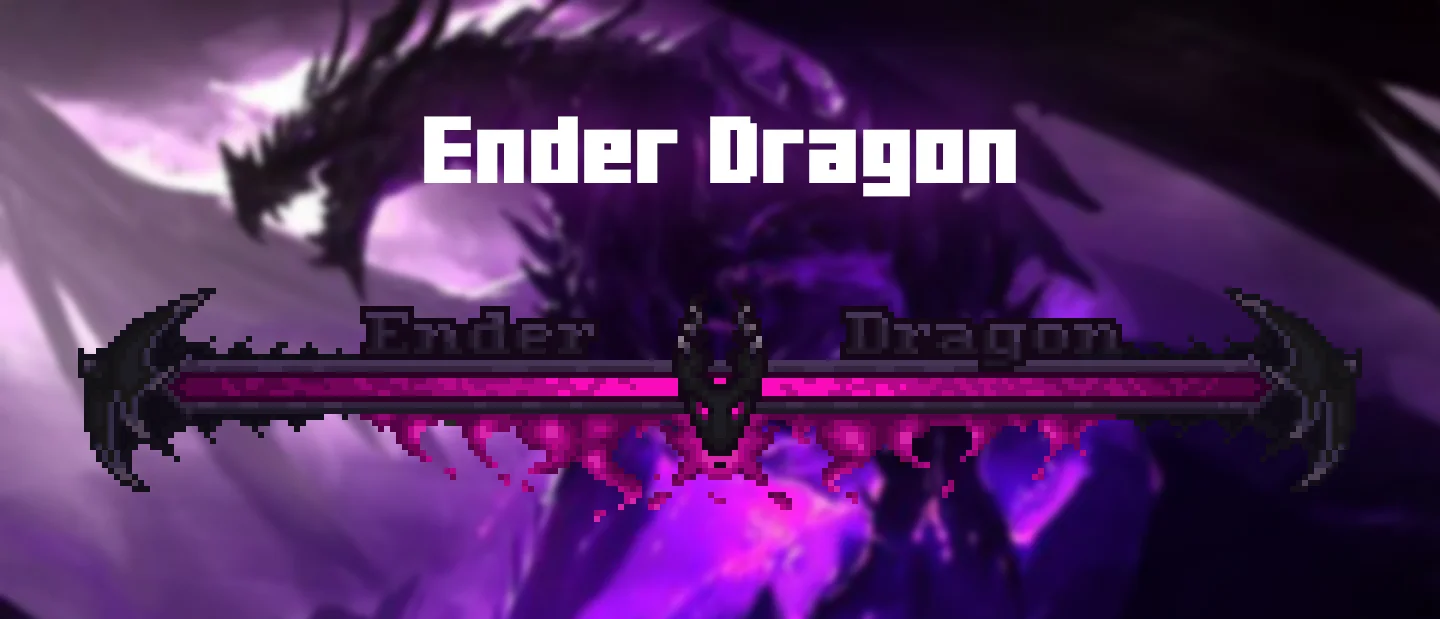
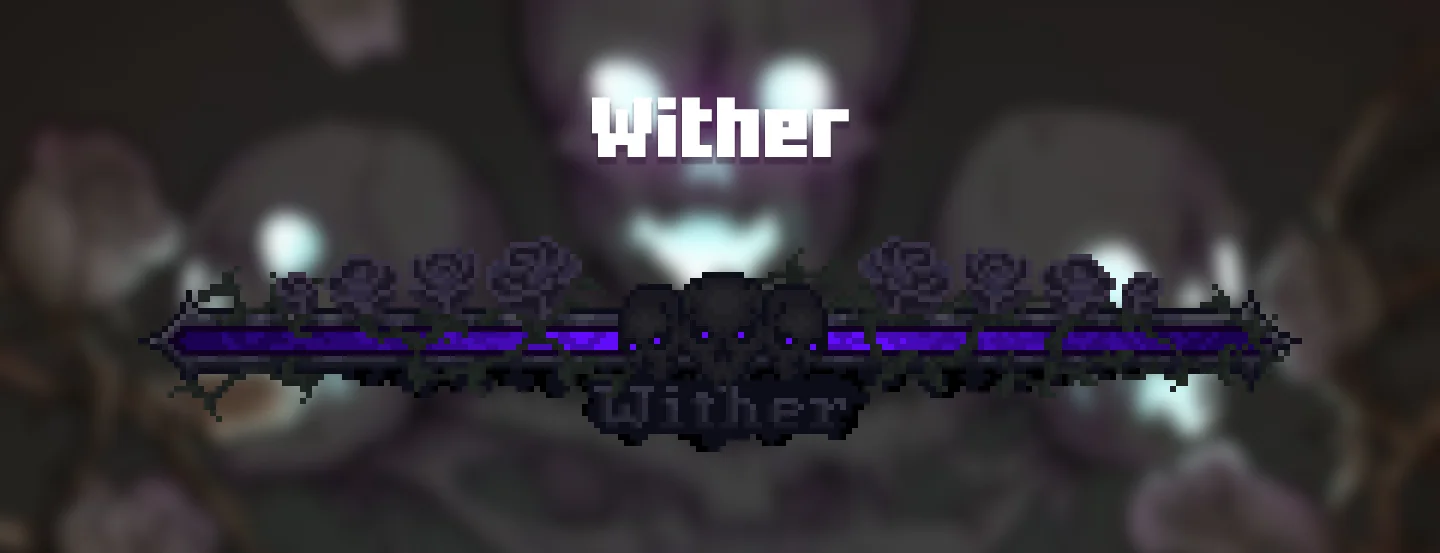
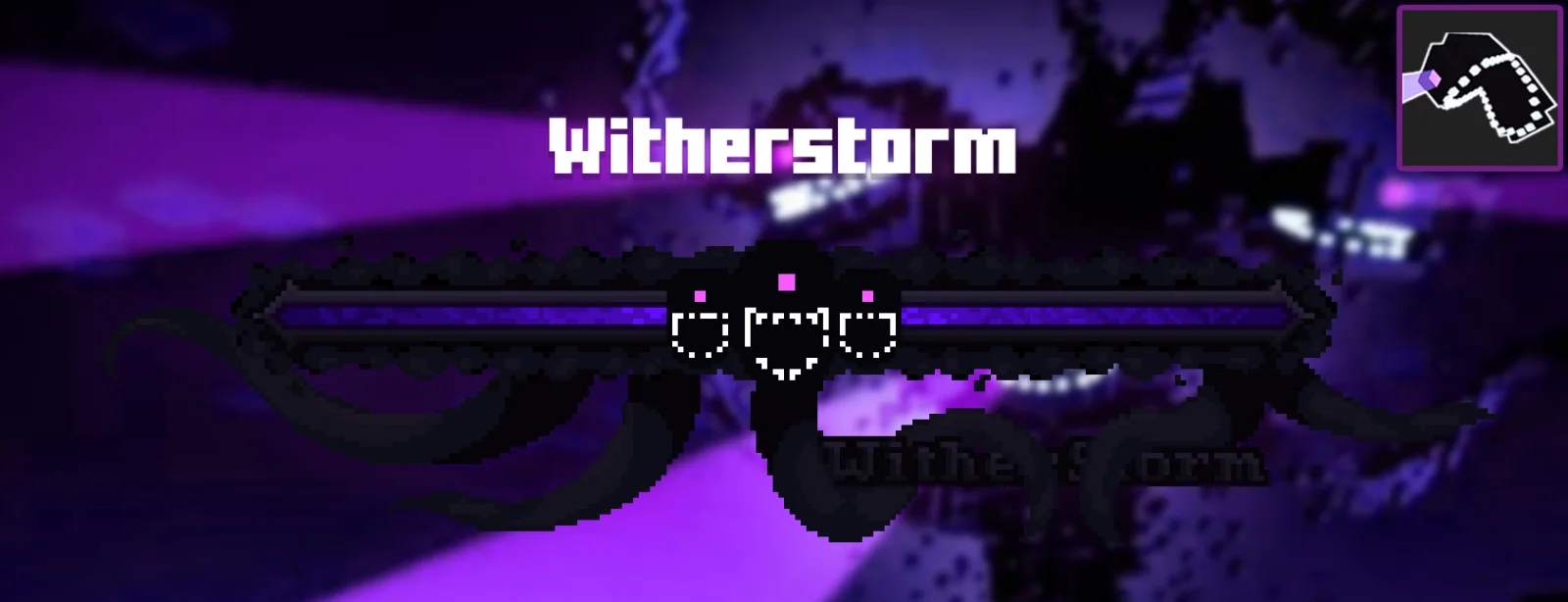
Enhanced Boss Bars is a texture pack made by Naku. New improved boss bars!
It supports Minecraft 1.16 – 26.x. It has been downloaded 5,412,505 times on Modrinth. The last update came out on Oct 22, 2026.
Enhanced Boss Bars has had 28 releases on Modrinth since Apr 29, 2023. 10 of them came out in the past year. The newest is 1.6, released on Oct 21, 2026. It is made for Minecraft 26.1 – 26.3. It runs on Minecraft. The download is 120 KB.
| Version | Released | Minecraft | Type |
|---|---|---|---|
1.6 | Oct 21, 2026 | 26.1 – 26.3 | Release |
1.6 | Jun 13, 2026 | 26.1, 26.1.1, 26.1.2 | Release |
1.6 | Jun 13, 2026 | 1.21, 1.21.1 | Release |
1.6 | Jun 13, 2026 | 1.20, 1.20.1 | Release |
1.6 | Jun 13, 2026 | 1.19, 1.19.1, 1.19.2 | Release |
Hey! I made a mod with this resource pack to resolve boss mod compatibility bugs (like Cataclysm or Aether) and some other bugs like the boss bar showing in chat instead of the boss name (which isn't a bug actually, it's because of how the resource pack works). The mod is now available here.
Enhanced Boss Bars is a project that aims to improve all the boss bars so that there is a better immersion in the amazing world of minecraft, since the default bars are very uncreative.
If you have any suggestions for a mod boss, please comment on the CurseForge page and I'll put it on the mod list :)
I hope you enjoy it and thank you very much for watching.
Bedrock version here
Some mods have created their owns boss bars, making them incompatible with this resource pack, therefore we have mods that work depending on the version. Choose yours:
1.20.1 and newer versions
Mowzie's Mobs
Cracker's Witherstorm
Alex's Mobs
Bosses of Mass Destruction
Twilight Forest
Incompatible mods
1.19.2
Mowzie's Mobs
Cracker's Witherstorm
Alex's Mobs
Bosses of Mass Destruction
Twilight Forest
Incompatible mods
1.16.5
Mowzie's Mobs
Cracker's Witherstorm
Alex's Mobs
Bosses of Mass Destruction
Twilight Forest
L_Ender's Cataclysm
Jade
You can set where you want to see Jade HUD by modifying Horizontal Ratio and Vertical Ratio
or you can turning it off by doing the following:
1.19.2 and older versions:
1.20.1 and new versions:
RPG-HUD
change the position)
position)
Well, this time I redesigned most of the boss bars, to make them more coherent between them. Here are some that I think are worth watching:
Written by Naku. Read it with pictures on Modrinth.
Download the .zip file from Modrinth. Do not unzip it.
In Minecraft, open Options, then Resource Packs, then Open Pack Folder.
Drop the .zip file into that folder and go back to the game.
Move Enhanced Boss Bars to the right-hand list and click Done.
It is made for Minecraft 1.16 – 26.x. On other versions Minecraft marks it as incompatible, but it often still works.
Full guide: How to install Minecraft resource packs
| Resource | Downloads | Versions | Last update | Price |
|---|---|---|---|---|
| Enhanced Boss Barsthe one you looked at | 5.4M | 1.16 – 26.x | 21 days ago | Free |
| AL's Dungeons Boss BarsALtheGatorMC | 1.7M | 1.21 | Mar 16, 2026 | Free |
 Barebones Bossbarsvexcenot | 241K | 1.8 – 26.x | Oct 27, 2025 | Free |
 STONEBORN UI OverhaulSindavar | 635K | 1.12 – 26.x | May 26, 2026 | Free |
Yes. Enhanced Boss Bars supports Minecraft 26.x. All supported versions: 26.x, 1.21, 1.20, 1.19, 1.18, 1.16.
Yes. Enhanced Boss Bars is free to download from Modrinth.
Yes. The last update came out in the past day.
The closest ones are AL's Dungeons Boss Bars, Barebones Bossbars and STONEBORN UI Overhaul. Compare all alternatives
AL's Dungeons Boss BarsTexture packs · 1.21A pack that makes the Boss Bars in the style of Minecraft Dungeons!
Barebones BossbarsTexture packs · 1.8 – 26.xsimplistic per-mob icons and colors to decorate boss bars with
STONEBORN UI OverhaulTexture packs · 1.12 – 26.xSTONEBORN is a simple and unique UI overhaul inspired by fantasy media.
 SenpaiSpider 1 Million Texture PackTexture packs · 1.16 – 1.21
Here is my 1M Texture Pack. While it may not be the most optimized, I hope my subscribers will enjoy it. Thank you for supporti
 Boss RefreshedTexture packs · 1.19 – 1.21
Minecraft's Bosses with a Refreshed Take!
 Glowing Trim ArmorsTexture packs · 1.16 – 26.x
This I present you Glowing Trim Armors pack. This pack works on renaming the armor 16[13+3] Colours 18 Trims designs OPtifine required…
Log in to leave a review.