
 GSR ShadersShaders · 1.20 – 26.x
[WIP] A Colorful Shaders Based on Complementary Unbound.
Free239 downloads
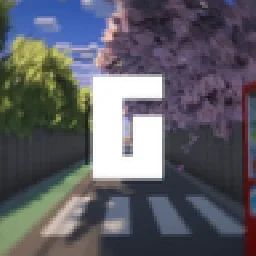
[WIP] A Colorful Shaders Based on Complementary Unbound.
Direct download from Modrinth · 335 downloads

GSU Shaders is a shader pack made by GLE. [WIP] A Colorful Shaders Based on Complementary Unbound.
It supports Minecraft 1.20 – 26.x. It has been downloaded 335 times on Modrinth. The last update came out on Oct 30, 2026.
The newest is v1, released on Oct 30, 2026. It is made for Minecraft 1.20 – 26.3. It runs on Iris and Optifine. The download is 537 KB.
| Version | Released | Minecraft | Type |
|---|---|---|---|
v1 | Oct 30, 2026 | 1.20 – 26.3 | Release |
GSU Shaders is a customized edition of Complementary Reimagined, featuring a collection of visual improvements and atmospheric enhancements designed to create a more vibrant and immersive Minecraft experience while preserving the original shader's excellent performance and quality.
GSU Shaders is based on Complementary Reimagined. All credit for the original shader framework and core rendering belongs to the Complementary development team. GSU Shaders builds upon their outstanding work by introducing new visual effects, custom colors, and artistic enhancements.
Be sure to check out GSU (Unbound Version) for an even more refined visual experience with additional improvements and future features.
Written by GLE. Read it with pictures on Modrinth.
Install Iris (with Sodium) or OptiFine for your Minecraft version: shaders need one of them.
Download the .zip file from Modrinth. Do not unzip it.
In Minecraft, open Options, then Video Settings, then Shader Packs, and click Open Shader Pack Folder.
Drop the .zip file into that folder, pick GSU Shaders in the list and click Done.
Shaders are heavy on the graphics card. If the game gets slow, pick a lower profile in the shader settings.
Full guide: How to install Minecraft shaders
| Resource | Downloads | Versions | Last update | Price |
|---|---|---|---|---|
| GSU Shadersthe one you looked at | 335 | 1.20 – 26.x | 11 days ago | Free |
| GSR ShadersGLE | 239 | 1.20 – 26.x | 11 days ago | Free |
 Aurora's ShadersCrafterAurora | 949K | 1.20 – 1.21 | Mar 28, 2025 | Free |
 Amethyst Shadersgamerbenyt | 466K | 1.8 – 1.21 | Dec 14, 2025 | Free |
Yes. GSU Shaders supports Minecraft 26.x. All supported versions: 26.x, 1.21, 1.20.
Yes. GSU Shaders is free to download from Modrinth.
Yes. The last update came out in the past day.
The closest ones are GSR Shaders, Aurora's Shaders and Amethyst Shaders. Compare all alternatives
GSR ShadersShaders · 1.20 – 26.x[WIP] A Colorful Shaders Based on Complementary Unbound.
Aurora's ShadersShaders · 1.20 – 1.21Based on Complimentary Unbound, a beautifully colorful Vanilla+ shader meant for making the game look good while maintaining good performance and vanilla feel.
Amethyst ShadersShaders · 1.8 – 1.21[WIP] A Semi-Realistic Minecraft Shaderpack, with a Vibrant Visuals Style. Based on Complementary Reimagined.
 Rethinking VoxelsShaders · 1.19 – 1.21
[WIP] A gameplay shaderpack based on complementary reimagined that has coloured block light with sharp shadows
 Allium ShadersShaders · 1.8 – 1.21
Allium, a Complementary Unbound edit. Push creativity to it's limits.
 Complementary ShadersShaders · 1.8 – 26.x
Preserving the elements of Minecraft with exceptional quality, detail, and performance.
Log in to leave a review.