
 Lumenline ShadersShaders · 1.8 – 26.x
Warm golden-hour light that wraps every block: soft shadows, light shafts, glowing leaves. 6 quality levels.
Free180 downloads
A living picture book: ink outlines, painted light steps, toon clouds and paper grain. 6 quality levels.
Direct download from Modrinth · 131 downloads
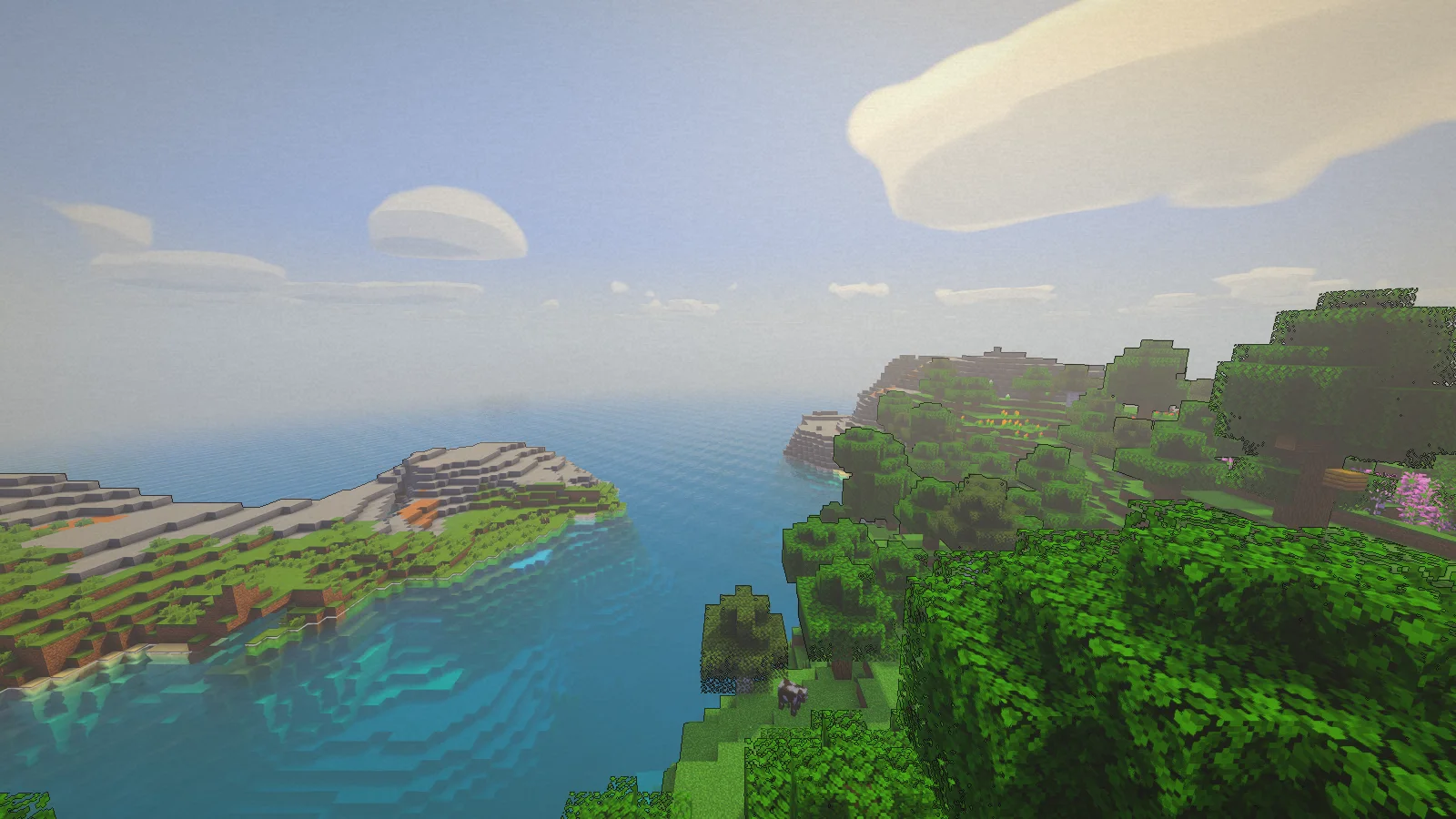
Storyloom Shaders is a shader pack made by AstorUVZ. A living picture book: ink outlines, painted light steps, toon clouds and paper grain. 6 quality levels.
It supports Minecraft 1.8 – 26.x. It has been downloaded 131 times on Modrinth. The last update came out on Nov 5, 2026.
Storyloom Shaders has had 26 releases on Modrinth since Aug 28, 2026. 26 of them came out in the past year. The newest is 2.0.1-extreme-astor-mc1.13, released on Nov 5, 2026. It is made for Minecraft 1.15.2 – 26.2. It runs on Iris and Optifine. The download is 140 KB.
| Version | Released | Minecraft | Type |
|---|---|---|---|
2.0.1-extreme-astor-mc1.13 | Nov 5, 2026 | 1.15.2 – 26.2 | Release |
2.0.1-extreme-mc1.13 | Nov 5, 2026 | 1.15.2 – 26.2 | Release |
2.0.1-high-mc1.13 | Nov 5, 2026 | 1.15.2 – 26.2 | Release |
2.0.1-medium-mc1.13 | Nov 5, 2026 | 1.15.2 – 26.2 | Release |
2.0.1-low-mc1.13 | Nov 5, 2026 | 1.15.2 – 26.2 | Release |
A living picture book: ink lines, painted light, paper grain.
Storyloom turns Minecraft into a moving illustration. Ink lines trace the silhouettes, light falls in soft painted steps with lilac shade, clouds are drawn in three tones and a fixed paper grain sits on top, while block textures stay crisp and the engine's water and shadows keep the depth.
Pick one file for your Minecraft version and PC. Each file starts at its quality level with no setup:
Quality · Minecraft 1.13 – 26.2 (OptiFine or Iris) · Minecraft 1.8.9 – 1.12.2 (OptiFine)
POTATO — weakest PCs, no shadows · Storyloom_POTATO_v2.0.1_MC1.13-26.x · Storyloom_POTATO_v2.0.1_MC1.8.9-1.12.2
LOW — laptops / integrated GPUs · …LOW…MC1.13-26.x · …_LOW…_MC1.8.9-1.12.2
MEDIUM — balanced · …MEDIUM…MC1.13-26.x · …_MEDIUM…_MC1.8.9-1.12.2
HIGH — sharper shadows, more cloud detail · …HIGH…MC1.13-26.x · …_HIGH…_MC1.8.9-1.12.2
EXTREME — strong GPUs · …EXTREME…MC1.13-26.x · …_EXTREME…_MC1.8.9-1.12.2
EXTREME ASTOR — maximum, the gallery look · …EXTREME_ASTOR…MC1.13-26.x · …_EXTREME_ASTOR…_MC1.8.9-1.12.2
Every file also contains the 6 in-game quality profiles (Profile button at the top of the shader settings), so you can switch later without downloading again. Signature effects have their own ★ Signature Effects menu.
Made for Minecraft Java 1.8.9 – 26.2: OptiFine on 1.8.9 – 1.12.2, OptiFine or Iris on 1.13 – 26.2. Both ranges use the same shader code; the 1.8.9 – 1.12.2 files use the old block names.
All 12 files of 2.0.1 were compiled with glslang (no errors, every quality level). In-game test for 2.0.1 — all 6 modern files loaded one after another, screenshots taken, no shader errors in the log:
Other versions, and the 1.8.9 – 1.12.2 files, were not run in-game with 2.0.1 itself. If something looks wrong on your version, please report it with your Minecraft, OptiFine/Iris and GPU names.
Performance depends on your GPU, resolution and render distance. Start with MEDIUM and go up or down.
This pack was made with AI assistance. The shader code and this page text were written with substantial AI help (OpenAI Codex for versions up to 1.1, Anthropic Claude for 1.2.0 and 2.0.0) under the direction of AstorUVZ. Version 2.0.0 is rebuilt on the OMNISHADE engine that AstorUVZ's other ASTOR SHADERS packs use. Gallery screenshots are real in-game captures with the HUD hidden; they are not AI-generated or edited. The project icon is a crop of one of those screenshots with the pack name added by a script; no image-generation model was used.
Yaşayan resimli kitap: mürekkep çizgileri, boyanmış ışık, kâğıt dokusu.
Storyloom Minecraft'ı hareketli bir resme dönüştürür. Mürekkep çizgileri siluetleri izler, ışık leylak tonlu gölgelerle yumuşak boyalı basamaklar hâlinde düşer, bulutlar üç tonla çizilir ve üstte sabit bir kâğıt dokusu durur; blok dokuları net kalır, motorun suyu ve gölgeleri derinliği korur.
Minecraft sürümünüze ve bilgisayarınıza uyan tek dosyayı seçin. Her dosya kendi kalitesiyle, ayar gerektirmeden başlar:
Kalite · Minecraft 1.13 – 26.2 (OptiFine veya Iris) · Minecraft 1.8.9 – 1.12.2 (OptiFine)
POTATO — en zayıf bilgisayarlar, gölgesiz · Storyloom_POTATO_v2.0.1_MC1.13-26.x · Storyloom_POTATO_v2.0.1_MC1.8.9-1.12.2
LOW — dizüstü / dahili ekran kartı · …LOW…MC1.13-26.x · …_LOW…_MC1.8.9-1.12.2
MEDIUM — dengeli · …MEDIUM…MC1.13-26.x · …_MEDIUM…_MC1.8.9-1.12.2
HIGH — daha keskin gölge, daha ayrıntılı bulut · …HIGH…MC1.13-26.x · …_HIGH…_MC1.8.9-1.12.2
EXTREME — güçlü ekran kartları · …EXTREME…MC1.13-26.x · …_EXTREME…_MC1.8.9-1.12.2
EXTREME ASTOR — en yüksek, galerideki görünüm · …EXTREME_ASTOR…MC1.13-26.x · …_EXTREME_ASTOR…_MC1.8.9-1.12.2
Her dosyada 6 oyun içi kalite profili de vardır (shader ayarlarının üstündeki Profil düğmesi); sonradan yeniden indirmeden değiştirebilirsiniz. İmza efektlerinin kendi ★ İmza Efektleri menüsü vardır.
Minecraft Java 1.8.9 – 26.2 için yapıldı: 1.8.9 – 1.12.2'de OptiFine, 1.13 – 26.2'de OptiFine veya Iris. İki aralık aynı shader kodunu kullanır; 1.8.9 – 1.12.2 dosyaları eski blok adlarını kullanır.
2.0.1 sürümünün 12 dosyasının hepsi glslang ile derlendi (hata yok, her kalite). 2.0.1 oyun içi testi — 6 modern dosyanın hepsi sırayla yüklendi, ekran görüntüsü alındı, günlükte shader hatası yok:
Diğer sürümler ve 1.8.9 – 1.12.2 dosyaları 2.0.1 sürümüyle oyunda çalıştırılmadı. Sürümünüzde bir sorun görürseniz Minecraft, OptiFine/Iris ve ekran kartı adlarıyla bildirin.
Performans ekran kartına, çözünürlüğe ve görüş mesafesine bağlıdır. MEDIUM ile başlayıp yukarı veya aşağı geçin.
Bu paket yapay zekâ desteğiyle yapıldı. Shader kodu ve bu sayfanın metni AstorUVZ yönetiminde, büyük ölçüde yapay zekâ yardımıyla yazıldı (1.1'e kadar OpenAI Codex, 1.2.0 ve 2.0.0'da Anthropic Claude). 2.0.0, AstorUVZ'nin diğer ASTOR SHADERS paketlerinin kullandığı OMNISHADE motoru üzerine yeniden kuruldu. Galeri görüntüleri HUD gizli gerçek oyun görüntüleridir; yapay zekâ ile üretilmedi veya düzenlenmedi. Proje simgesi bu görüntülerden birinden kırpılıp paket adı bir betikle eklenerek yapıldı; görsel üreten bir model kullanılmadı.
Written by AstorUVZ. Read it with pictures on Modrinth.
Install Iris (with Sodium) or OptiFine for your Minecraft version: shaders need one of them.
Download the .zip file from Modrinth. Do not unzip it.
In Minecraft, open Options, then Video Settings, then Shader Packs, and click Open Shader Pack Folder.
Drop the .zip file into that folder, pick Storyloom Shaders in the list and click Done.
Shaders are heavy on the graphics card. If the game gets slow, pick a lower profile in the shader settings.
Full guide: How to install Minecraft shaders
| Resource | Downloads | Versions | Last update | Price |
|---|---|---|---|---|
| Storyloom Shadersthe one you looked at | 131 | 1.8 – 26.x | 7 days ago | Free |
| Lumenline ShadersAstorUVZ | 180 | 1.8 – 26.x | 7 days ago | Free |
 Stormweave ShadersAstorUVZ | 123 | 1.8 – 26.x | 7 days ago | Free |
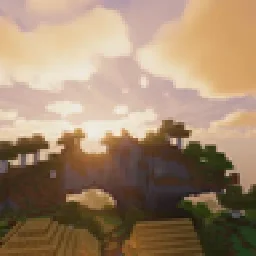 Cristal ShadersEidenMax | 53 | 1.20 | 8 days ago | Free |
Yes. Storyloom Shaders supports Minecraft 26.x. All supported versions: 26.x, 1.21, 1.20, 1.19, 1.18, 1.17, 1.16, 1.13, 1.12, 1.8.
Yes. Storyloom Shaders is free to download from Modrinth.
Yes. The last update came out in the past day.
The closest ones are Lumenline Shaders, Stormweave Shaders and Cristal Shaders. Compare all alternatives
Lumenline ShadersShaders · 1.8 – 26.xWarm golden-hour light that wraps every block: soft shadows, light shafts, glowing leaves. 6 quality levels.
Stormweave ShadersShaders · 1.8 – 26.xMoody storms: towering clouds, soaked surfaces, puddles and rain drops on the lens. 6 quality levels.
Cristal ShadersShaders · 1.20Crystal-clear water, warm natural light, soft volumetric clouds and living skies for Iris and Oculus on 1.20.1.
 LIGHT ShadersShaders · 1.8 – 26.x
As light as light, as beautiful as painting. Make you have both high FPS and good image quality.
 Lomborebi ShadersShaders · 1.18 – 26.x
An anime-inspired Minecraft shader pack featuring crisp cel-shaded block outlines, fluffy clouds, and glowing ores. It gives the game a vibrant, cozy…
 Sarp ShadersShaders · 1.17 – 26.x
A cozy shaderpack, soft light, moody skies, living water.
Log in to leave a review.