
 Nostalgia ShaderShaders · 1.16 – 1.21
Capturing the essence of old shaderpacks to create a stylized and modern Minecraft-look.
Free4,552,950 downloads
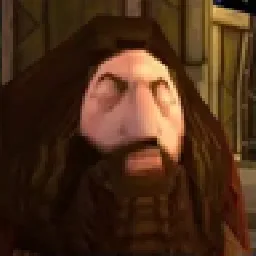
Simple shader, the goal is to imitate the look of the PSX Games.
Direct download from Modrinth · 245,925 downloads


PSX Shader is a shader pack made by serbernus. Simple shader, the goal is to imitate the look of the PSX Games.
It supports Minecraft 1.20 – 1.21. It has been downloaded 245,925 times on Modrinth. The last update came out on Jul 14, 2024.
PSX Shader has had 6 releases on Modrinth since Jun 18, 2024. None of them came out in the past year. The newest is 0.0.6, released on Jul 14, 2024. It is made for Minecraft 1.20 – 1.21. It runs on Iris and Optifine. The download is 29 KB.
| Version | Released | Minecraft | Type |
|---|---|---|---|
0.0.6 | Jul 14, 2024 | 1.20 – 1.21 | Beta |
0.0.5 | Jul 13, 2024 | 1.20.1 – 1.21 | Beta |
0.0.4 | Jul 12, 2024 | 1.20 – 1.21 | Beta |
0.0.3 | Jun 25, 2024 | 1.20 – 1.21 | Beta |
0.0.2 | Jun 23, 2024 | 1.20 – 1.21 | Beta |
Keep in mind, viewing experience might be different on different resolutions, due to scale lines, you can see weird lines appear on images...
For example my Display is 3440x1440, so its 1440p 21:9, and this is how I tested it.
For best images I recommend going into gallery of this project!
Images
Overworld :
Cave :
Lava Cave :
Mineshaft :
Written by serbernus. Read it with pictures on Modrinth.
Install Iris (with Sodium) or OptiFine for your Minecraft version: shaders need one of them.
Download the .zip file from Modrinth. Do not unzip it.
In Minecraft, open Options, then Video Settings, then Shader Packs, and click Open Shader Pack Folder.
Drop the .zip file into that folder, pick PSX Shader in the list and click Done.
Shaders are heavy on the graphics card. If the game gets slow, pick a lower profile in the shader settings.
Full guide: How to install Minecraft shaders
| Resource | Downloads | Versions | Last update | Price |
|---|---|---|---|---|
| PSX Shaderthe one you looked at | 246K | 1.20 – 1.21 | Jul 14, 2024 | Free |
| Nostalgia ShaderRRe36 | 4.6M | 1.16 – 1.21 | Feb 28, 2025 | Free |
 Vanilla Plus ShaderRRe36 | 2.8M | 1.16 – 1.21 | Feb 28, 2025 | Free |
 Aurora's ShadersCrafterAurora | 949K | 1.20 – 1.21 | Mar 28, 2025 | Free |
Not yet. The newest version it supports is Minecraft 1.21.
Yes. PSX Shader is free to download from Modrinth.
Yes. The last update came out in the past day.
The closest ones are Nostalgia Shader, Vanilla Plus Shader and Aurora's Shaders. Compare all alternatives
Nostalgia ShaderShaders · 1.16 – 1.21Capturing the essence of old shaderpacks to create a stylized and modern Minecraft-look.
Vanilla Plus ShaderShaders · 1.16 – 1.21A shaderpack that gives Minecraft a modern visual overhaul while staying faithful to its original look.
Aurora's ShadersShaders · 1.20 – 1.21Based on Complimentary Unbound, a beautifully colorful Vanilla+ shader meant for making the game look good while maintaining good performance and vanilla feel.
 Voyager shader 2.0Shaders · 1.16 – 1.21
A shader that add realism for Minecraft with a good look
 MC VHSShaders · 1.19 – 1.21
A relatively simple shader for minecraft, made to emulate the look of old VHS recordings.
 ReverieShaders · 1.20 – 26.x
Shader with a foggy and warm look. It leverages new features added by Iris for effects previously impossible to achieve.
Log in to leave a review.