
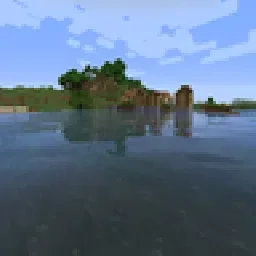
 Sildur's Enhanced Default ShadersShaders · 1.8 – 26.x
Improves the look of vanilla MC with shadows, reflections and more. Runs on any Potato!
Free270,394 downloads
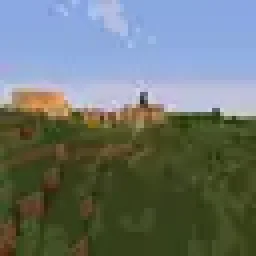
Return of an old time favorite! Lightweight and Fast! Reworked and ported from enhanced default.
Opens Modrinth · 123,452 downloads there


Return of an old time favorite! Lightweight and Fast! Reworked and ported from enhanced default.
Sildur's Basic Shaders is a shader pack made by Sildur. It supports Minecraft 1.8 – 26.x. It has been downloaded 123,452 times on Modrinth. The last update came out on Sep 15, 2026.
Sildur's Basic Shaders has had 8 releases on Modrinth since May 23, 2026. 8 of them came out in the past year. The newest is 2.7, released on Sep 15, 2026. It is made for Minecraft 1.10 – 1.20.3. It runs on Iris and Optifine. The download is 36 KB.
| Version | Released | Minecraft | Type |
|---|---|---|---|
2.7 | Sep 15, 2026 | 1.10 – 1.20.3 | Release |
2.7 | Sep 15, 2026 | 1.10 – 1.20.3 | Release |
2.7 | Sep 15, 2026 | 1.10 – 1.20.3 | Release |
2.7 | Sep 15, 2026 | 1.10 – 1.20.3 | Release |
2.6 | May 23, 2026 | 1.10 – 1.20.3 | Release |
Official Website & Changelogs | Patreon Support
Vibrant Shaders | Enhanced Default
Return of the basic shaders! First started in like 2013. It is a very lightweight and fast shaderpack, featuring lots of customization.
It supports the following options: TAA (antialiasing), Sharpening (used with TAA), SSAO (ambient occlusion), Celshading, Colorboost, Crossprocess (color filter), Custom emissive lightmaps, Custom sun/moon angle, Tonemapping, Depth of Field, Motionblur, Bump and Parallax mapping and everything wavy. There are also 5 presets available in the ingame options: Very Fast, Fast, Fast+MB, Fast+DoF and Fancy.
Permissions:
You are not allowed to edit, copy code, or redistribute this shaderpack under a different name or claim it as yours.
Modpack Policy:
Permission is not required for modpacks hosted on CurseForge or Modrinth. You may freely add this shaderpack as long as you use the platform's built-in system. Do not bundle or re-host the raw .zip file inside your project download.
Written by Sildur. Read it with pictures on Modrinth.
Install Iris (with Sodium) or OptiFine for your Minecraft version: shaders need one of them.
Download the .zip file from Modrinth. Do not unzip it.
In Minecraft, open Options, then Video Settings, then Shader Packs, and click Open Shader Pack Folder.
Drop the .zip file into that folder, pick Sildur's Basic Shaders in the list and click Done.
Shaders are heavy on the graphics card. If the game gets slow, pick a lower profile in the shader settings.
| Resource | Downloads | Versions | Last update | Price |
|---|---|---|---|---|
| Sildur's Basic Shadersthe one you looked at | 123K | 1.8 – 26.x | Sep 15, 2026 | Free |
| Sildur's Enhanced Default ShadersSildur | 270K | 1.8 – 26.x | Sep 15, 2026 | Free |
 AV Shadersroxzygaming | 15 | 26.x | 8 days ago | Free |
 Potato ShadersRRe36 | 3.3M | 1.12 – 1.20 | Jun 13, 2023 | Free |
Yes. Sildur's Basic Shaders supports Minecraft 26.x. All supported versions: 26.x, 1.21, 1.20, 1.19, 1.18, 1.17, 1.16, 1.13, 1.12, 1.8.
Yes. Sildur's Basic Shaders is free to download from Modrinth.
Yes. The last update came out in the past day.
The closest ones are Sildur's Enhanced Default Shaders, AV Shaders and Potato Shaders. Compare all alternatives
Sildur's Enhanced Default ShadersShaders · 1.8 – 26.xImproves the look of vanilla MC with shadows, reflections and more. Runs on any Potato!
AV ShadersShaders · 26.xAV Shader (Advanced Vanilla) is a lightweight Iris shader pack built to elevate Minecraft's default aesthetics with modern lighting, dynamic sky visuals, and…
Potato ShadersShaders · 1.12 – 1.20A very lightweight shaderpack that is still fancy in its own way.
 E-LITE shadersShaders · 1.12 – 26.x
A MakeUp - Ultra Fast shaders edit that is highly customizable, beautiful, and fast!
 Sildur's Vibrant ShadersShaders · 1.8 – 26.x
Very optimized shaderpack for MC: Java edition, around since 2012! Runs on any hardware and supports every MC version since 1.7.10.
 Builder's QOL ShadersShaders · 1.12 – 1.20
A lightweight shader pack designed to enhance the vanilla aesthetic.
Log in to leave a review.