NewCraftRank SitesA free website and storeMake yours ›
AshlarFree server software built on Paper, with DDoS and backdoor protection See Ashlar ›CommunityAsk questions, share builds and find people to play with Join the forum ›
Resources / Shaders / Better Voxels

Better Voxels

Rethinking Voxels Fork | Every legendary feature you ever wanted in a shader. Combined. Optimized. Perfected.

ShadersFree1.18 – 26.x
by _FastdropX_ · listed from Modrinth
Download ›

Direct download from Modrinth · 61,672 downloads
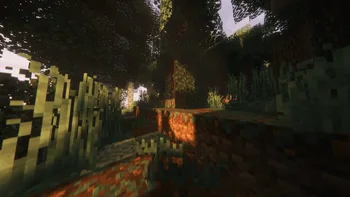
Better Voxels screenshot 1Better Voxels screenshot 2Better Voxels screenshot 3

What it does

Better Voxels is a shader pack made by _FastdropX_. Rethinking Voxels Fork | Every legendary feature you ever wanted in a shader. Combined. Optimized. Perfected.

It supports Minecraft 1.18 – 26.x. It has been downloaded 61,672 times on Modrinth. The last update came out on Sep 26, 2026.

Supported versions

26.x1.211.201.191.18

Release history

Better Voxels has had 2 releases on Modrinth since Sep 1, 2026. 2 of them came out in the past year. The newest is 1.8, released on Sep 25, 2026. It is made for Minecraft 1.18.2 – 26.3. It runs on Iris. The download is 21.1 MB.

VersionReleasedMinecraftType
1.8Sep 25, 20261.18.2 – 26.3Release
1.7Sep 1, 20261.18.2 – 26.3Release
Description from the author on Modrinth
  • Voxel Global Illumination. Path-traced bounce lighting, tuned to run on Iris.
  • Nubis Extended clouds. A unique cloud technology based on Nubis 2017, Nubis Cubed, and other articles, featuring a refined spawning physics system. (BETA)
  • Fully modular. Over 1700 sliders and 400 switches across 12 tabs. Every effect can be retuned or switched off in the shader menu.
  • Per-biome atmosphere. 64 biomes, each with its own fog colour, light shaft colour and shaft strength. Borders crossfade. It can reach the sky too, if you want it to.
  • Smooth Time Transition. Sunrise and sunset glide instead of stepping. Shadows, clouds, stars, the nebula and the aurora all run off the same eased clock, so nothing lags behind.
  • Atmosphere and weather.
  • 7 aurora palettes and 5 sunset palettes, or a random sunset each day.
  • Volumetric fog, distant haze, cave fog and godrays.
  • Seasons with autumn colours, rainbows, and No Rain Above Clouds.
  • Better Thunder: the cloud deck drops under a storm, and lightning flashes inside the clouds.
  • Distant Horizons and Voxy. Distant terrain gets the pack's fog, haze, seasons, lights, shadows and ambient occlusion.
  • Effects tab. Low Health, Low Oxygen, Water Plunge, Exposure Spike, Screen Rain & Dirt, Lens Fogging, Light Halos, Heat Distortion, Samsung Space Zoom, Camera Motion and Smooth Beacon Ray. Each has its own settings page.
  • Auto Exposure that answers to what is in frame, not to how bright the day is. Look at a lamp and the world around it drops away. Look at more lamps and it drops further. A bright afternoon is left alone.
  • Realistic water, interactive ripples, waving foliage, POM, generated normals, coated textures, glowing ores, and a block outline that follows the texture instead of the box.

Volumetric clouds with a sky that behaves like weather. They are the default on every profile.

  • Eight cloud types. Cumulus, stratocumulus, stratus, altocumulus, cirrocumulus, cirrus, cirrostratus, and a lone cumulonimbus with its anvil. By default the whole sky runs at once: a low deck and a high deck, each with its own regions of cloud, drifting at different speeds.
  • Weather that moves. Highs and lows drift across the sky. Every night decides how cloudy the next day will be, and rain slowly closes the sky over.
  • Clouds that grow from the air. Temperature, humidity and stability decide where cloud forms. Cumulus rises with the afternoon warmth and fades at sunset, and stratus lies low on humid mornings.
  • Light.
  • Multiple scattering and a silver lining toward the sun.
  • Cloud shadows on the ground, and reflections in water.
  • Beacon beams and lightning glowing inside the clouds.
  • Tunable. Quality levels from Potato to High, and hundreds of settings on themed pages.

Technologies Links

**Nubis³**

**Nubis Evolved**

**Nubis 2017**

**WMO**

**Meteoros**

Three pages of camera and film simulation. All of it stacks.

  • BodyCam Mode. Fish-eye lens, edge distortion, and night vision that turns itself on when the scene goes dark.
  • 2KS Mode. A camcorder look ported from the 2KS shaderpack with permission, with most of its original settings menu.
  • Old Camera Post-Processing. Scanlines, phosphor bloom, screen curvature, tape distortion, chromatic aberration, tracking noise.
  • ASCII Mode. The viewport redrawn as a live character grid.
  • Color Correction.
  • 16 tonemappers, including AgX with its looks, ACES, Gran Turismo, Hable, Lottes and PBR Neutral.
  • White balance and three-way grading.
  • Colour spaces up to Rec.2020.
  • Night vision that drains colour from the dark.
  • Filters (including City Night), cinematic bars, film grain, and a Fun tab of 13 joke effects.

7 one-click looks, set from the top of the menu. They are separate from the quality profile, so how the pack looks and how hard it runs are two different choices.

Each one sets the tonemap, palette, contrast and post chain together.

Eight quality profiles from Potato to Ultra Max. An Optimization tab of cost controls that ship neutral, so turning them up is your call and not the default. Settings pages for anything you want to take apart.

  • License: Complementary License Agreement 1.6. This project is a fork of Rethinking Voxels (by gri573), which is based on Complementary Shaders / Complementary Development by EminGT. Original copyright notices and the terms of the license are strictly retained.
  • Lead Developer: FastdropX
  • Modding Policy: Out of respect for the project, please notify the developer or open a pull request before releasing heavy modifications.
  • Credits:
  • gri573 Rethinking Voxels Developer

Written by _FastdropX_. Read it with pictures on Modrinth.

How to install Better Voxels

  1. Install Iris (with Sodium) or OptiFine for your Minecraft version: shaders need one of them.

  2. Download the .zip file from Modrinth. Do not unzip it.

  3. In Minecraft, open Options, then Video Settings, then Shader Packs, and click Open Shader Pack Folder.

  4. Drop the .zip file into that folder, pick Better Voxels in the list and click Done.

  5. Shaders are heavy on the graphics card. If the game gets slow, pick a lower profile in the shader settings.

Full guide: How to install Minecraft shaders

Compatibility

Minecraft versions
26.x, 1.21, 1.20, 1.19, 1.18
Edition
Java
Needs
Nothing else
License
Free to use
Price
Free
Upkeep
Actively updated (Nov 11, 2026)

Better Voxels compared with similar ones Compare all alternatives

ResourceDownloadsVersionsLast updatePrice
Better Voxelsthe one you looked at62K1.18 – 26.xSep 26, 2026Free
Sildur's Vibrant ShadersSildur732K1.8 – 26.xSep 15, 2026Free
Tricked Shaderstricked3395K1.8 – 26.xSep 6, 2026Free
Smoother GlowingMelonRind54K1.12 – 26.xOct 11, 2026Free

Questions

Does Better Voxels work on Minecraft 26.x?

Yes. Better Voxels supports Minecraft 26.x. All supported versions: 26.x, 1.21, 1.20, 1.19, 1.18.

Is Better Voxels free?

Yes. Better Voxels is free to download from Modrinth.

Is Better Voxels still updated?

Yes. The last update came out in the past day.

What are the best alternatives to Better Voxels?

The closest ones are Sildur's Vibrant Shaders, Tricked Shaders and Smoother Glowing. Compare all alternatives

Alternatives to Better Voxels

Tricked ShadersShaders · 1.8 – 26.x

Based on Mellow Shader, a modified version to reduce brightness and make the game look better while maintaining good performance and vanilla feel.

Free95,467 downloads
Glacier ShadersShaders · 1.16 – 26.x

Glacier Shader - Low-End Edition Glacier Shader is a highly optimized low-end shader designed for maximum performance on weaker PCs. It features a minimalist…

Free38,182 downloads
Compare all alternatives ›

Reviews

–★★★★★
0 reviews
50
40
30
20
10

Log in to leave a review.